Best AP Automation Software for Sage (2026): 7 Tools Compared
The best AP automation for Sage depends on which Sage product you run. For finance teams on Sage...
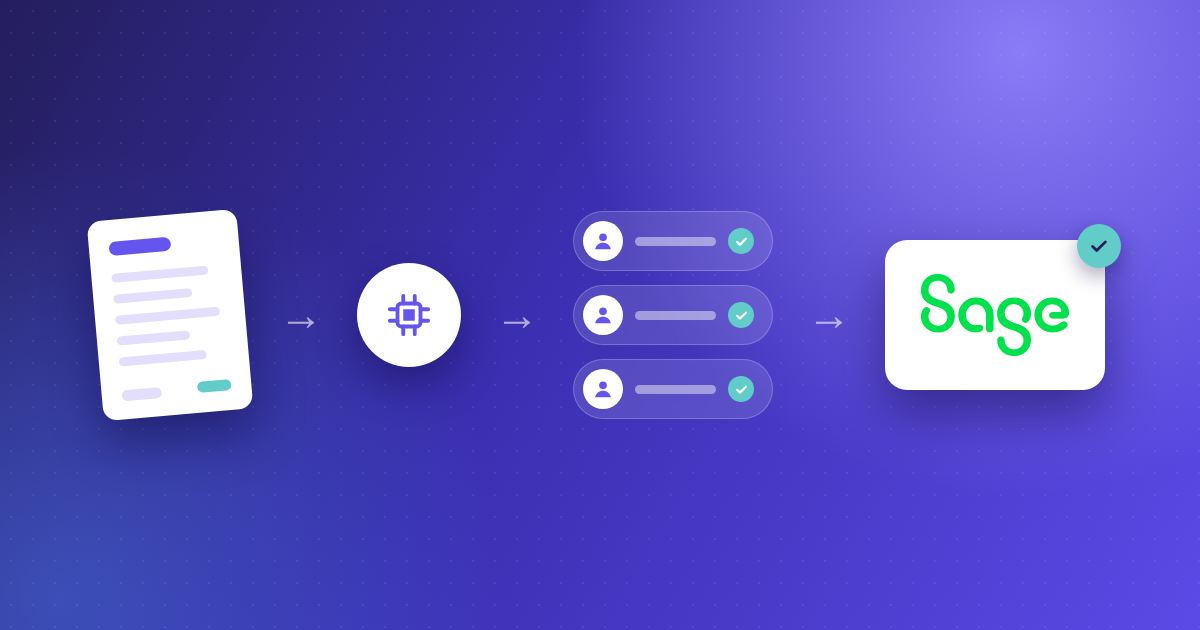
If your finance team runs Sage Intacct, you already have a reliable general ledger and multi-entity reporting. Where things slow down is the invoice approval workflow: routing invoices to the right people, chasing sign-offs, and making sure nothing falls through the cracks before payment. AP automation software built for Sage Intacct can close that gap.
Kefron AP gives you a direct Sage Intacct integration that syncs suppliers, GL codes, POs and custom dimensions, then routes invoices through configurable approval rules with a full audit trail. This article compares seven AP tools that integrate with Sage Intacct, focusing on how each one handles invoice approval workflows, data accuracy and multi-entity operations.
Below you will find a quick guide, methodology, detailed reviews, a comparison table and answers to common questions so you can shortlist the right option for your team.
Approval workflows are where most AP bottlenecks live. An invoice can be captured in seconds, but if the routing rules are rigid or the integration drops your Sage Intacct dimensions, your team ends up chasing approvers by email and re-keying data.
We selected these seven tools based on criteria that directly affect how quickly and accurately an invoice moves from capture to posted bill.
Kefron AP is an accounts payable automation solution used by 900+ finance teams across the UK, Ireland, the US and Europe. It integrates directly with Sage Intacct through a real-time API, syncing suppliers, GL codes, POs, goods received notes, tax codes, custom dimensions and segments.
What sets Kefron AP apart for Sage Intacct approval workflows is the accuracy of data before it reaches an approver. AI capture reads any invoice format without templates. A dedicated Data Assurance Team then validates uncertain fields before the invoice enters your approval chain.
The result is 99%+ data accuracy after validation. Your approvers review clean, correctly coded invoices rather than spending time fixing extraction errors.
Approval rules in Kefron AP are configurable by role, department, entity, value threshold or any combination. Automated reminders and escalation keep invoices moving. For Sage Intacct teams running multiple entities, Kefron AP handles cross-entity approvals from a single workspace while maintaining entity-level data segregation.
Allego, a fast-growing technology company on Sage Intacct, implemented Kefron AP to replace manual invoice processing across its UK and US entities. The result: £30,000 in annual savings and full visibility into every invoice's approval status.
As Nathan Chalk, EMEA Finance Manager at Allego, put it: "You can see the journey a document has taken through our invoice management system."
Sage Intacct includes its own AP automation module. Sage AI reads uploaded or emailed invoices, extracts supplier names, totals, dates and line items, and creates a draft bill. The module also handles PO matching, flags duplicates and routes bills through point-and-click approval workflows across entities.
For Intacct users with lower invoice volumes and straightforward approval needs, staying inside Sage means one vendor and one login. The trade-offs appear as approval complexity grows.
Conditional routing based on GL codes or spend thresholds requires more configuration. Payments sit in a separate Sage Vendor Payments module rather than flowing through one end-to-end workflow.
Stampli organises AP around the invoice itself. Approvers, AP staff and suppliers can comment directly on the invoice record, keeping every question, answer and approval decision in one audit-ready thread. Its AI assistant, Billy, learns coding and routing patterns over time and predicts GL codes for incoming invoices.
Stampli integrates with Sage Intacct through a bi-directional sync that covers vendors, GL accounts, dimensions, open POs and receipts. It is a Sage Tech Partner for Intacct. For teams with many approvers across departments, Stampli's collaboration model can reduce the back-and-forth that normally happens over email.
Weighing up other options? See our guide to Stampli alternatives.
Tipalti combines AP automation with global supplier payments. It pays suppliers in 200+ countries and 120 currencies, handles tax form collection and withholding, and supports multiple entities in one instance with a consolidated head-office view. Tipalti is a Sage Recommended Solution on the Intacct Marketplace.
The Sage Intacct integration uses a two-way API sync. For finance teams whose primary challenge is paying international suppliers while keeping approval workflows standardised across entities, Tipalti covers both invoice processing and payment execution in one platform.
Weighing up other options? See our guide to Tipalti alternatives.
Yooz is a cloud AP platform with one of the broader sets of Sage integrations, including Sage 50, 100, 200, 300, Intacct and X3. It supports multi-channel capture from email, scan, mobile and upload, plus 2-way and 3-way matching, PO and invoice approvals, and supplier statement reconciliation.
For smaller Sage Intacct teams that need mobile-friendly approvals, Yooz lets approvers sign off from a phone. Invoice images are pushed into Sage alongside the posted data. Entry-level plans are available, making it a starting point for teams with lower volumes.
Weighing up other options? See our guide to Yooz alternatives.
Quadient AP, formerly Beanworks, handles POs, invoices and expenses in a single platform. It captures header and line-level data with AI, runs 2-way and 3-way matching, and routes approvals automatically. Quadient lists integrations with Sage 50, 100, 200, 300 and Intacct.
For teams that want to create purchase orders and approve invoices in the same system, Quadient AP covers both from requisition to payment. It also includes payment options through virtual card, ACH and EFT, though these are primarily North American payment methods.
Rillion is a Stockholm-based AP automation vendor serving mid-sized and large organisations. It integrates with Sage Intacct through a native connector listed on the Intacct Marketplace, and also supports Sage X3. Rillion offers AI capture and coding, 2-way and 3-way matching, mobile approvals and payments without per-user pricing.
For Sage Intacct teams where many people need to approve invoices, Rillion's unlimited-user model keeps costs predictable regardless of how many approvers you add. Its AI assistant, Riley, helps AP staff locate and act on invoices that need attention.
Weighing up other options? See our guide to Rillion alternatives for UK finance teams.
A good approval workflow starts with clean data. If your AP tool extracts the wrong vendor name, misses a line item or drops a custom dimension, the approver has to fix it before they can sign off. That turns every approval into a data-entry task.
The integration between your AP tool and Sage Intacct also matters more than most vendors acknowledge. Sage Intacct's value is in its dimensions: location, department, project, class, customer. An AP tool that syncs vendors and GL accounts but drops your dimensional coding sends invoices to approvers with incomplete data.
According to a 2026 survey reported by CFO.com, only 4% of mid-market respondents had fully automated their AP function from invoice to payment. The remaining 96% are working with partial automation, which means approval bottlenecks and delayed payments are still common.
Choosing an AP tool that delivers accurate, fully coded invoices to your Sage Intacct approval queue is the difference between partial and genuine automation.
Multi-entity Sage Intacct environments create a specific challenge for approval routing. Each entity may have its own approval thresholds, department structures and GL coding. If your AP tool forces a single set of approval rules across all entities, your team ends up creating workarounds or approving invoices in the wrong context.
Look for tools that let you define entity-specific approval chains while giving your central AP team a consolidated view of every invoice in the queue.
Kefron AP handles this by maintaining entity-level segregation inside one workspace. A group financial controller can see the full picture while entity-level approvers only see invoices relevant to their business unit.
Kefron AP solves the specific problem that makes invoice approval workflows break down in Sage Intacct: data quality before the invoice reaches an approver. Most AP tools capture invoice data and hand it to your team to verify.
Kefron AP validates data through a dedicated Data Assurance Team and then sends a clean, correctly coded invoice into your Sage Intacct approval chain.
That distinction drives real outcomes. When 70 to 90% of recurring supplier invoices go through touchless, your approvers spend their time making approval decisions rather than correcting vendor names or GL codes.
The Sage Intacct integration syncs every dimension your reporting depends on. Approved invoices post to Sage with the right coding from the start.
If you are running Sage Intacct across multiple entities and want invoice approvals that move faster without sacrificing accuracy, explore how Kefron AP works with your Sage Intacct setup.
Kefron AP is the best overall AP automation for Sage Intacct teams that need high-accuracy invoice capture and configurable approval routing. It syncs your full Sage Intacct dimensional structure and validates invoice data before it enters the approval chain, delivering 99%+ accuracy after validation.
Yes. Sage Intacct includes an AP automation module that uses AI to create bills from invoices, match POs, flag duplicates and route approvals. It works well for straightforward AP needs. Teams with complex multi-entity approval rules or high invoice volumes may find dedicated AP tools like Kefron AP offer more flexibility.
AP automation removes the manual steps that slow approvals down. Instead of re-keying invoice data and chasing approvers by email, the tool captures data, validates it, matches it to purchase orders and routes it to the correct approver automatically.
Kefron AP adds a human validation layer that catches errors before they reach your queue.
Several AP tools support multi-entity approval workflows for Sage Intacct. Kefron AP lets you define entity-specific approval rules while giving your central finance team a consolidated view across all entities. Tipalti and Stampli also offer multi-entity support for Intacct.
Check whether the tool syncs your full Sage Intacct dimensional structure, including custom dimensions, locations, departments and projects. A bi-directional, real-time sync keeps your AP tool and Sage Intacct aligned. Kefron AP connects through a direct Sage API integration that covers suppliers, GL codes, POs, GRNs, tax codes and custom segments.