The best AP automation for Sage depends on which Sage product you run. For finance teams on Sage 50, Sage 200, Sage Intacct or Sage X3, Kefron AP is the strongest all-round choice: it syncs suppliers, nominal codes and POs directly with Sage, matches invoices at line level, and delivers 99%+ data accuracy after validation.
Sage runs the ledger for a huge number of finance teams in the UK, Ireland, the US and beyond, from small businesses on Sage 50 to multi-entity groups on Sage Intacct and Sage X3. What Sage doesn't do on its own is take the manual work out of accounts payable. Invoices still need capturing, coding, matching and chasing for approval.
This guide compares seven AP automation options for Sage users, including Sage's own AP automation in Sage Intacct. We looked at which Sage products each one supports, how deep the integration goes, and how much of the invoice process it actually automates.
Quick guide: 7 best AP automation tools for Sage
- Kefron AP: Best overall for mid-market and enterprise teams on Sage 50, 200, Intacct and X3 that need high accuracy and touchless processing
- Sage Intacct AP Automation: Sage's built-in option for Intacct customers with straightforward AP
- Stampli: Invoice-centred collaboration for US teams on Sage Intacct, 100 and 300
- Tipalti: AP plus global supplier payments for multi-entity Sage Intacct users
- Yooz: Cloud AP with broad Sage product coverage for smaller finance teams
- Quadient AP: AP and purchasing for small and mid-sized Sage users, with North American payments
- Rillion: Mid-market AP with a new native Sage Intacct integration and Sage X3 support
How we chose the best AP automation for Sage
A long feature list doesn't help if the tool can't keep your Sage data in sync. We evaluated each option on:
- Sage integration depth: Does it sync suppliers, nominal codes, POs, goods received notes and tax codes with Sage, and post approved invoices back without exports or re-keying?
- Sage product coverage: Does it support the Sage version you run today, and the one you might move to as you grow?
- Data accuracy: Can it capture header and line-level data from any invoice format without templates, and how are errors caught before they reach Sage?
- PO matching: Does it handle 2-way and 3-way matching at line level, including partial deliveries and price tolerances?
- Multi-entity and multi-currency: Can one AP team run several Sage companies or entities from one place?
- Implementation and support: How quickly can you go live, and who keeps accuracy high after launch?
The 7 best AP automation tools for Sage users
1. Kefron AP: Best overall AP automation for Sage
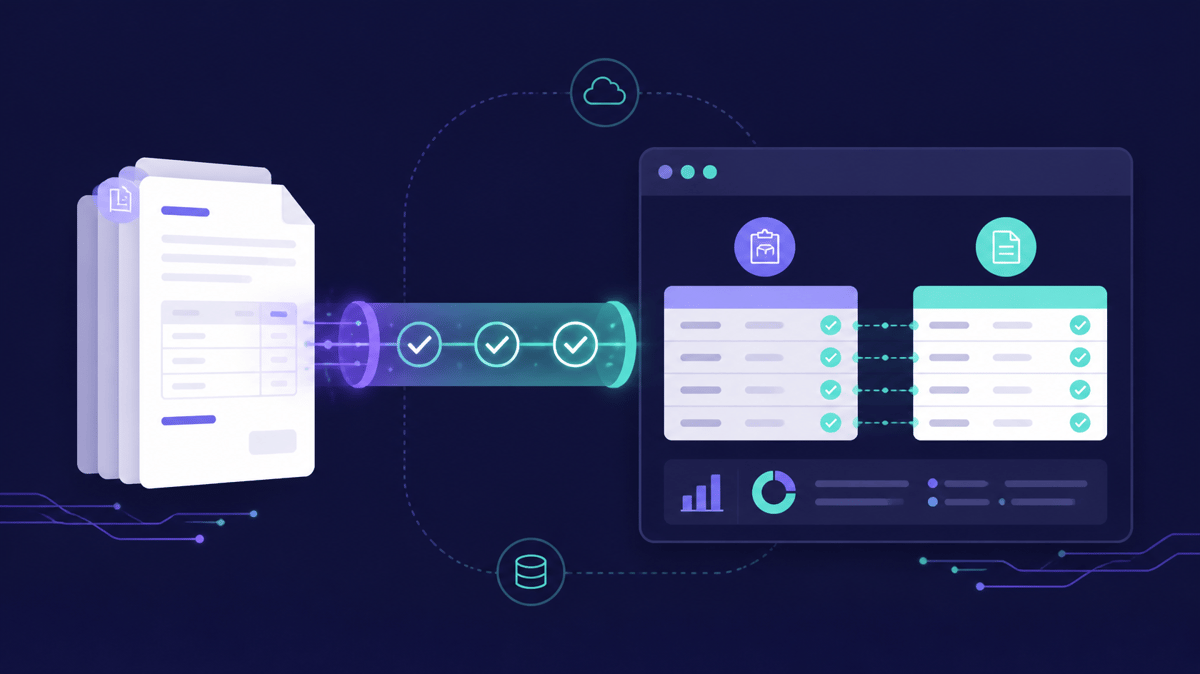
Kefron AP is an accounts payable automation solution used by 900+ finance teams across the UK, Ireland, the US and Europe. It integrates directly with Sage 50, Sage 200, Sage 1000, Sage Intacct and Sage X3. Supplier records, nominal codes and POs sync from Sage, and approved invoices post back automatically.
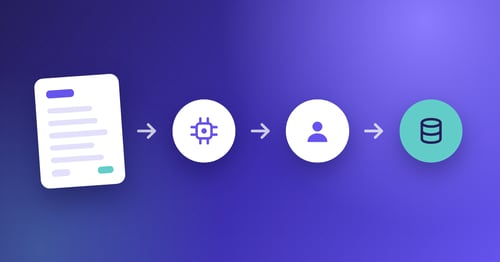
The difference is accuracy. Kefron AP combines AI capture, which reads any invoice format without templates, with a Data Assurance Team that checks uncertain fields before anything reaches Sage. The result is 99%+ data accuracy after validation. For recurring suppliers, 70–90% of invoices go through touchless, so your AP team deals with exceptions instead of data entry.
Kefron AP has a long track record with Sage customers. M50 Truck & Van Centre cut invoice processing time by 80% on Sage 200. Heritage Parts Centre processes 90% of invoices touch-free. Gold Care Homes saves £30,000 a year across 29 sites on Sage 50. Allego runs a multi-entity UK and US operation on Sage Intacct.
Kefron AP features
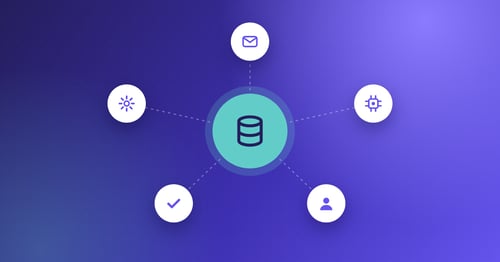
- Direct Sage integration: Syncs supplier lists, GL and nominal codes, POs, goods received notes, tax codes, custom fields and segments. No middleware, imports or scripting.
- AI capture with human validation: Reads PDFs, XML, EDI and scanned invoices without templates, with the Data Assurance Team reviewing flagged fields.
- Line-level 2- and 3-way matching: Matches invoices to POs and GRNs line by line, flagging price and quantity differences.
- Configurable approvals: Rules by role, department, entity or value, with reminders and escalation.
- Duplicate and fraud checks: Catches duplicate invoices before they are posted, with a full audit trail.
- Multi-entity and multi-currency: Runs several Sage companies or entities from one AP process.
Kefron AP pros and cons
Pros:
- Covers Sage 50, 200, 1000, Intacct and X3, so it supports you as you move between Sage products
- 99%+ data accuracy after validation, backed by a team that keeps optimising accuracy after go-live
- Live in 4–6 weeks with fully managed onboarding and no IT overhead
Cons:
- Focused on accounts payable rather than full source-to-pay, so teams that want procurement in the same tool may run a separate system
- Sage 100 and Sage 300 aren't listed as standard integrations, so users on those versions should confirm with the Kefron team
- Supplier statement reconciliation and the PO module are add-ons rather than part of the core package
2. Sage Intacct AP Automation: Built-in option for Intacct customers
Sage Intacct includes its own AP automation. Sage AI reads uploaded or emailed invoices, pulls out the supplier, totals, dates and line items, and drafts the bill. Sage says it also automates PO matching, flags duplicates and routes bills through point-and-click approval workflows, across entities.
For Intacct customers with simple AP, staying inside Sage is appealing: one vendor, one login. The trade-offs show up as AP gets more complex. Payments run through Sage Vendor Payments, a separate module, and some users find conditional approval routing less flexible than dedicated AP tools.
Sage Intacct AP Automation features
- AI bill creation: Extracts header and line-level data from invoices and drafts bills in Intacct
- PO matching and duplicate flags: Built into the Intacct AP workflow
- Native approvals: Point-and-click approval workflows inside Intacct
Sage Intacct AP Automation pros and cons
Pros:
- No separate integration to manage
- Familiar interface for existing Intacct users
- Multi-entity processing within Intacct
Cons:
- Only available for Sage Intacct, so it doesn't help teams on Sage 50, 200 or X3
- Payments sit in a separate add-on module rather than one workflow
- Unusual or one-off supplier invoices still need manual review, with no managed validation service
3. Stampli: Invoice-centred collaboration for US Sage users
Stampli puts the invoice at the centre of AP. Approvers, AP staff and even suppliers comment directly on the invoice, so every question and answer sits in one audit-ready record. Its AI assistant, Billy, handles capture, coding and routing.
Stampli lists integrations with Sage 50, Sage 100, Sage 300 and Sage Intacct, and is a Sage Tech Partner for Intacct. It's popular with US mid-market teams.
Stampli features
- Collaboration on the invoice: Comments and questions stay with the invoice record
- Billy AI assistant: Learns coding and approval patterns over time
- Broad ERP coverage: Native integrations with 70+ ERPs
Stampli pros and cons
Pros:
- Strong approval collaboration for teams with many approvers
- Good fit for US Sage 100 and Sage 300 users
- Fast deployment
Cons:
- Sage 200 and Sage X3 aren't listed, which rules it out for many UK, Irish and European Sage users
- Payments, procurement and cards are add-ons
- Pricing is quote-based with no published plans
4. Tipalti: AP plus global payments for Sage Intacct
Tipalti combines AP automation with global supplier payments. It pays suppliers in 200+ countries and 120 currencies, handles tax forms and withholding, and supports multiple entities in one instance with a consolidated view.
Its deepest Sage integration is with Sage Intacct, through a two-way API sync, and it is a Sage Recommended Solution on the Intacct Marketplace. Tipalti's UK site also lists Sage 50, 100, 200 and 300.
Tipalti features
- Global payouts: 50+ payment methods across 200+ countries
- Tax compliance: Supplier tax form collection, VAT coding and withholding
- Multi-entity: Entity-specific workflows with a consolidated head-office view
Tipalti pros and cons
Pros:
- Strong for companies paying many international suppliers
- Published entry price for AP
- Mature Sage Intacct integration
Cons:
- Transaction fees and add-on modules make total cost harder to forecast
- Payments-led, so it may be more than a team needs if invoice processing is the main problem
- Integration depth for Sage products other than Intacct should be confirmed
5. Yooz: Cloud AP with broad Sage coverage
Yooz is a cloud AP platform that lists one of the broadest sets of Sage integrations, including Sage 50, 100, 200, 300, Intacct and X3. It covers multi-channel capture, 2- and 3-way matching, PO and invoice approvals, and supplier statement reconciliation.
Yooz features
- Multi-channel capture: Email, scan, mobile and upload
- Mobile approvals: Approve POs, invoices and payments from a phone
- Invoice images in Sage: Pushes the invoice image into Sage alongside the posted data
Yooz pros and cons
Pros:
- Wide Sage product coverage
- Entry-level plans suit smaller teams
- Simple, self-service setup
Cons:
- Pricing scales with document volume
- Mainly self-service, with less hands-on accuracy support than a managed service
- Teams with complex multi-entity approval rules should test configurability carefully
6. Quadient AP: AP and purchasing for small and mid-sized Sage users
Quadient AP, formerly Beanworks, handles POs, invoices and expenses in one system. It captures header and line-level data with AI, runs 2- and 3-way matching, and routes approvals automatically. Quadient lists integrations with Sage 50, 100, 200, 300 and Intacct, and recently added a UK and Ireland Sage 50 integration.
Quadient AP features
- POs, invoices and expenses in one place: Purchasing and AP on the same platform
- Line-level capture and matching: 2- and 3-way matching against POs and receipts
- Payments: Virtual card, ACH and EFT
Quadient AP pros and cons
Pros:
- Combines purchasing and AP
- Good coverage of smaller Sage products
- Built for small and mid-sized finance teams
Cons:
- Payment options are rooted in North America (ACH and EFT)
- Little public detail on integration depth for some Sage products
- No Sage X3 support listed
7. Rillion: Mid-market AP with a new Sage Intacct integration
Rillion is a Stockholm-based AP automation vendor serving mid-sized and large organisations. It integrates with Sage X3 and, since April 2026, with Sage Intacct through a native integration listed on the Intacct Marketplace. Rillion offers AI capture and coding, 2- and 3-way matching, mobile approvals and payments, and doesn't charge per user.
Rillion features
- AI capture and coding: Including non-PO invoices
- Unlimited users: No per-user pricing
- Riley AI assistant: Helps AP teams find and act on invoices
Rillion pros and cons
Pros:
- Unlimited users keeps approver costs predictable
- Supports Sage X3 and Sage Intacct
- Large international customer base
Cons:
- Sage 50 and Sage 200 aren't listed
- The Intacct integration is new, so it has a shorter track record
- Pricing is quote-based
Which AP automation is best for your Sage product?
- Sage 50: If you're outgrowing manual entry and processing hundreds of invoices a month, Kefron AP gives you accuracy and approvals without adding headcount. Gold Care Homes runs 2,500 invoices a month across 29 sites on Sage 50.
- Sage 200: Kefron AP is the strongest fit, with direct sync of POs, GRNs and nominal codes. Riviera Travel saves 32 hours a month on Sage 200c after replacing a tool whose Sage integration kept failing.
- Sage Intacct: Start by testing Sage's built-in AP automation. If you need higher accuracy, multi-entity approval rules or managed validation, Kefron AP is the stronger choice. Tipalti suits Intacct teams whose main problem is paying international suppliers.
- Sage X3: Choose a vendor that names X3 explicitly. Kefron AP, Yooz and Rillion all do.
- Sage 100 and 300: These US products are best served by vendors that list them, such as Stampli and Quadient AP.
What should Sage users look for in AP automation?
Sage handles the ledger well, but most Sage products leave invoice capture, coding and approvals to the AP team. When you compare tools, check three things.
First, what syncs. A good Sage integration keeps suppliers, nominal codes, POs, GRNs and tax codes in sync both ways. If you have to export and import files, the integration will break the first time someone changes a supplier record.
Second, how errors are caught. Every vendor claims AI capture. Ask what happens when the AI isn't sure. Kefron AP sends uncertain fields to a human validation team, which is how it reaches 99%+ accuracy. Others leave that check to your team.
Third, the touchless rate. Ask what percentage of invoices go from inbox to Sage with no human touch. It's the clearest sign of how much work the tool actually removes. See our touchless processing benchmarks for 2026.
Why Kefron AP is the best AP automation for Sage
Kefron AP covers Sage 50, 200, 1000, Intacct and X3, so it supports you as you grow from one Sage product to the next and works across groups running more than one. Few vendors pair that coverage with the same depth of integration and managed accuracy.
The integration goes deep: suppliers, nominal codes, POs, GRNs, tax codes, custom fields and segments all sync without middleware. AI capture with human validation delivers 99%+ accuracy, and 70–90% of invoices from recurring suppliers go through touchless. Implementation takes 4–6 weeks, with Kefron's team managing onboarding and fine-tuning accuracy afterwards.
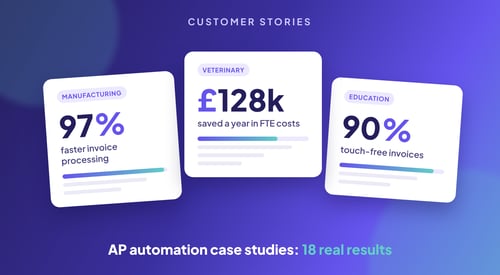
See how other Sage users got there in our AP automation case studies, or explore Kefron AP for Sage.

FAQs about AP automation for Sage
What is the best AP automation software for Sage?
Kefron AP is the best overall AP automation for Sage users on Sage 50, Sage 200, Sage Intacct and Sage X3. It syncs suppliers, nominal codes and POs directly with Sage, matches invoices at line level and delivers 99%+ data accuracy after validation. Other options include Sage Intacct's built-in AP automation, Stampli, Tipalti, Yooz, Quadient AP and Rillion.
Does Sage have built-in AP automation?
Sage Intacct includes AP automation that uses AI to create bills from invoices, match POs, flag duplicates and route approvals. Other Sage products, such as Sage 50 and Sage 200, rely on add-on AP automation tools like Kefron AP for invoice capture, matching and approvals.
What is the best AP automation for Sage Intacct?
For Sage Intacct teams that need high accuracy, multi-entity approvals and managed validation, Kefron AP is the strongest choice. Teams with simple AP can start with Sage Intacct's built-in AP automation, and teams focused on paying international suppliers may consider Tipalti.
What is the best AP automation for Sage 200?
Kefron AP integrates directly with Sage 200, syncing suppliers, nominal codes, POs and goods received notes and posting approved invoices back automatically. Sage 200 customers such as M50 Truck & Van Centre and Riviera Travel use Kefron AP to cut processing time and manual data entry.
How long does it take to implement AP automation with Sage?
It depends on your Sage product, number of entities and approval rules. Kefron AP typically goes live with Sage in 4–6 weeks, with fully managed onboarding and no IT overhead.