









Construction AP Automation:

Built for Job Costing, PO Matching, and Fast Approvals

Kefron AP brings construction AP automation into one workflow, so you can automate capture, matching, coding, and approvals with validated accuracy and full audit visibility.

construction-hero-img

Why Construction Teams Need AP Automation

Construction finance teams don’t just process invoices – they manage project spend, supplier risk, and approval bottlenecks across multiple sites.

tick-2

Supplier invoices arrive in every format, and formats change often.

tick-2

PO and delivery differences create constant matching exceptions.

tick-2

Non-PO invoices require job, phase, and cost code allocations.

tick-2

Approvals depend on busy project teams, causing delays and chasing.

tick-2

Month-end close gets hit when invoices are scattered and unclear.

tick-2

Supplier escalations rise when invoice status can’t be confirmed quickly.

Key Construction AP Automation Features

Kefron AP is AP automation software for construction that reduces manual work and exceptions across PO and non-PO invoices, while improving control over spend.

Automated Invoice Capture & Processing Supplier Self-Service Portal Automated Invoice & PO Matching Smart Workflows & Approvals Flexible Invoice Coding Automation Dashboards & Audit Compliance
Automated Invoice Capture & Processing

Intelligent Data Capture for Construction Invoice Automation

Eliminate manual data entry and reduce errors from inconsistent supplier layouts.

  • AI captures invoice fields automatically from paper, PDF, email, and e-invoices.
  • Validation ensures the data is reliable before it moves forward.
  • Handles changing supplier formats without template maintenance.
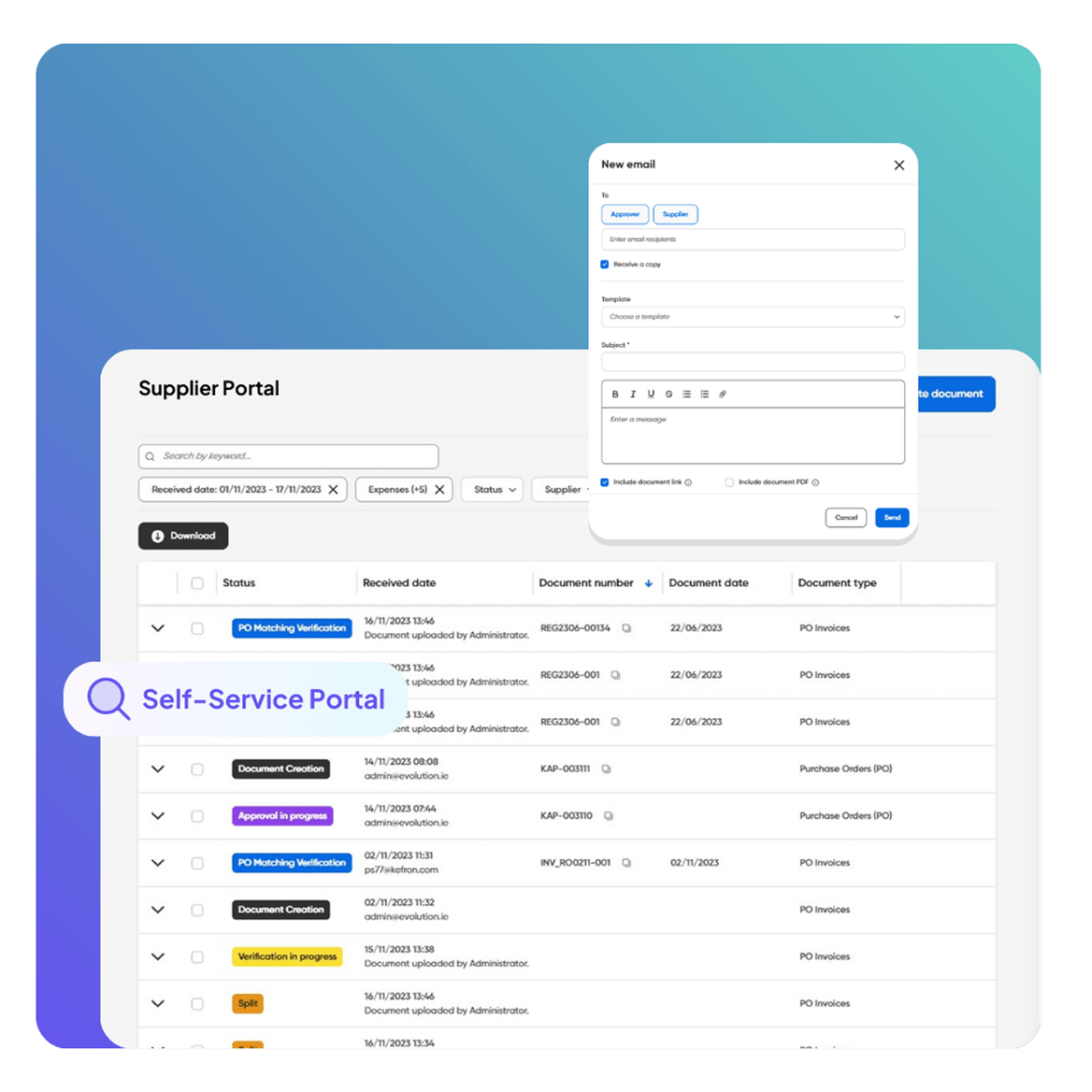
Supplier Self-Service Portal

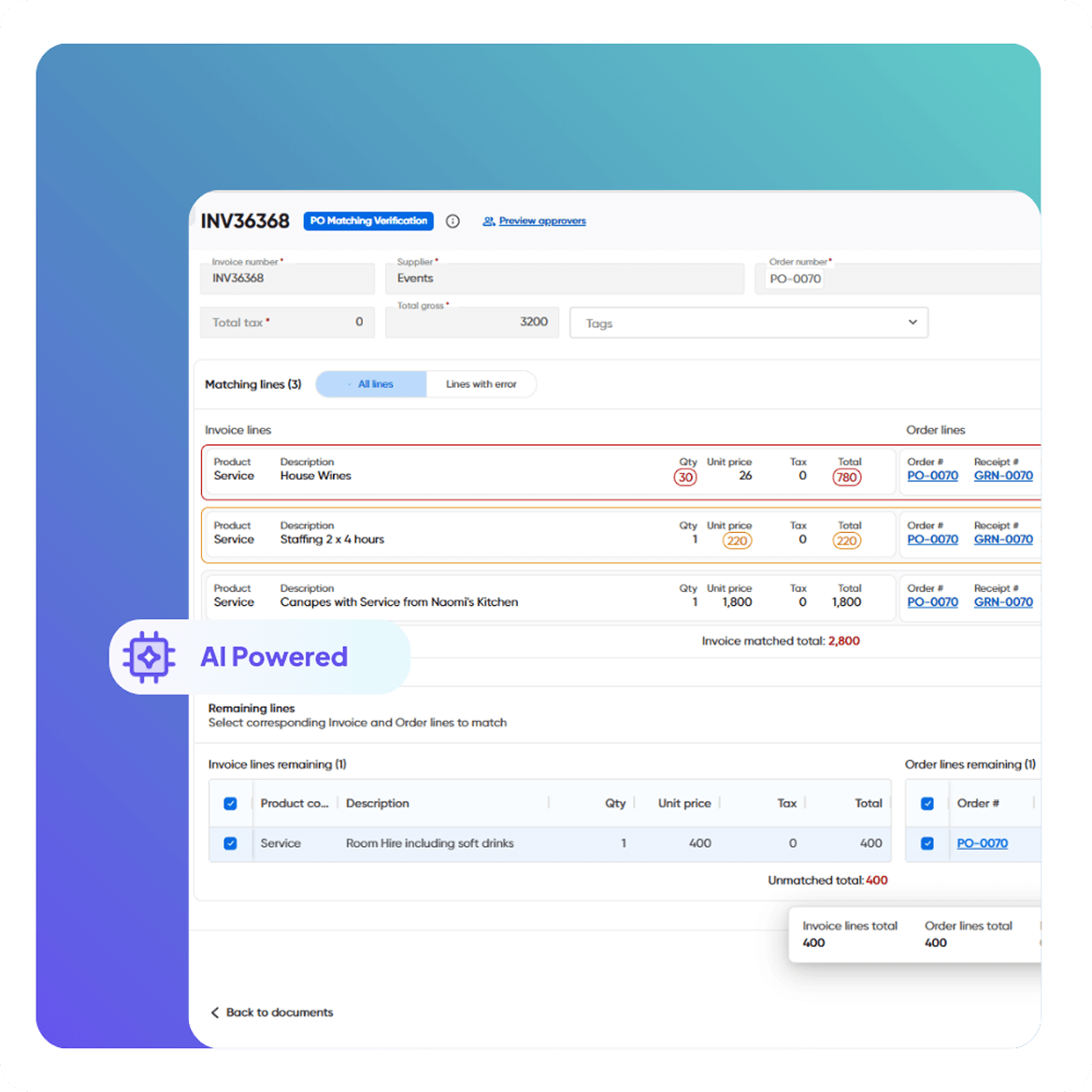
2- & 3-Way PO Matching (Built to Reduce Exceptions)

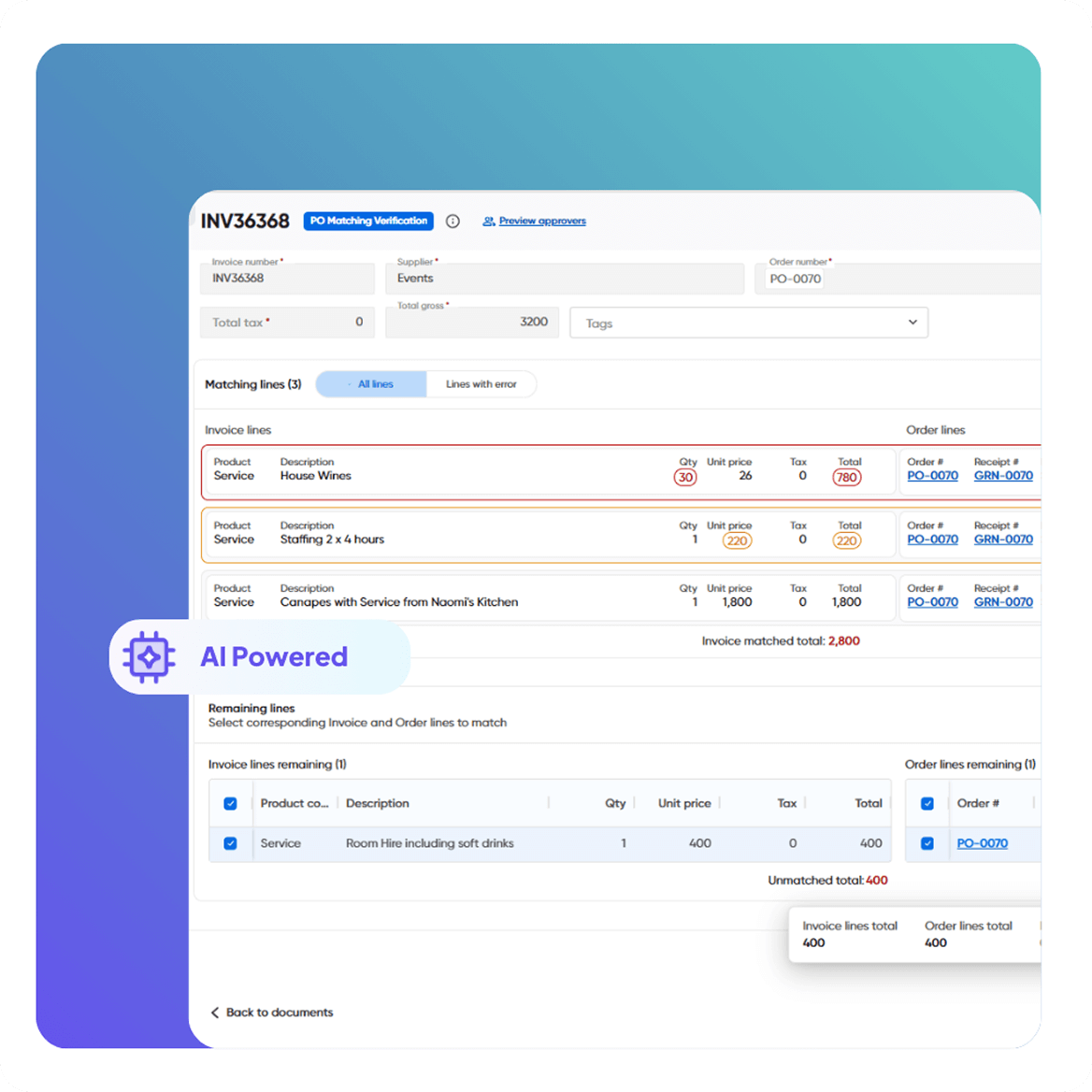
Automate matching so only true exceptions need attention.

  • Match invoices to POs and receiving records.
  • Flag price, quantity, and delivery discrepancies instantly.
  • Reduce back-and-forth between site, procurement, and finance.
Automated Invoice & PO Matching

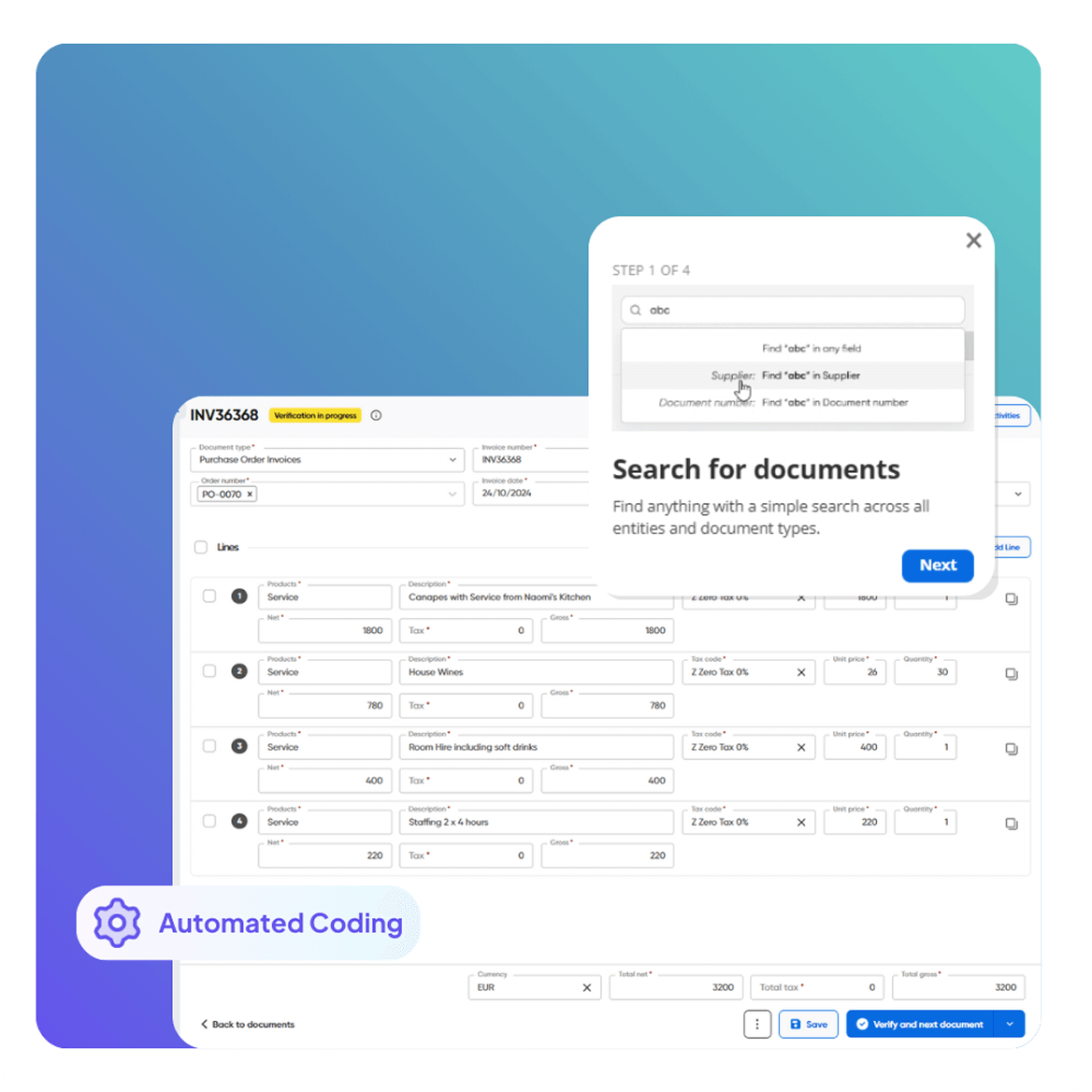
Automated Coding for Job, Project, and Cost Control

Process ad-hoc and non-PO invoices with less rework and better reporting.

  • Automated coding reduces manual entry and miscoding.
  • More consistent cost visibility for budgeting and forecasting.
  • Cleaner data inside your construction accounts payable software.
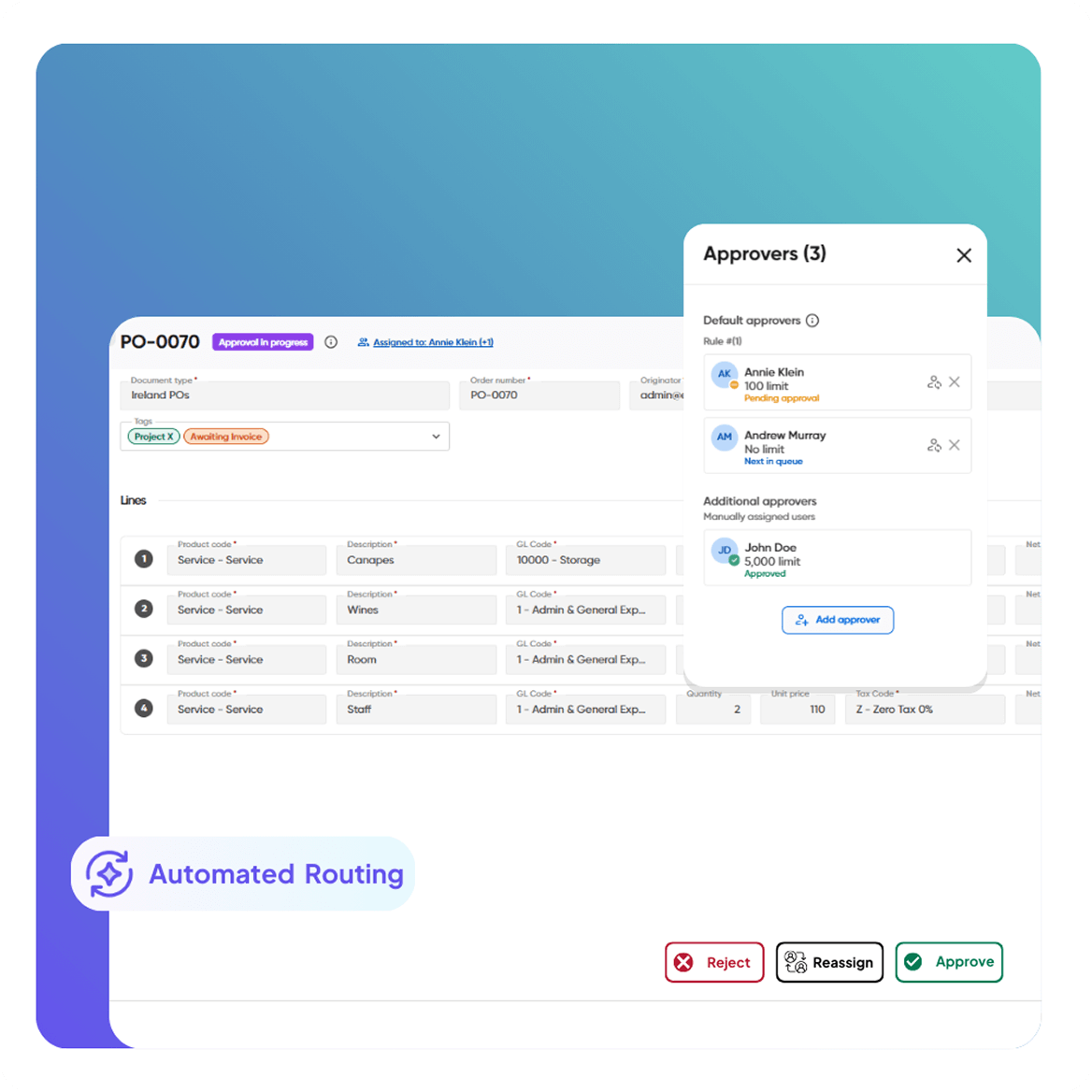
Smart Workflows & Approvals

Approval Workflows That Fit Construction Teams

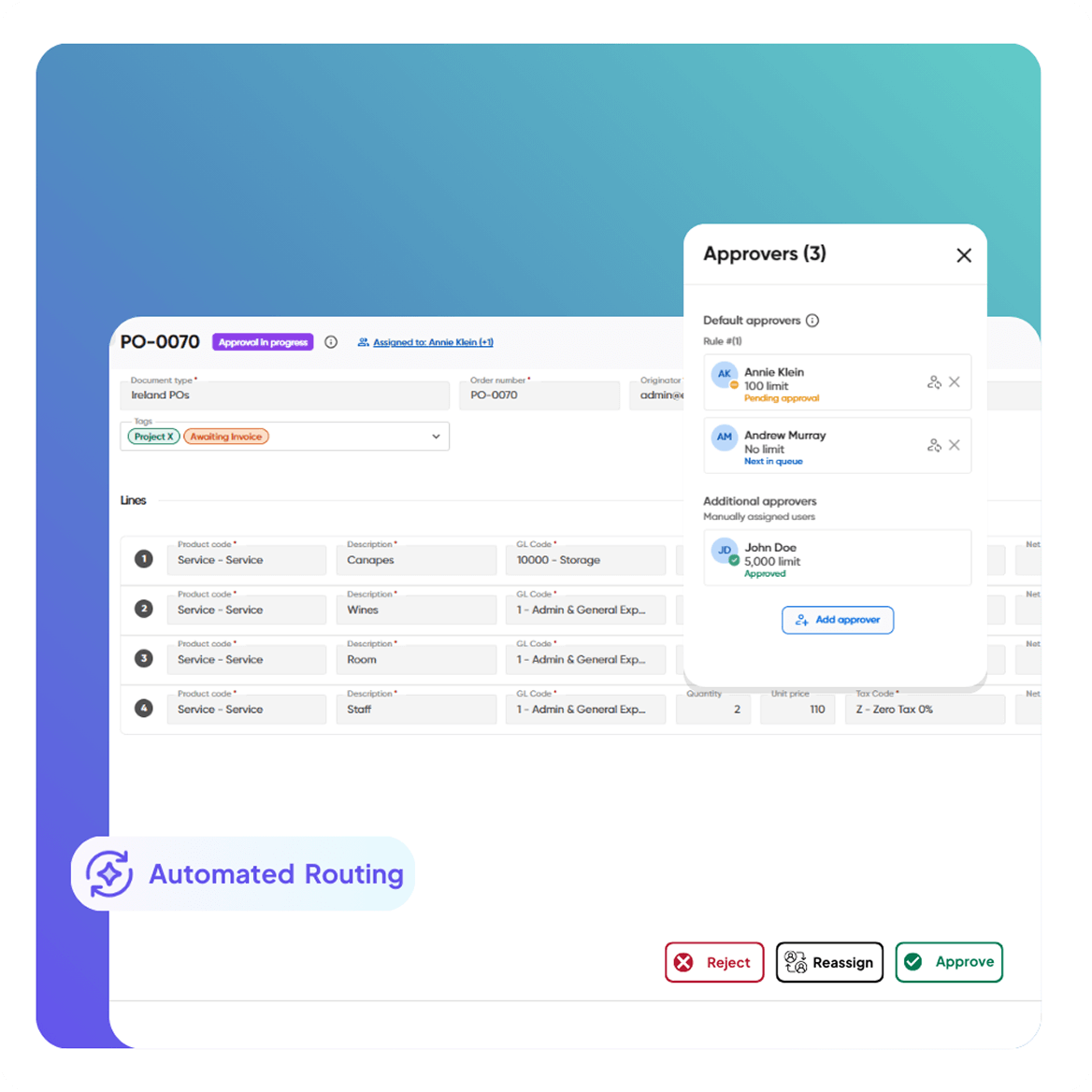
Keep invoices moving without email chasing and lost context.

  • Route approvals by supplier, project, value, or entity.
  • In-app notifications and reminders reduce approval delays.
  • On-invoice communication improves accountability.
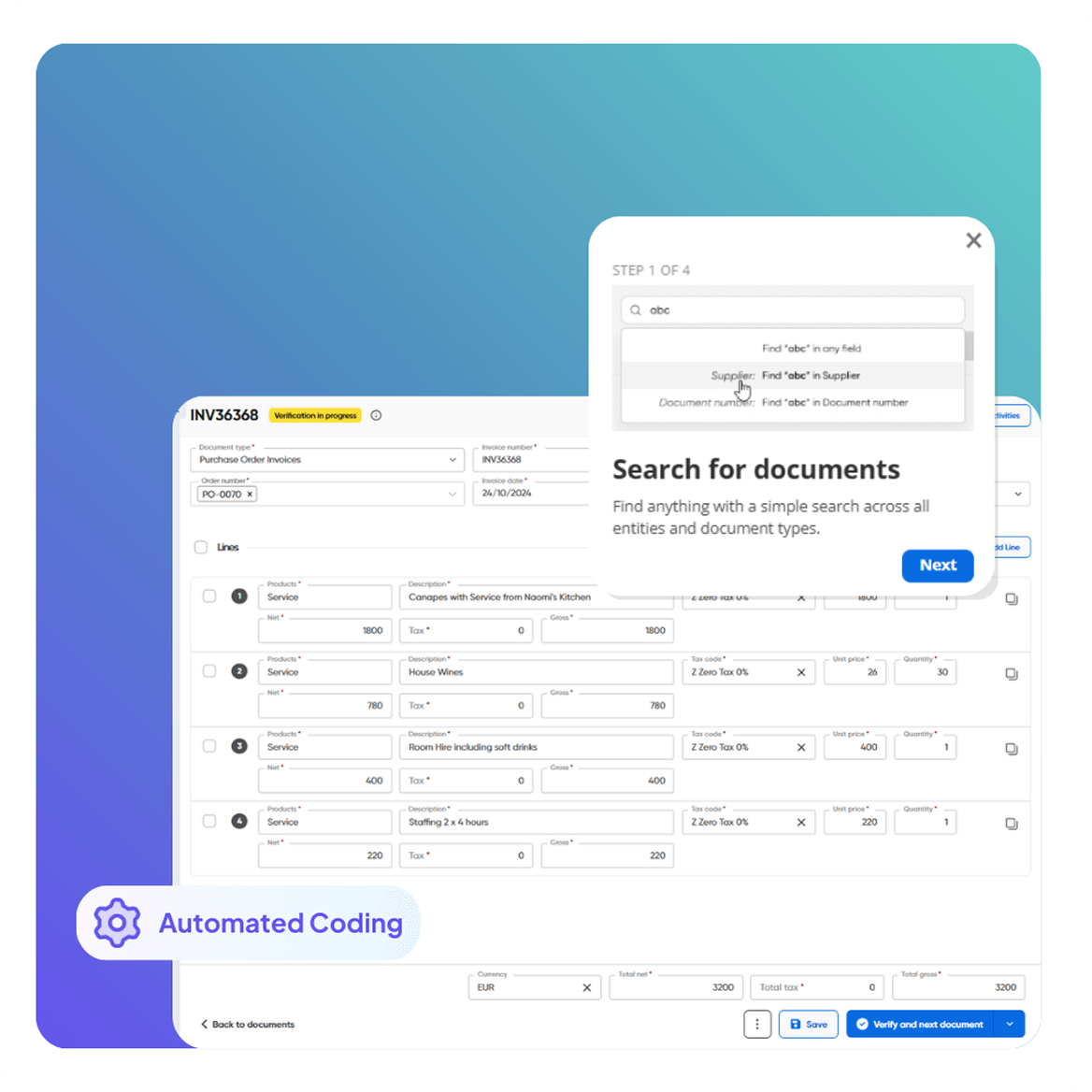
Flexible Invoice Coding Automation

Supplier Portal & Statement Reconciliation

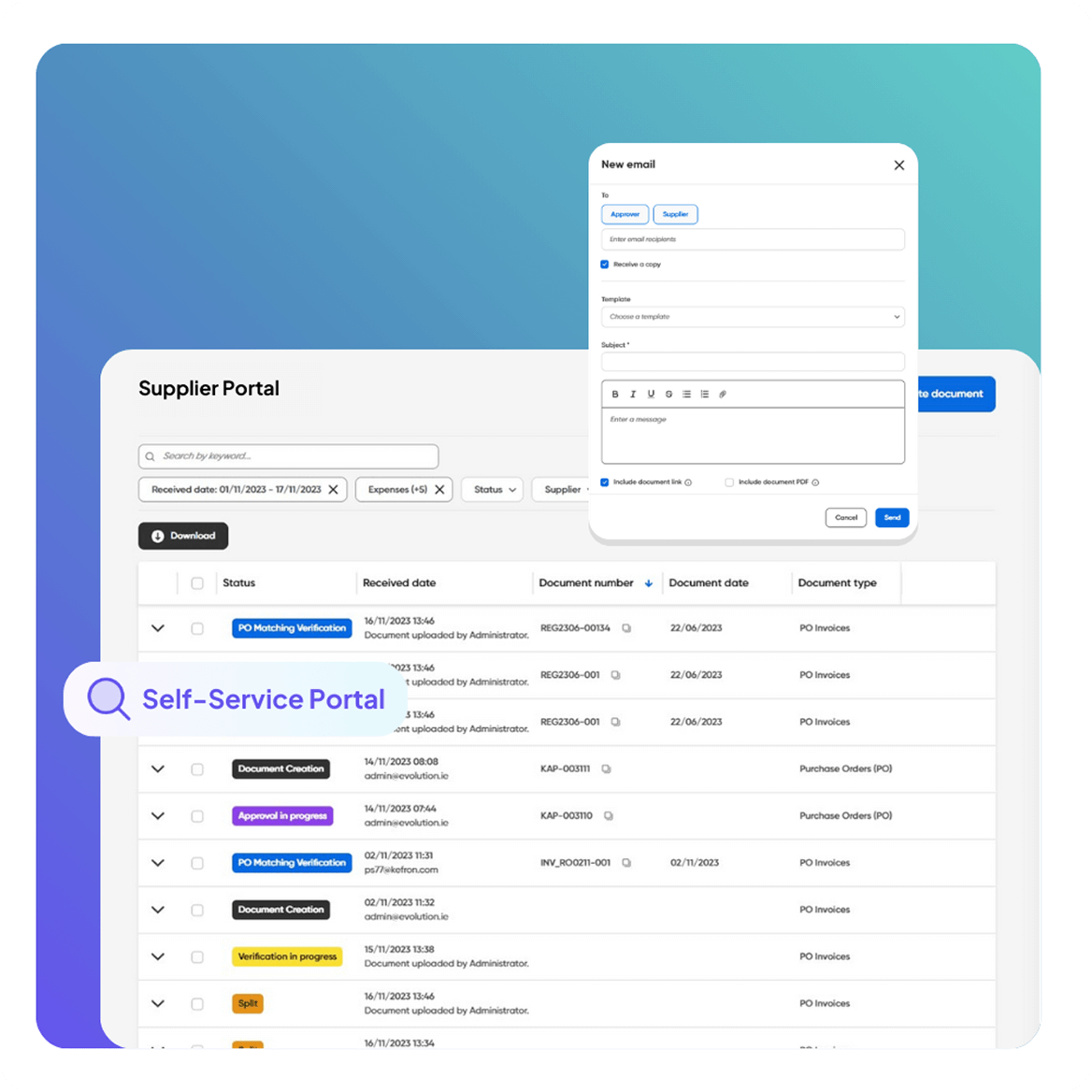
Reduce supplier friction and make invoice status self-serve.

  • Suppliers submit invoices and check status directly.
  • Statement reconciliation improves accuracy and spend control.
  • Stronger supplier relationships with faster resolution.
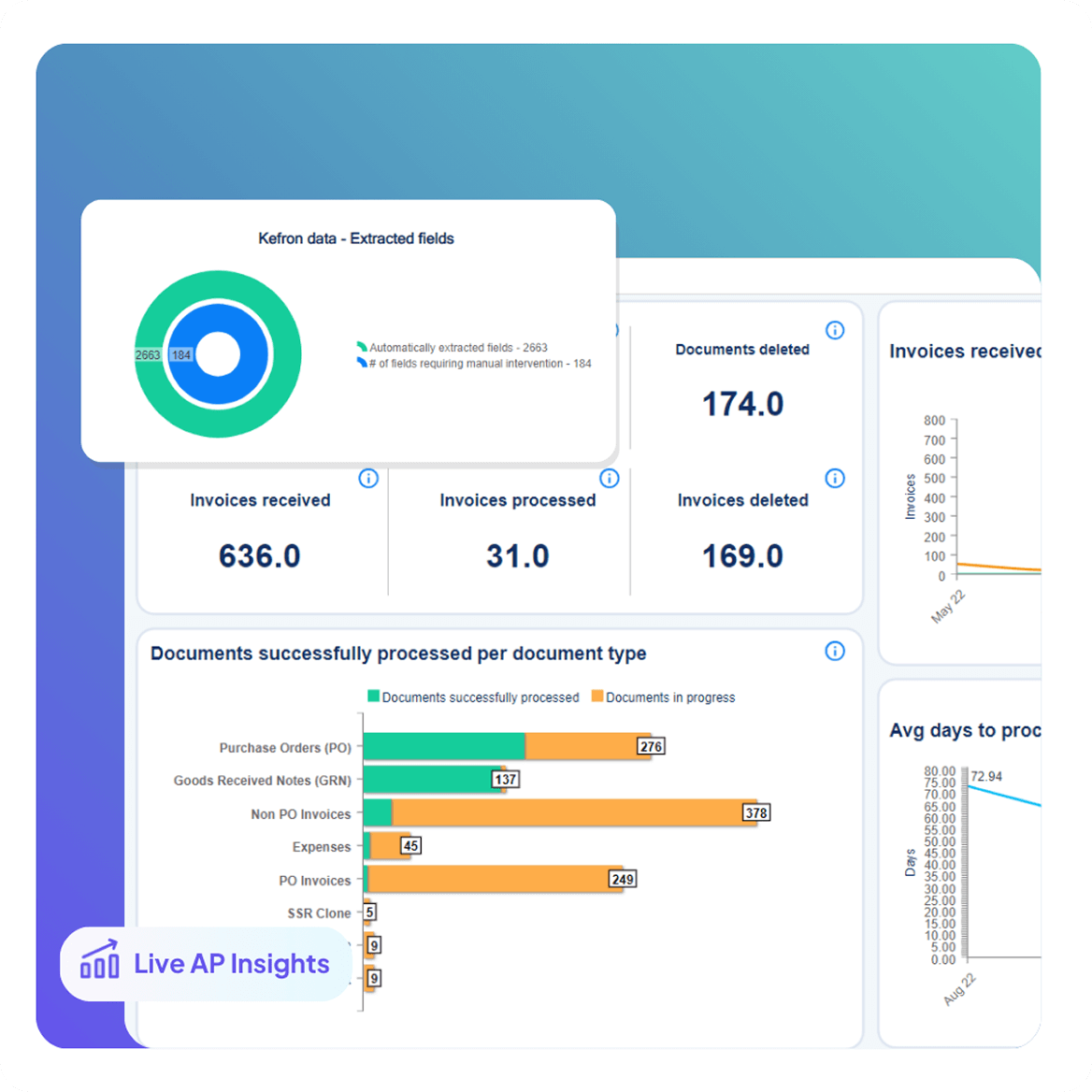
Dashboards & Audit Compliance

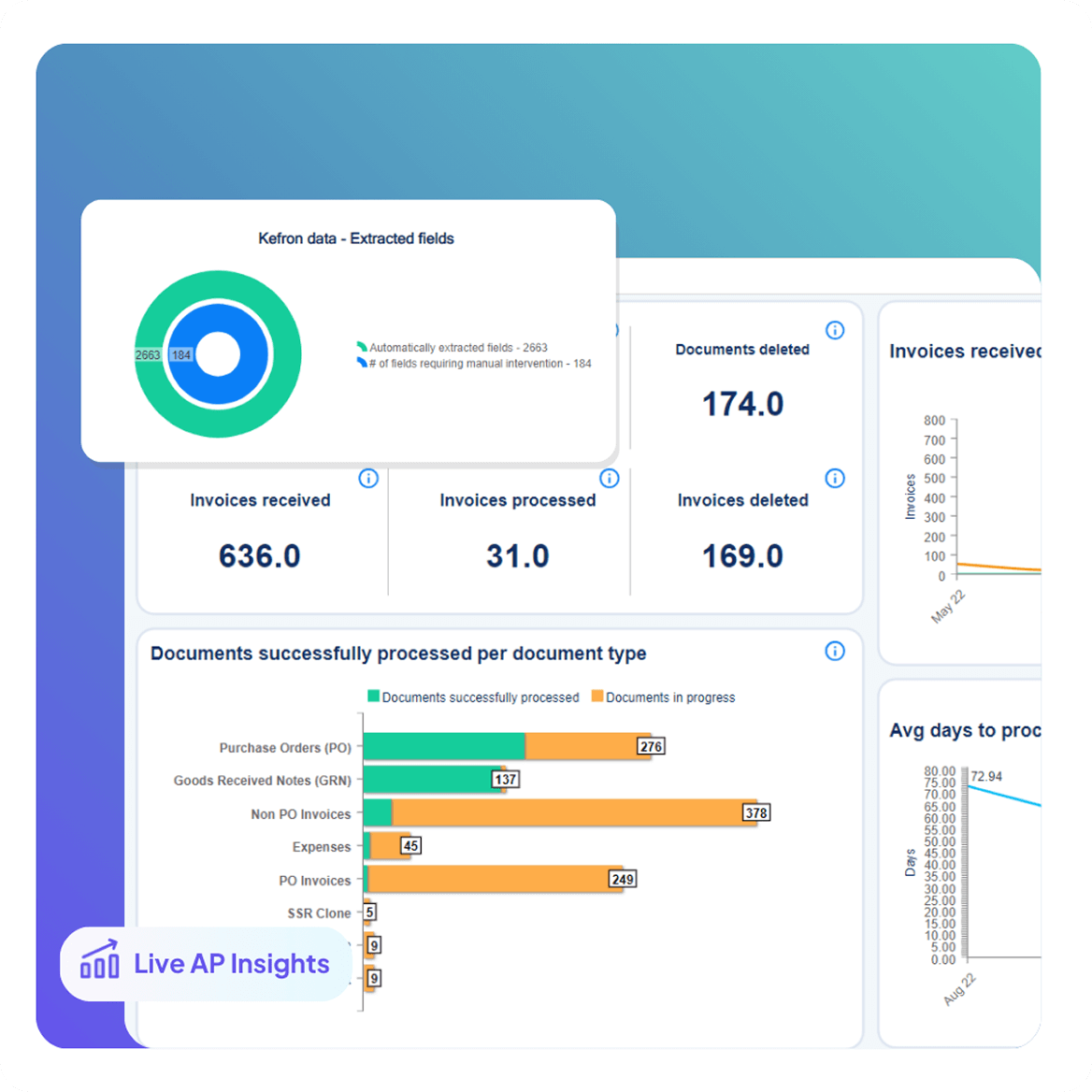
Real-Time Dashboards & Invoice Tracking

Turn invoice data into actionable visibility across the business.

  • Track invoice status, exceptions, and liabilities in real time.
  • Identify bottlenecks by team, approver, supplier, or workflow stage.
  • Automatic reminders prioritize urgent invoices.

Run a Faster Construction Accounts Payable Operation

Kefron AP strengthens speed, accuracy, and control across construction AP, without increasing overhead.

netsuite1

Faster Invoice Throughput

Automate capture and routing so invoices don’t pile up waiting on site teams, QS, or PM approvals.

dollar

Lower Cost Per Invoice

Reduce manual corrections from mismatches, missing context, and re-submitted invoices.
Icons6

Audit-Ready Spend Control

Keep approvals, notes, and document history in one searchable trail.

netsuite3

Fewer Supplier Disputes

Give suppliers clearer status and faster resolution on queries, so relationships improve.

laptop-big

Clear Visibility

See what’s approved, stuck, or mismatched by project/approver, so you can unblock workflows.

Icons4-1

Scale Without Headcount

Handle more projects, suppliers, and invoice volume without hiring new staff.

Construction AP Performance You Can Measure

Construction AP automation should reduce exceptions, speed up approvals, and keep supplier payments predictable, even when invoices span projects, sites, and approvers.

99% Touch-Free Processing

Automate capture and processing so AP isn’t stuck rekeying and correcting invoices.

67% Quicker Approvals

Route invoices to the right project approvers with reminders that prevent stuck queues.

46% Faster Supplier Payments

Reduce delays from approval chasing, missing info, and invoice disputes.

Fewer PO & Delivery Exceptions

Match invoices to POs and receipt records so only true mismatches need attention.

Cleaner Job-Costing Data

Improve coding consistency across projects so spend reporting stays accurate.

Audit-Ready Invoice History

Find any invoice fast with searchable records, notes, and full approval traceability.

Real Results from Real Finance Teams

See how construction teams automate invoice capture, PO matching, and coding to protect job costing and keep project spend under control with Kefron AP.

Quotes-blue

The system’s insight into each invoice’s status has transformed our AP team’s workflow, offering unparalleled clarity and efficiency. The unanimous feedback: it’s a game-changer for easier, more effective

Colin McDougall,

Head of Group Transactional Services, Regatta Professional
Quotes-blue

I knew that if we could free up time then we could focus much more on valuable tasks, this and the fact we could get much better visibility of the overall process made me choose Kefron AP.

Paul Jepson,

Financial Controller, 
Emma Bridgewater
Quotes-blue

In my 30 years working within the AP function, Applegreen’s AP process was certainly one of the more complex I had come across. It was a massive challenge to undertake and I have been incredibly impressed with how Kefron AP handled it.

Sandrine Tugler,

Accounts Payable Manager, 
Applegreen
Quotes-blue

I knew that if we could free up time then we could focus much more on valuable tasks, this and the fact we could get much better visibility of the overall process made me choose Kefron AP.

Paul Jepson,

Financial Controller, 
Emma Bridgewater

AP Automation Works for Construction Teams

Kefron AP streamlines construction invoice processing end-to-end, so invoices keep moving across projects, sites, suppliers, and approvers without constant chasing or rework.

invoice1

Invoice arrives via email or upload

invoice2

AI extracts and structures the data

invoice3

Data assurance team reviews flagged fields

invoice4

Invoice is coded, matched, and routed for approval

invoice5

Final validation and ERP sync

invoice6

Archived with full audit trail

Explore Our Customer Stories

smilling-person-at-laptopn-ap-automation-software-768x768

How Riviera Travel Automated AP and Saved 32 Hours per Month

Riviera Travel implemented Kefron AP to stabilise Sage 200c processing, automate routing, and save 32 hours monthly in AP administration.

Product

Product:

Invoice Automation

Industry

Industry:

Travel

ERP

erp:

Sage 200c

Region

Region:

UK

Applegreen-store

How Applegreen Centralised AP and Cut Queue Time by 80%

Applegreen implemented Kefron AP to centralise invoice intake, remove duplicates, and reduce invoice queueing time by 80% in three months, going fully paperless within six.

Product

Product:

Invoice Automation

Industry

Industry:

Retail / Fuel & Convenience

ERP

erp:

SAP

Region

Region:

IRE, UK, USA

How DAF Truck Services Strengthened Controls and Sped Processing

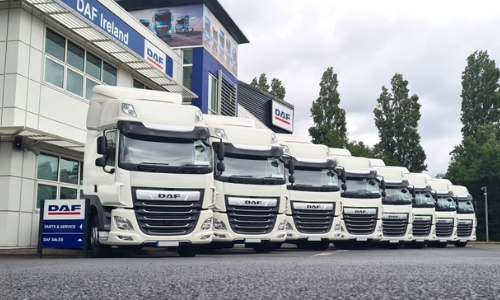
DAF Truck Services used Kefron AP to automate data capture and approvals, getting invoices into the ERP by next day and making processing ~80% faster.

Product

Product:

Invoice Automation

Industry

Industry:

Automotive / Truck Services

ERP

erp:

Keyloop

Region

Region:

IRE, UK

Construction AP Automation That Keeps Projects Moving

Automate invoice capture, matching, coding, and approvals so invoices don’t stall with site teams or get stuck in exceptions. Get clearer job-level visibility and keep supplier payments predictable.

construction-cta

Frequently asked questions:

faq-blue-icon

What is AP automation for Construction?

AP automation for construction refers to the use of automated construction invoice processing systems designed to streamline accounts payable operations in the construction industry. These systems enhance efficiency, reduce errors, and save time by automating financial transactions and documentation workflows.

How does automated construction invoice processing work?

Automated construction invoice processing uses software to capture, organise, and manage invoice data automatically. The process includes scanning invoices, extracting relevant data, matching invoices to purchase orders, approving payments, and updating financial records, all with minimal human intervention.

How does AP automation benefit construction projects?

AP automation for construction projects offers numerous benefits, including improved invoice processing speed, enhanced accuracy, reduced paperwork, better compliance with industry regulations, and improved supplier relationships. It allows construction firms to focus more on core project activities rather than manual financial processes.

Is AP automation for construction projects cost-effective?

While the initial setup of AP automation systems may require an investment, they are generally cost-effective in the long run. By reducing manual labour, minimising errors, and streamlining payment processes, these systems can lead to significant cost savings and improved financial health for construction projects.

How can I ensure a smooth transition to AP automation in my construction company?

To ensure a smooth transition, choose a construction AP automation solution that offers robust support and training resources. Engage with the vendor’s success team for a tailored setup process, and ensure that the system is compatible with your current construction accounting system. Additionally, involving your financial team early in the transition process can help address any concerns and ensure user adoption.