






Infor Integration for Automated Invoice Processing

Kefron AP integrates with Infor SunSystems accounting to automate invoice capture, matching, and approvals inside your ERP. Enable scalable Infor automation with secure Infor ERP integration.

infor-hero

Challenges with Infor SunSystems AP Efficiency

Infor SunSystems accounting is a trusted financial platform, but invoice processing often remains manual without dedicated Infor integration and AP automation.

Invoice capture limitations

SunSystems often requires manual entry for complex invoices and line-level detail.

Matching and Exceptions

PO and receipt mismatches create exceptions that slow approvals.

Workflow Flexibility Constraints

Approval changes are tied to ERP configuration and can be slow to update

Multi-Entity Complexity

Multi-company setups increase duplicate supplier and invoice risk.

Limited Real-Time Visibility

Invoice tracking across SunSystems entities often lacks clear, real-time insight.

Supplier Communication Gaps

Supplier queries sit in email, reducing efficiency and audit clarity.

Why Choose Kefron for Infor SunSystems AP Automation

Kefron AP extends Infor SunSystems accounting with intelligent invoice automation, reducing manual AP work while keeping SunSystems as the system of record.

sync

Direct Infor Integration

Invoices, POs, receipts, suppliers, and approvals sync securely with SunSystems, no middleware or manual uploads.

accurate

High-Accuracy Invoice Automation

Adaptive AI handles changing invoice layouts and complex formats, reducing errors and exceptions.

built

Built for Multi-Entity Finance Teams

Supports multi-company and multi-currency SunSystems environments as invoice volumes grow.

ready

Infor ERP Expertise

Automation aligns with your SunSystems data structure, controls, and reporting requirements.

Intelligent Infor SunSystems Integration for AP Teams

Kefron AP connects directly with Infor SunSystems accounting to streamline invoice workflows and reduce manual processing through secure Infor integration, without complex ERP configuration.

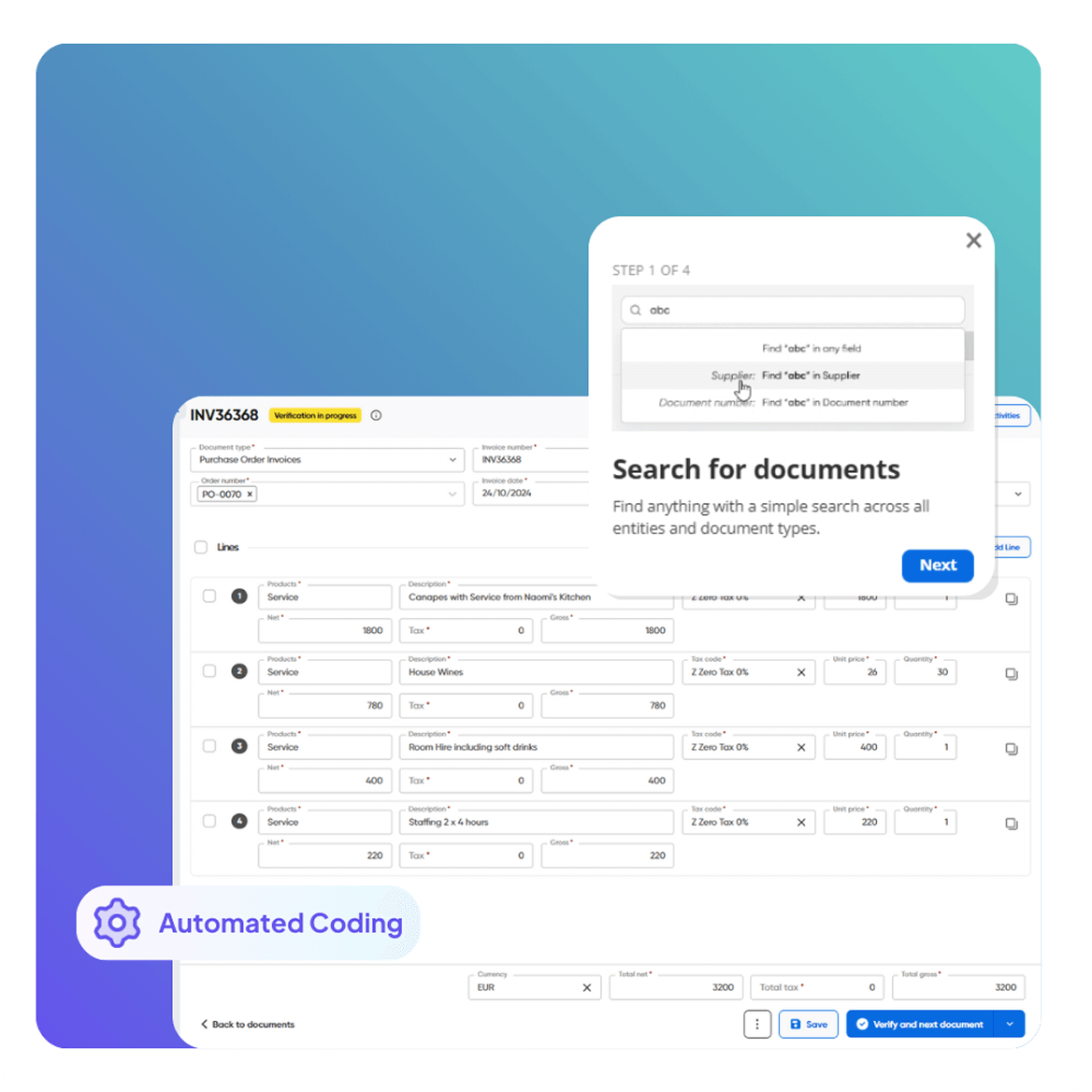
Automated Invoice Capture & Processing Supplier Self-Service Portal Automated Invoice & PO Matching Smart Workflows & Approvals Flexible Invoice Coding Automation Dashboards & Audit Compliance Dashboards & Audit Compliance Dashboards & Audit Compliance
Automated Invoice Capture & Processing

Strengthen Cash Flow Control

Improve forecasting and payment confidence across Infor SunSystems accounting with automated controls.

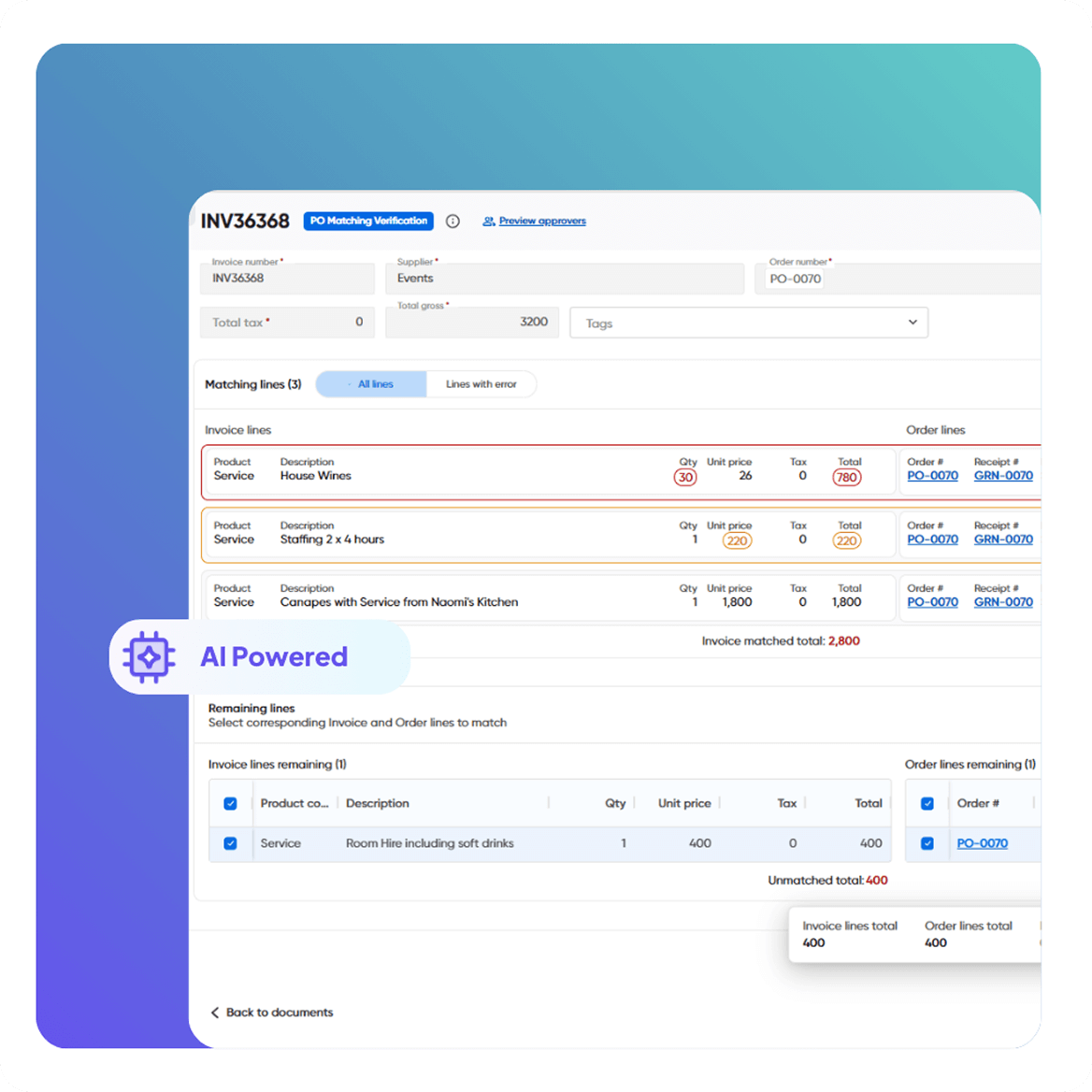
  • Automated 2- and 3-way matching through Infor integration
  • Validation of due dates, currencies, and tolerances
  • Controls to prevent overpayments using SunSystems data
  • Real-time alignment of invoices, POs, and receipts
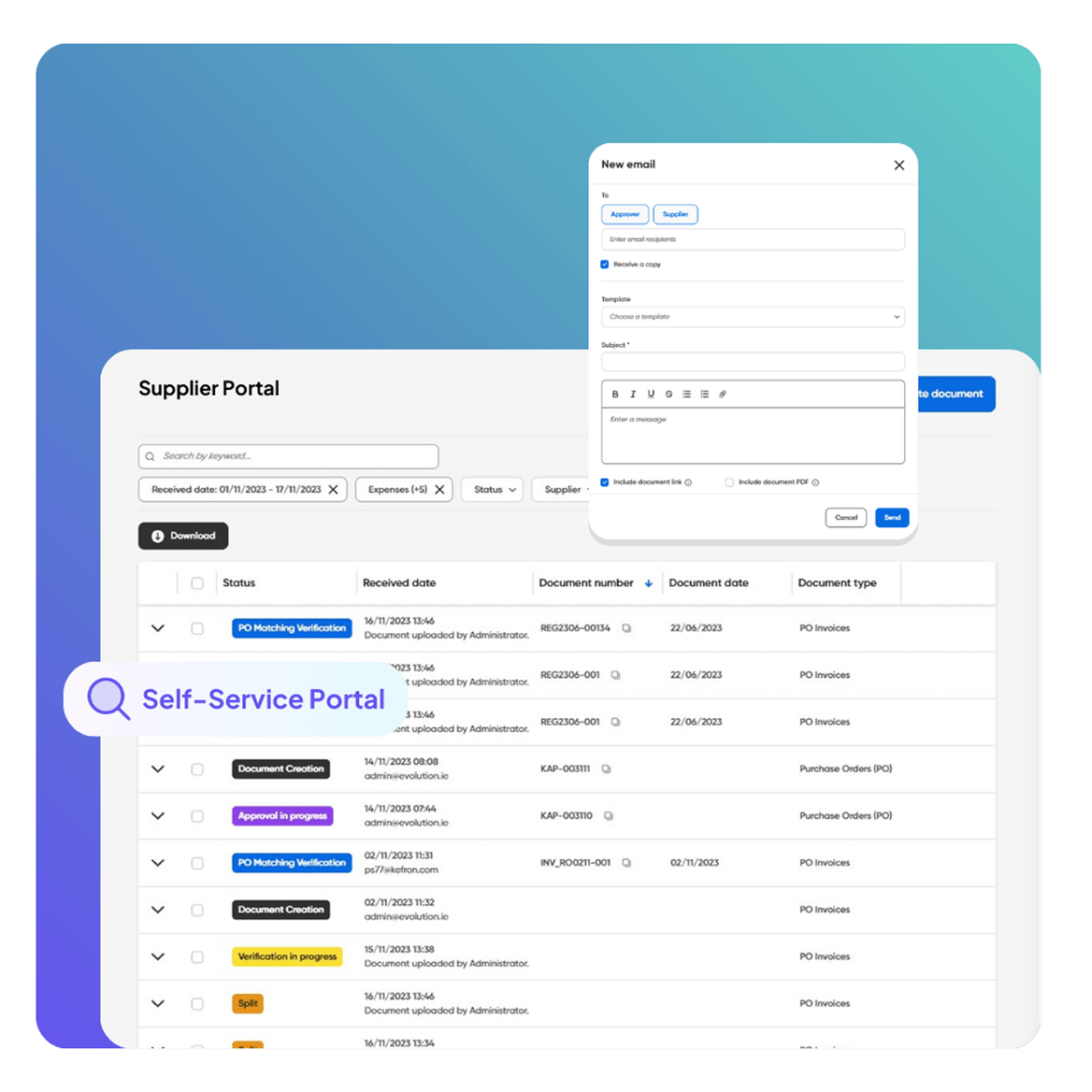
Supplier Self-Service Portal

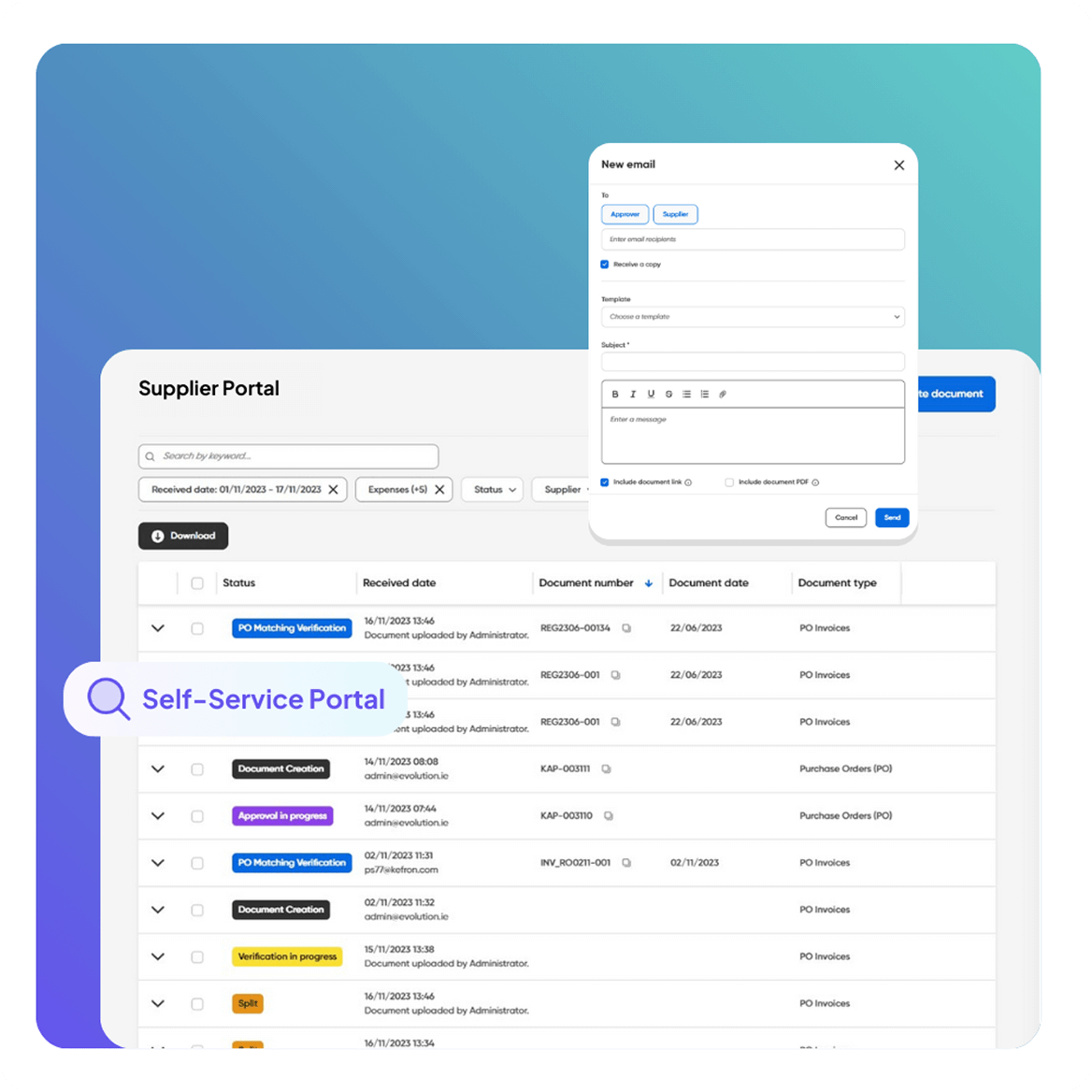
Supplier Self-Service Portal

Reduce supplier emails without granting direct SunSystems access.

  • Real-time invoice and payment status via Infor ERP integration
  • Branded portal with invoice history and statements
  • Role-based access for unlimited suppliers
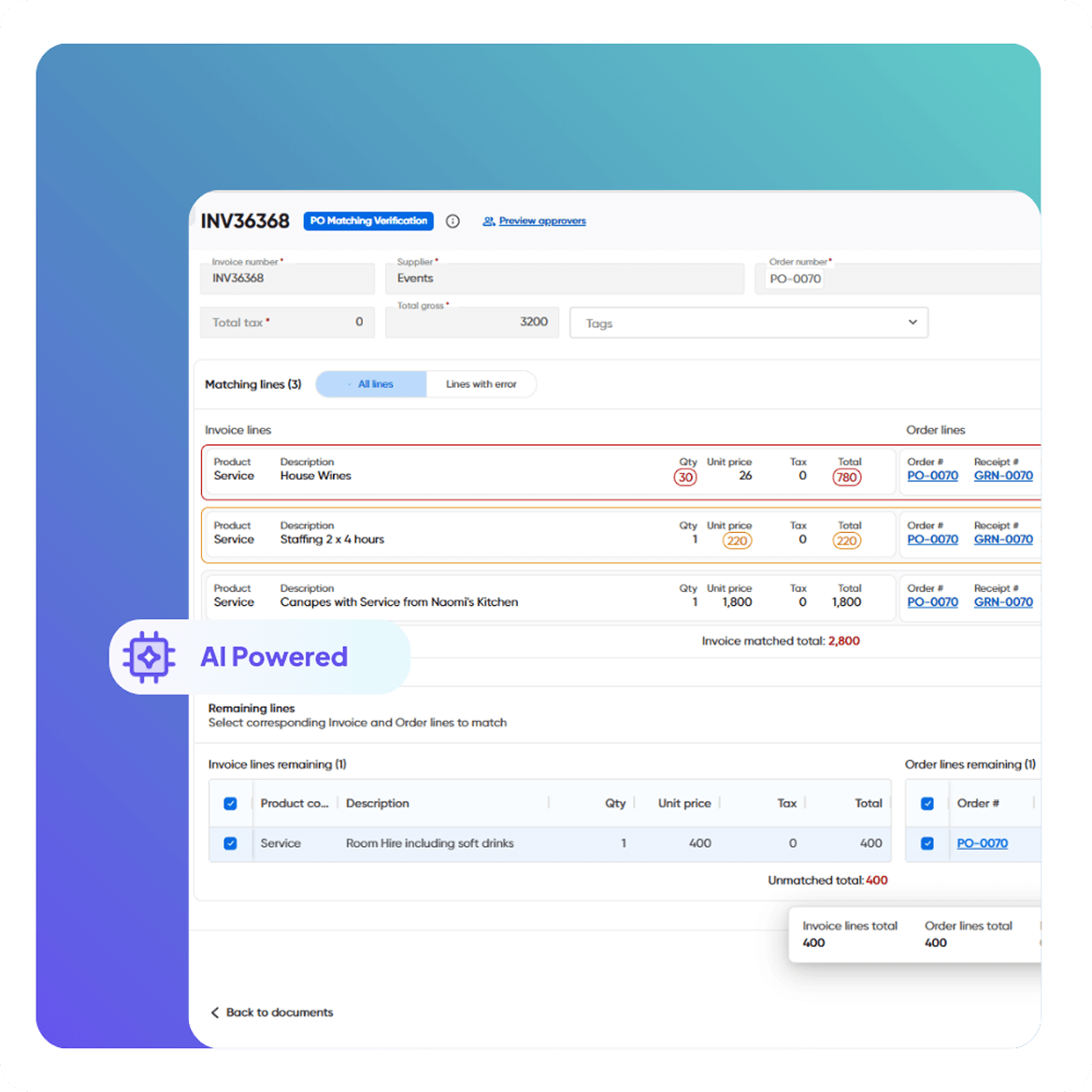
Automated Invoice & PO Matching

AI-Powered Invoice Capture

Adaptive capture designed for high-volume Infor automation, no templates to manage.

  • Extracts data from PDFs, XML, EDI, and scanned invoices
  • AI combined with human validation for high accuracy
  • Learns new supplier formats as invoice volumes grow
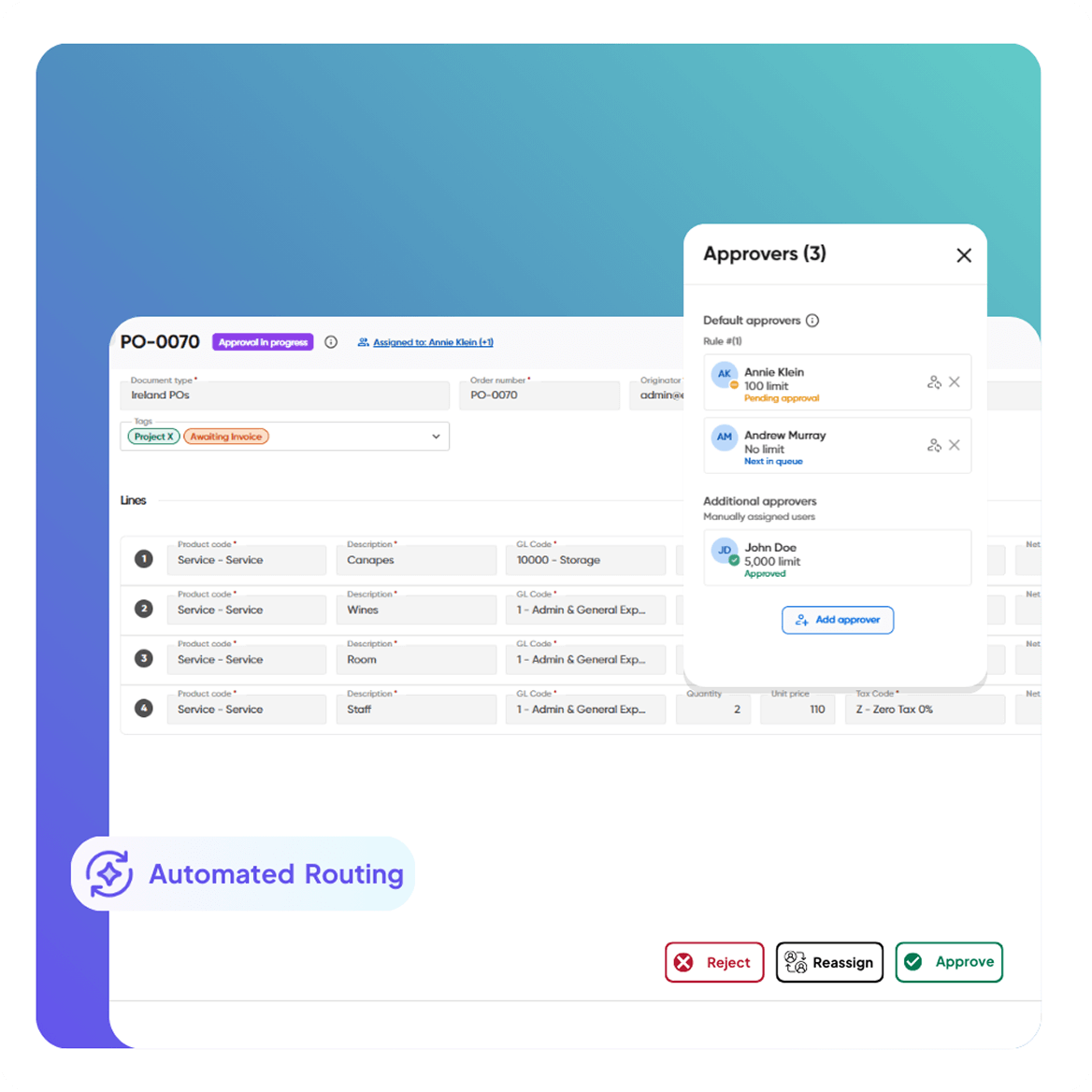
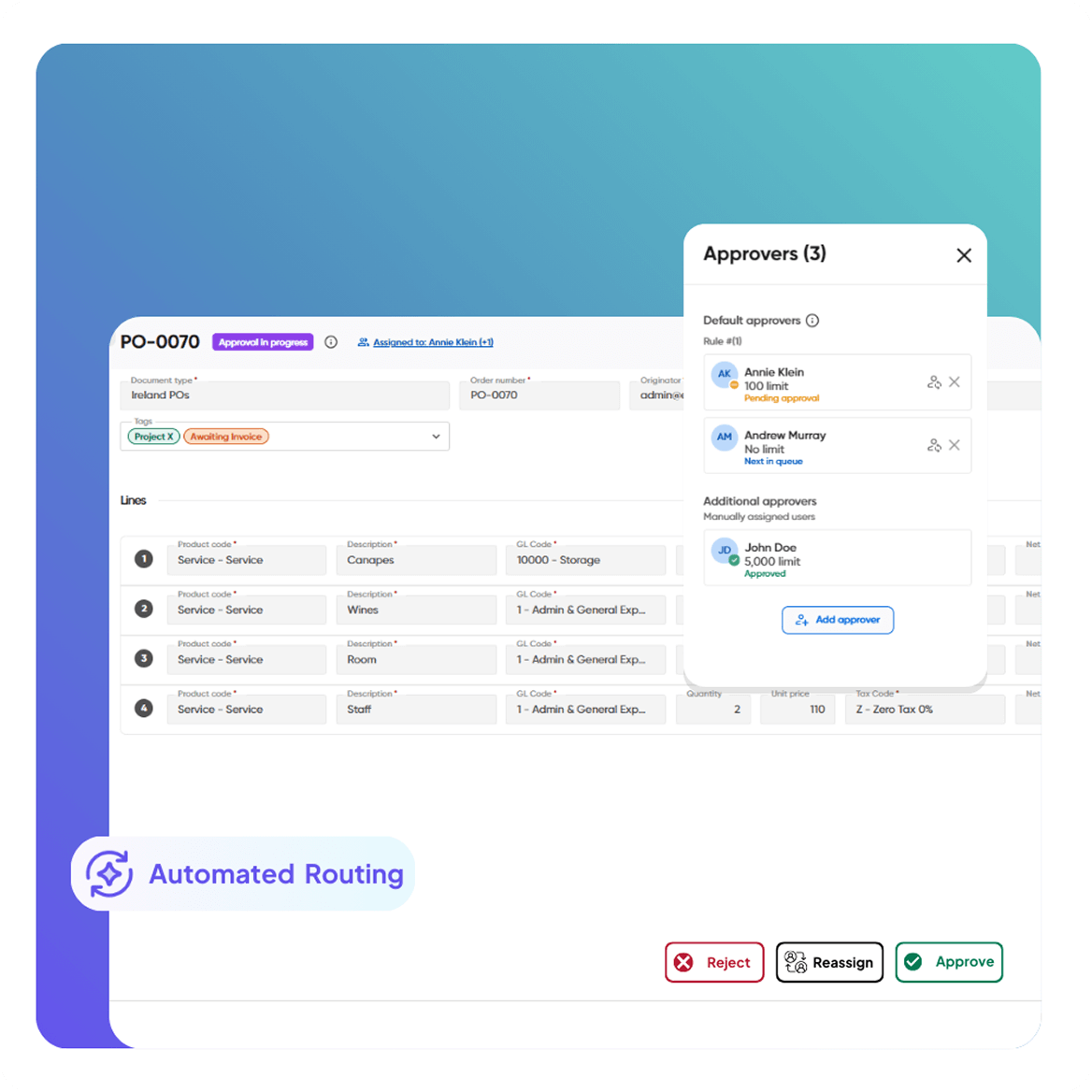
Smart Workflows & Approvals

Real-Time Invoice Visibility

Clear insight from invoice receipt through posting in Infor SunSystems.

  • Track invoices by status: pending, blocked, overdue, approved
  • Search by supplier, PO number, value, or date
  • Secure, searchable, audit-ready document archive
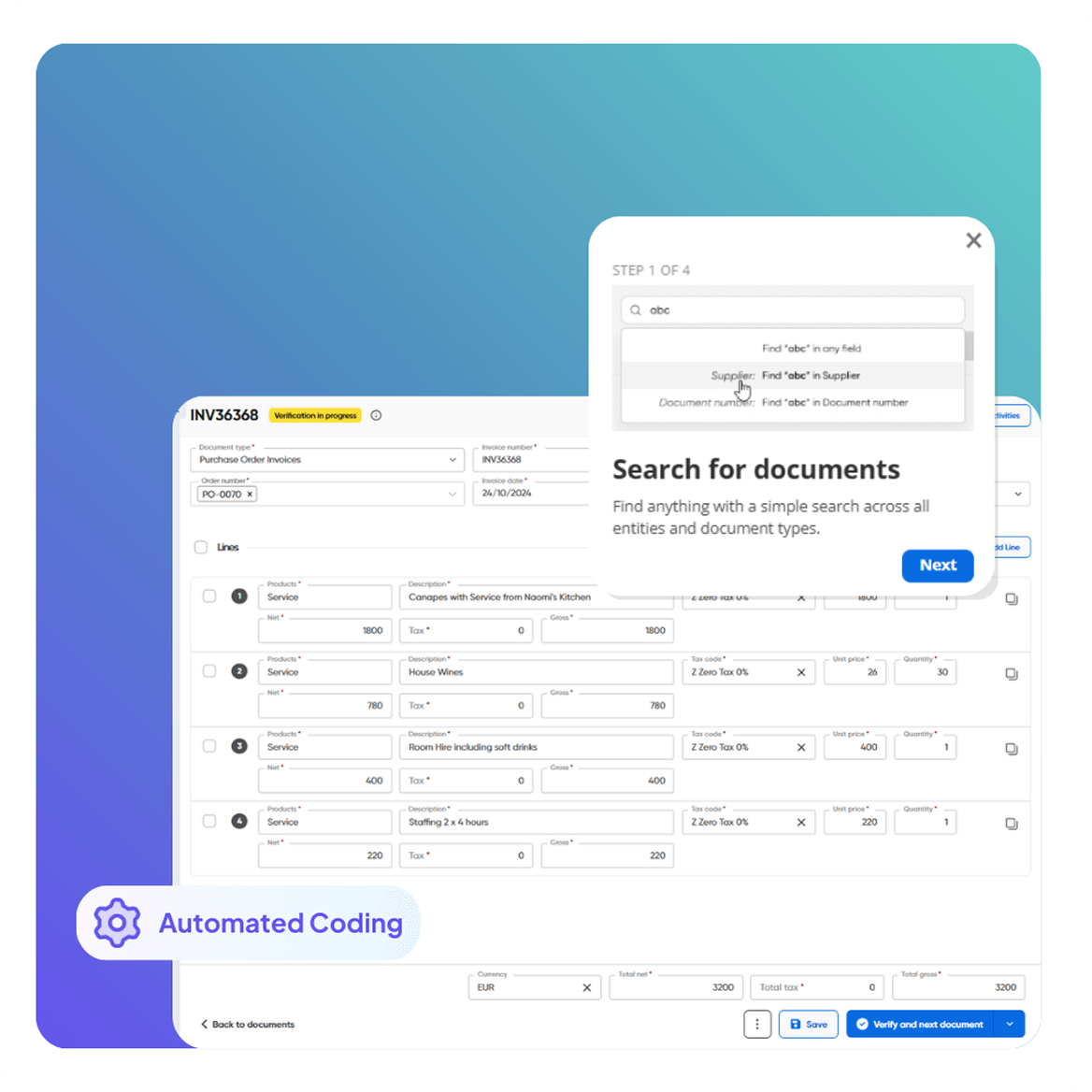
Flexible Invoice Coding Automation

Fraud Prevention & Duplicate Detection

Reduce financial risk before invoices are posted into SunSystems.

  • Automatic duplicate invoice detection
  • Approval thresholds by role, value, or entity
  • Full audit trail linked to every transaction
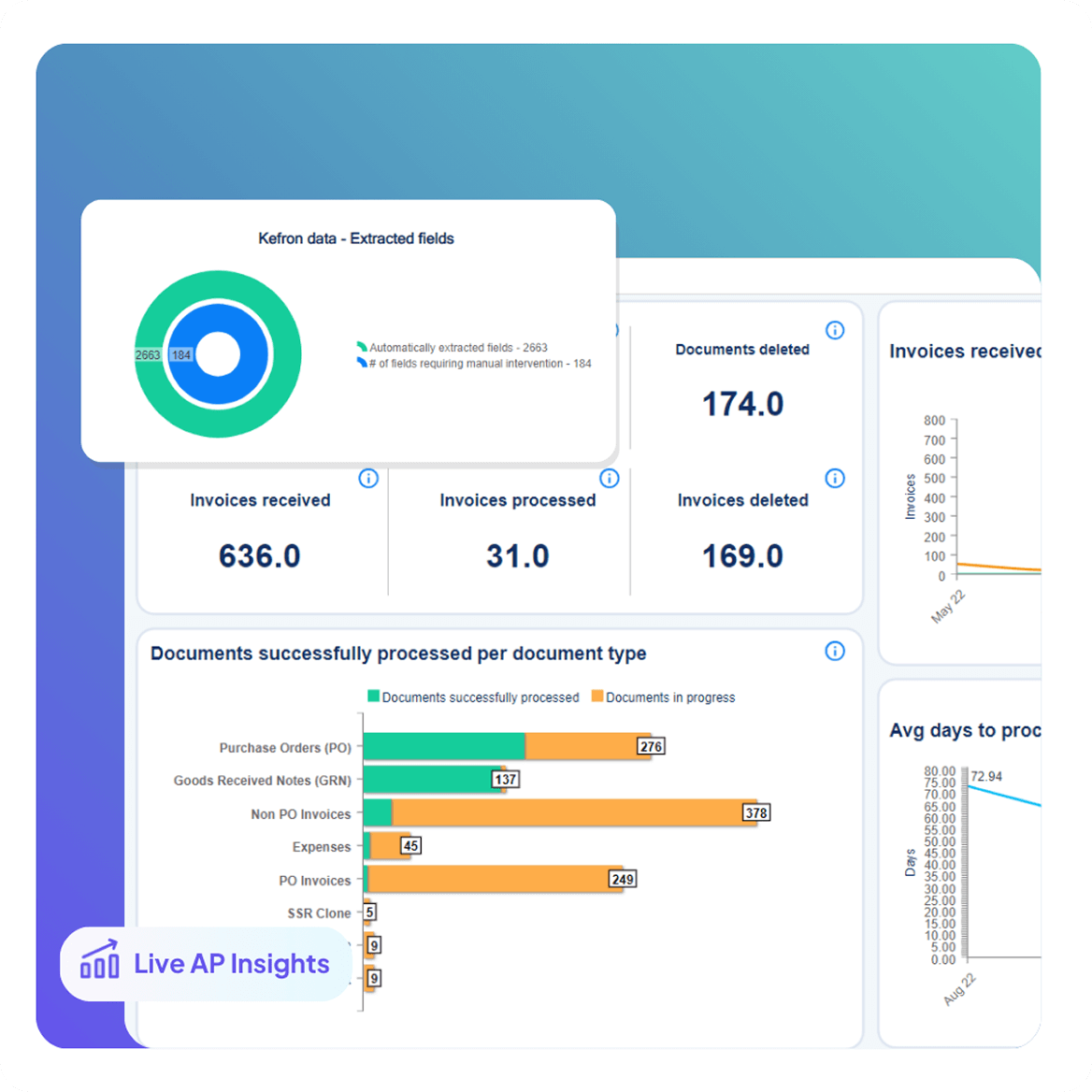
Dashboards & Audit Compliance

Automated Statement Matching

Speed up supplier reconciliation with Infor process automation.

  • Match statements to open invoices and purchase orders
  • Instantly highlight discrepancies and missing items
  • Keep the AP ledger accurate and month-end ready
Dashboards & Audit Compliance

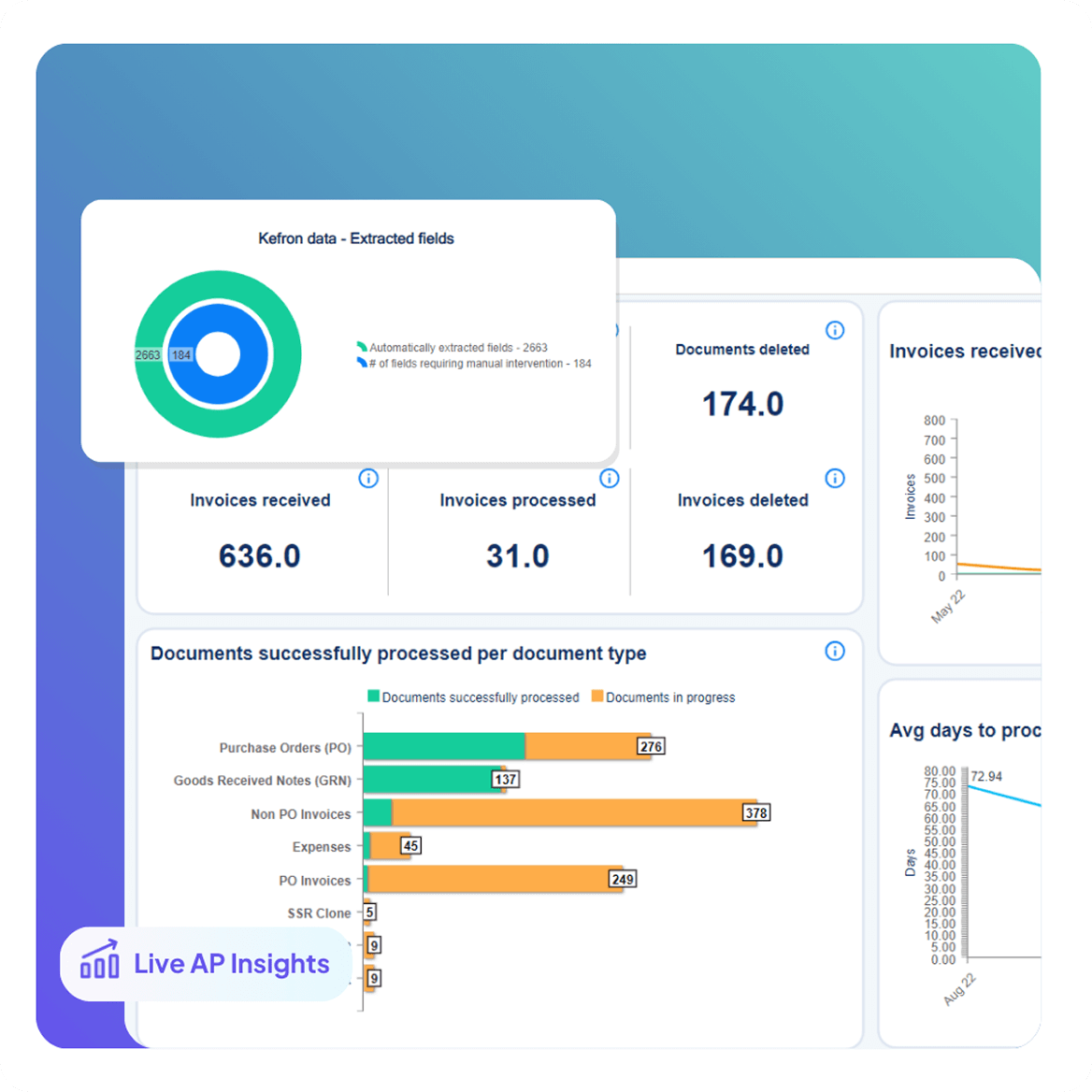
Analytics & Perfromance Reporting

Real-time visibility into AP performance.

  • Monitor invoice volumes, exceptions, and cycle times
  • Compare performance across companies and approvers
  • Export audit-ready reports for finance teams and auditors
Dashboards & Audit Compliance

Fast Deployment & End-to-End Integration 

A low-disruption rollout designed for finance teams using Infor SunSystems accounting.

  • Go live with minimal IT involvement
  • Direct Infor integration with secure data sync
  • No middleware, scripting, or manual uploads
  • Continuous optimisation delivered by Infor automation specialists

Infor SunSystems Data Sync Without Disruption

Kefron AP uses secure Infor integration to keep critical AP data continuously aligned with Infor SunSystems accounting, ensuring accurate Infor automation without disrupting your existing ERP setup.

Supplier Lists

Always up-to-date vendor information.

GL Codes

Accurate, consistent coding across entities.

Goods Received Notes

Line-level 2- and 3-way matching.

Custom Fields

Capture what matters most to your business.

Tax Codes

Compliant entries with local tax rules applied.

Purchase Orders

Synced directly to match invoices automatically.

Custom Segments

Tailored to your Oracle environment.

Custom Columns

Extend reporting and workflows with precision.

Testimonials:

What Finance Teams Using Infor Sun Systems Say

Infor SunSystems Expertise Built Around Your AP Team

Kefron combines deep accounts payable expertise with proven Infor integration to ensure invoice automation delivers practical value in everyday finance operations.

Icons1

Infor SunSystems Expertise

Automation aligns with Infor SunSystems accounting standards and integration frameworks, ensuring long-term compatibility as your ERP evolves.

icon1-1

Continuous Optimisation

As invoice volumes, suppliers, and requirements change, Infor automation is continuously refined to improve accuracy and efficiency over time.

Icons2-2

Advanced AP Workflows

Approval routes, thresholds, and exception handling are configured to match how finance teams operate within SunSystems environments.

Icons

Tailored Infor ERP Configuration

Your Infor ERP integration adapts to your data model, controls, and reporting needs, not a one-size-fits-all template.

From Invoice to Infor SunSystems in 
One Automated Flow

Kefron AP delivers end-to-end Infor invoice automation, capturing invoices at source and posting them directly into Infor SunSystems accounting through secure Infor integration.

invoice1

Invoice arrives via email or upload

invoice2

AI extracts and structures the data

invoice3

Data assurance team reviews flagged fields

invoice4

Invoice is coded, matched, and routed for approval

invoice5

Final validation and ERP sync

invoice6

Archived with full audit trail

AP Automation with Infor SunSystems

From reducing AP workload to scaling operations without extra hires, here’s how real NetSuite users transformed invoice processing with automation that actually fits their ERP.

regatta-bg

Regatta

How Regatta’s Green Initiative Redefines Sustainability in Finance.

pancreatic-bg

Pancreatic Cancer UK

How a charity started a digital revolution

See Infor SunSystems Invoice Automation in Action

Kefron AP helps finance teams using Infor SunSystems accounting automate invoice processing, reduce approval delays, and scale AP performance through secure Infor integration and intelligent Infor automation.

infor-cta

Frequently asked questions:

faq-blue-icon

What is Infor integration for finance and accounting?

Infor integration connects Infor SunSystems accounting or Infor ERP with other business systems so financial data flows automatically between applications. It reduces manual entry, keeps records consistent, and improves accounting accuracy.

How does Infor SunSystems integration work?

Infor SunSystems integration works by importing and exporting transactional and master data through standard interfaces and integration tools. This allows SunSystems accounting to stay connected with systems like HR, banking, billing, and reporting platforms.

What are the benefits of Infor ERP integration?

Infor ERP integration improves visibility and efficiency by connecting finance, operations, and supply chain data in one workflow. Organisations benefit from faster reporting, fewer silos, and more consistent processes across departments.

What is Infor process automation?

Infor process automation uses workflows and integration logic to automate repetitive finance and operational tasks across Infor systems. It can route approvals, trigger alerts, and move data between applications without manual intervention.

How does Infor automation help with invoice and payables processing?

Infor automation helps streamline invoice capture, matching, and approvals within Infor SunSystems accounting and Infor ERP environments. This reduces manual keying, speeds up payment cycles, and strengthens control over supplier payments.

Can Infor integration reduce manual data entry in SunSystems accounting?

Yes. Infor integration reduces manual entry by automatically syncing invoices, journals, supplier records, and coding data into SunSystems accounting. This keeps finance data accurate and up to date without re-keying.

Which systems can connect with Infor SunSystems?

Infor SunSystems accounting can integrate with CRM, HR, payroll, banking, billing, data warehouses, and other ERP systems. Open interfaces and integration platforms allow SunSystems to operate as a central finance hub.

Is Infor integration available in the cloud?

Yes. Infor SunSystems and Infor ERP offer cloud deployment with built-in Infor integration and automation capabilities. Cloud environments provide real-time access, scalable infrastructure, and regular system updates.

Does Infor integration support hybrid or on-premise environments?

Yes. Infor SunSystems integration can support cloud, on-premise, or hybrid setups while still connecting finance workflows across applications. This allows organisations to modernise gradually without losing system connectivity.