























Automated Invoice Management with Real-Time Tracking

Document Centre provides a centralised hub for invoice management. Track invoices in real time, quickly locate any document, and manage invoice workflows without searching through emails, folders, or spreadsheets.

Kefron_AP_Composite_Image_29@2x-8 2

Why Invoice Management Matters in Accounts Payable

Without structured invoice management, finance teams often struggle to maintain visibility over invoice status and document history.

Difficulty locating

invoices and related documentation

Limited visibility

into invoice status and approval progress

Time wasted

searching through emails or folders

Delays caused

by missing information or unclear ownership

Features Built for Efficient Invoice Management

Document Centre acts as the core hub for managing all invoice-related activities,
making it easier to organise, search, and track invoices across the business.

Centralised Invoice Document Centre

All invoices and related documents are stored in one organised, searchable workspace.

This centralised hub allows finance teams to manage invoice processing more efficiently while maintaining complete visibility over invoice activity.

e-invoicing-software-3
Office-Invoice-Automation-Charity

Status-Based Invoice Tracking

Quickly track invoices by filtering based on status, allowing AP teams to instantly see which invoices are pending, approved, or paid.

This ensures invoices never disappear into the workflow and keeps the entire invoice process transparent.

Supplier-Based Invoice Filtering

Access and manage invoices by filtering documents based on supplier.

This makes it easier to locate invoices, resolve queries quickly, and streamline supplier communication.

5-Critical-Change-Events-that-Demand-Automation
Mail-Management-Document-Storage-3

Date Range Search

Locate invoices from any time period by filtering documents within a specific date range.

This allows finance teams to retrieve historical invoices quickly for audits, reconciliations, or reporting.

Invoice Tagging & Categorisation

Create custom tags for invoices to categorise documents by project, department, or invoice type.

This improves document organisation and makes it easier to manage large invoice volumes.

Mill-Hill-School-AP-Automation-5
Ap-Automation-benefits

Invoice Activity & Overview

View the latest invoice activity and get a quick overview of key invoice details including amount, status, and due dates.

This gives finance teams a complete snapshot of invoice progress.

SmartSearch Document Lookup

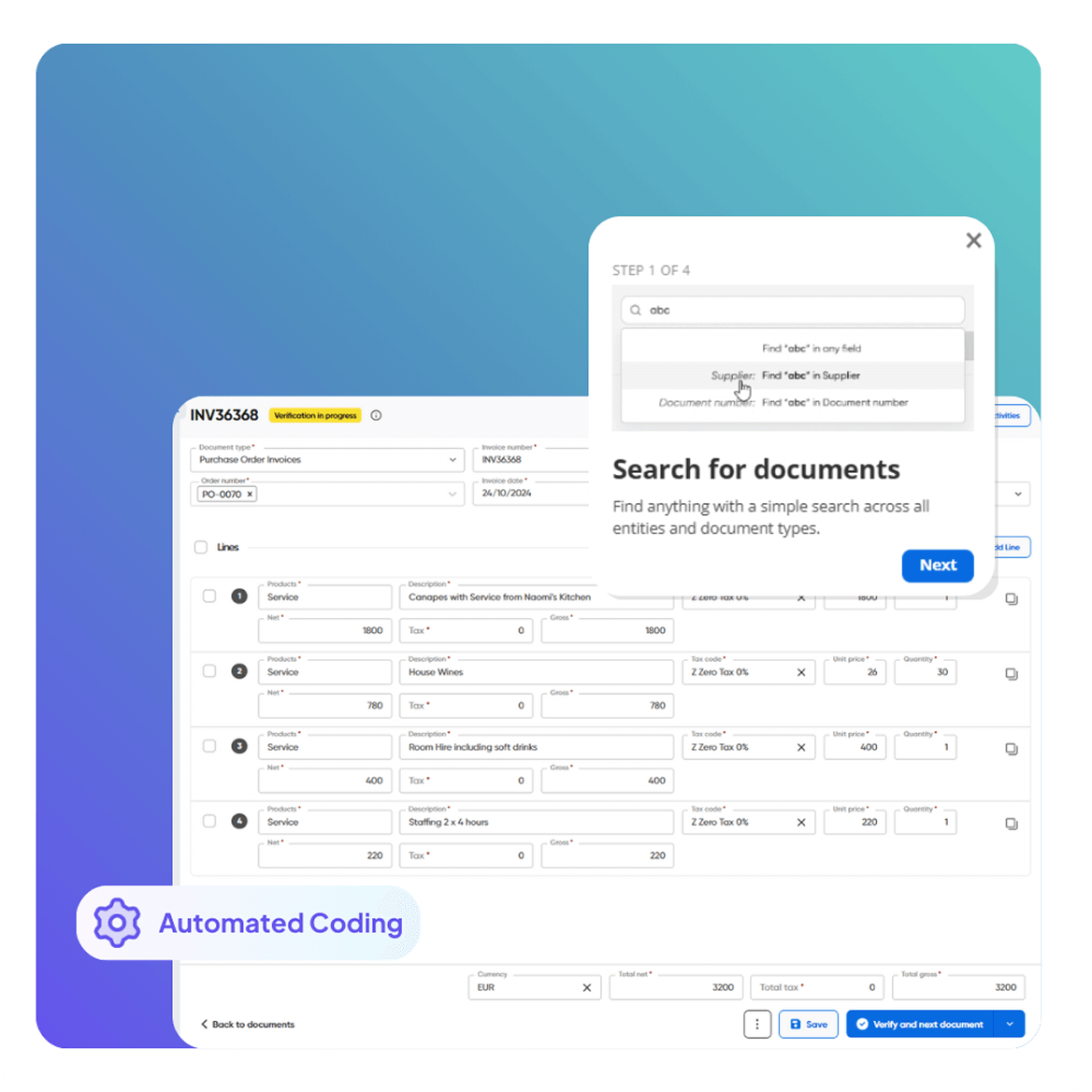
The intelligent keyword lookup system makes every processed document searchable by any word appearing on the invoice.

This allows finance teams to locate invoices instantly without manually browsing files.

Top-Considerations-when-Choosing-an-AP-Automation-Provider-Invoice-Automation

Key Benefits of Automated Invoice Management

Centralised invoice management improves visibility, efficiency, and financial control across accounts payable.

Faster Document Retrieval

Locate invoices instantly using advanced search and filtering.

Improved Invoice Visibility

Track invoice status and document activity in real time.

Better Organisation

Keep all invoice-related documents structured and accessible.

Reduced Administrative Work

Minimise time spent searching for invoices and related documents.

Greater Financial Accuracy

Centralised document management helps reduce manual handling errors.

Stronger Audit Readiness

Maintain a complete and organised record of invoices and financial documents.

Invoice Management KPIs to Track

Tracking invoice management performance helps finance teams improve efficiency and maintain control over document workflows.

netsuite1

Invoice Retrieval Time

How quickly invoices can be located and accessed.

dollar

Invoice Status Visibility

Ability to track invoices through each stage of processing.

check-1

Document Search Accuracy

Efficiency of locating invoices using keywords or filters.

invoice-3

Invoice Processing Cycle Time

Time from invoice receipt to approval.

money

Document Organisation Efficiency

Effectiveness of categorisation and tagging.

laptop-big

Invoice Tracking Accuracy

Reliability of real-time invoice status tracking.

Who Benefits from Automated Invoice Management

nvoice matching runs smoother when each team gets fewer exceptions, clearer visibility, and faster resolution, without expanding headcount.

green-avatar

Accounts Payable Teams

Quickly find invoices, track status, and reduce time spent searching for documents.

green-avatar

AP Managers

Improve visibility across invoice workflows and monitor document activity.

green-avatar

CFOs & Financial Controllers

Maintain better financial oversight with organised and accessible invoice records.

How Automated Invoice Management

A straightforward flow that takes invoices from arrival to approved, coded, and synchronised, so AP isn’t stuck doing manual cleanup between steps.

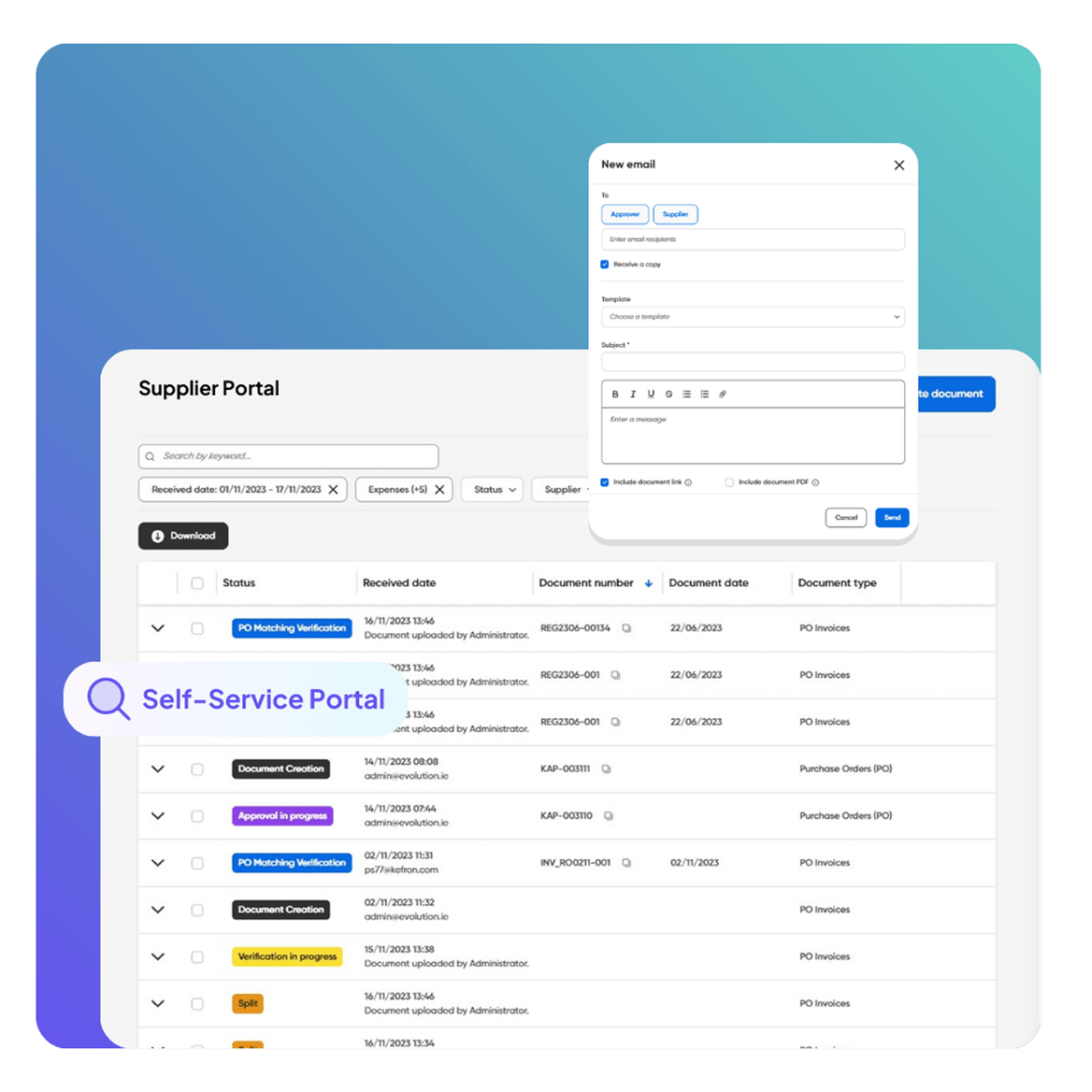
Automated Invoice Capture & Processing Automated Invoice & PO Matching Flexible Invoice Coding Automation Supplier Self-Service Portal
Automated Invoice Capture & Processing

Capture the Supplier Invoice

Invoices arrive through your normal channels and are prepared for matching.
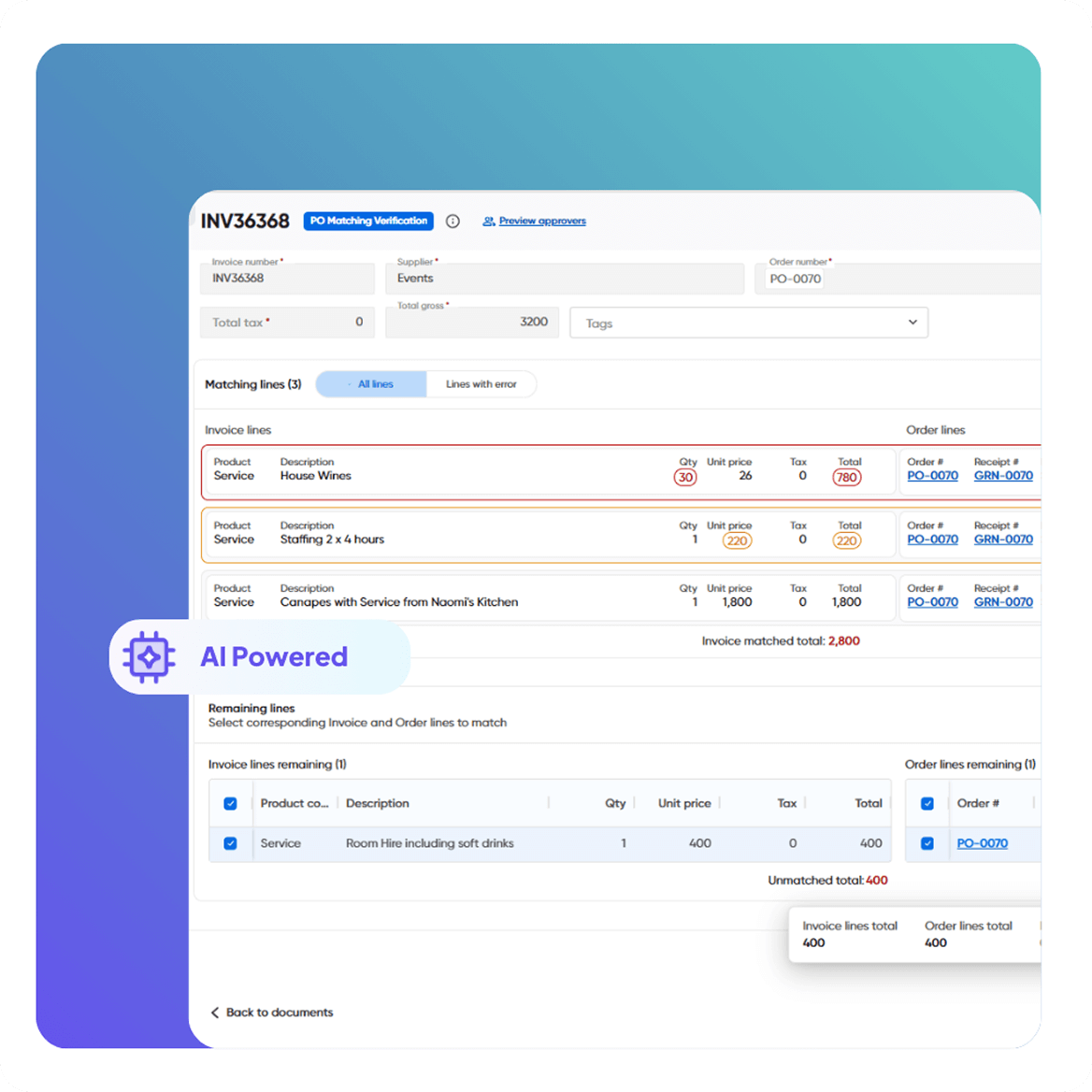
Automated Invoice & PO Matching

Pull the Reference Records

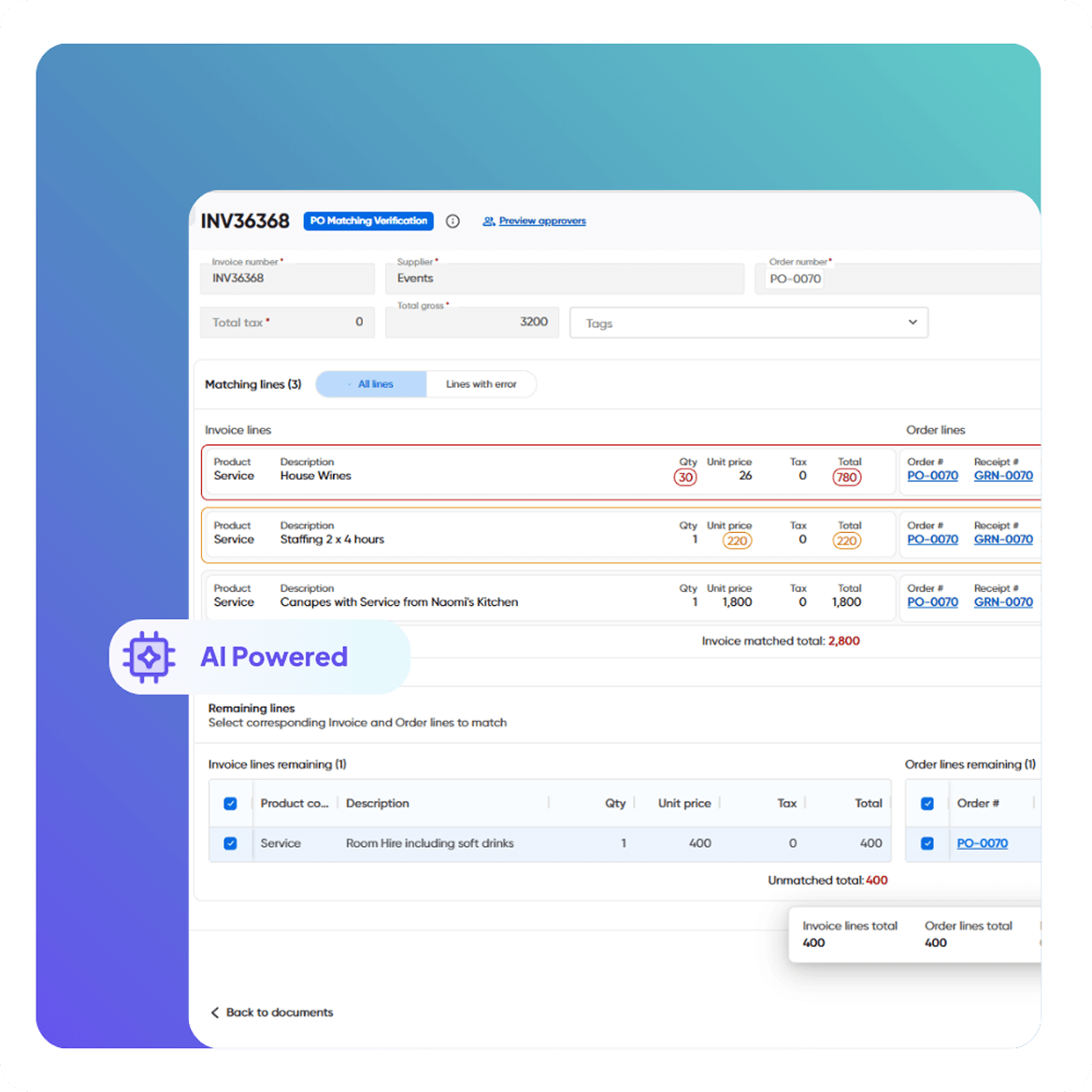
Invoices are aligned to the correct PO (and GRN if required) and ready for reconciliation.
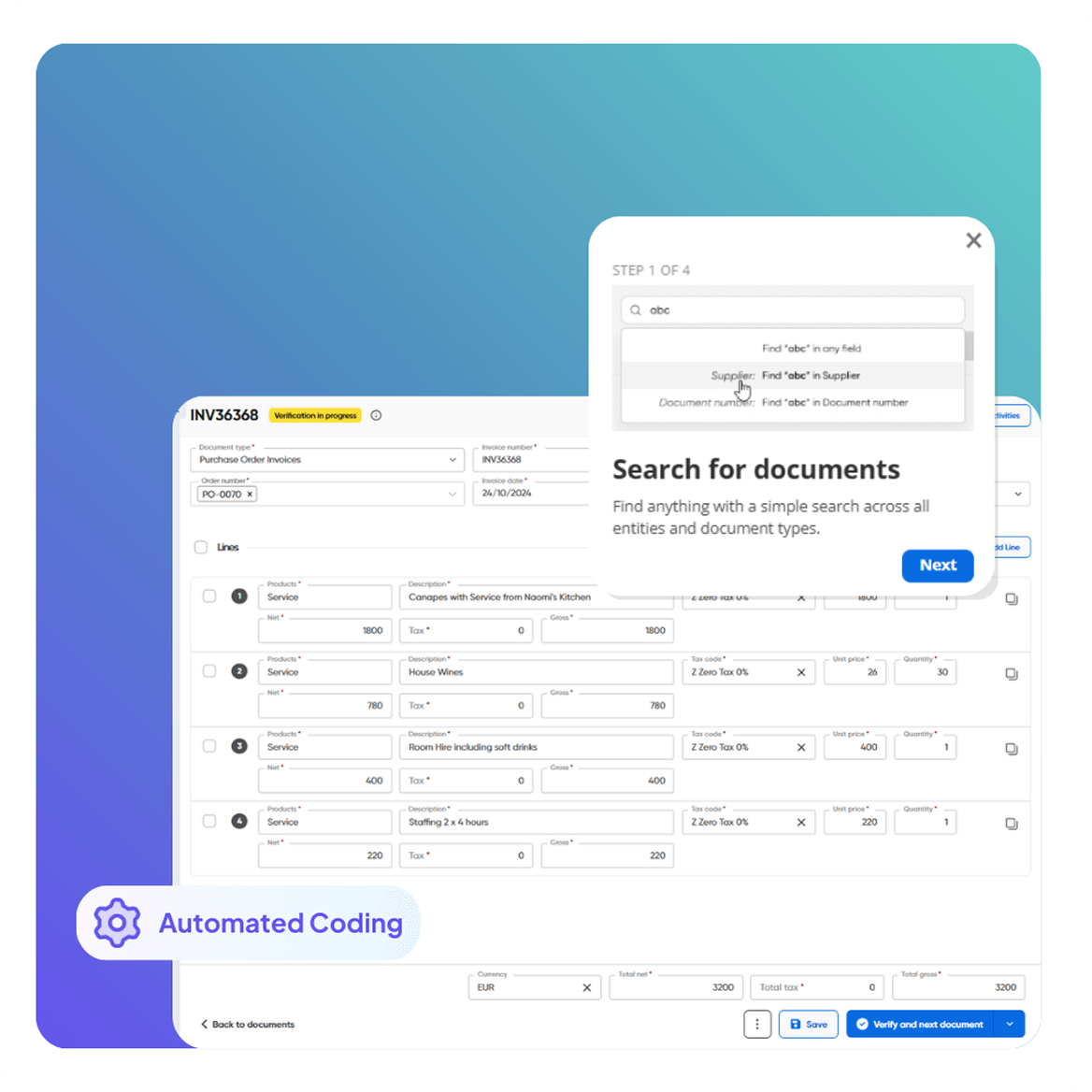
Flexible Invoice Coding Automation

Match at Line Level

Clean invoices match automatically; mismatches are flagged with clear context.
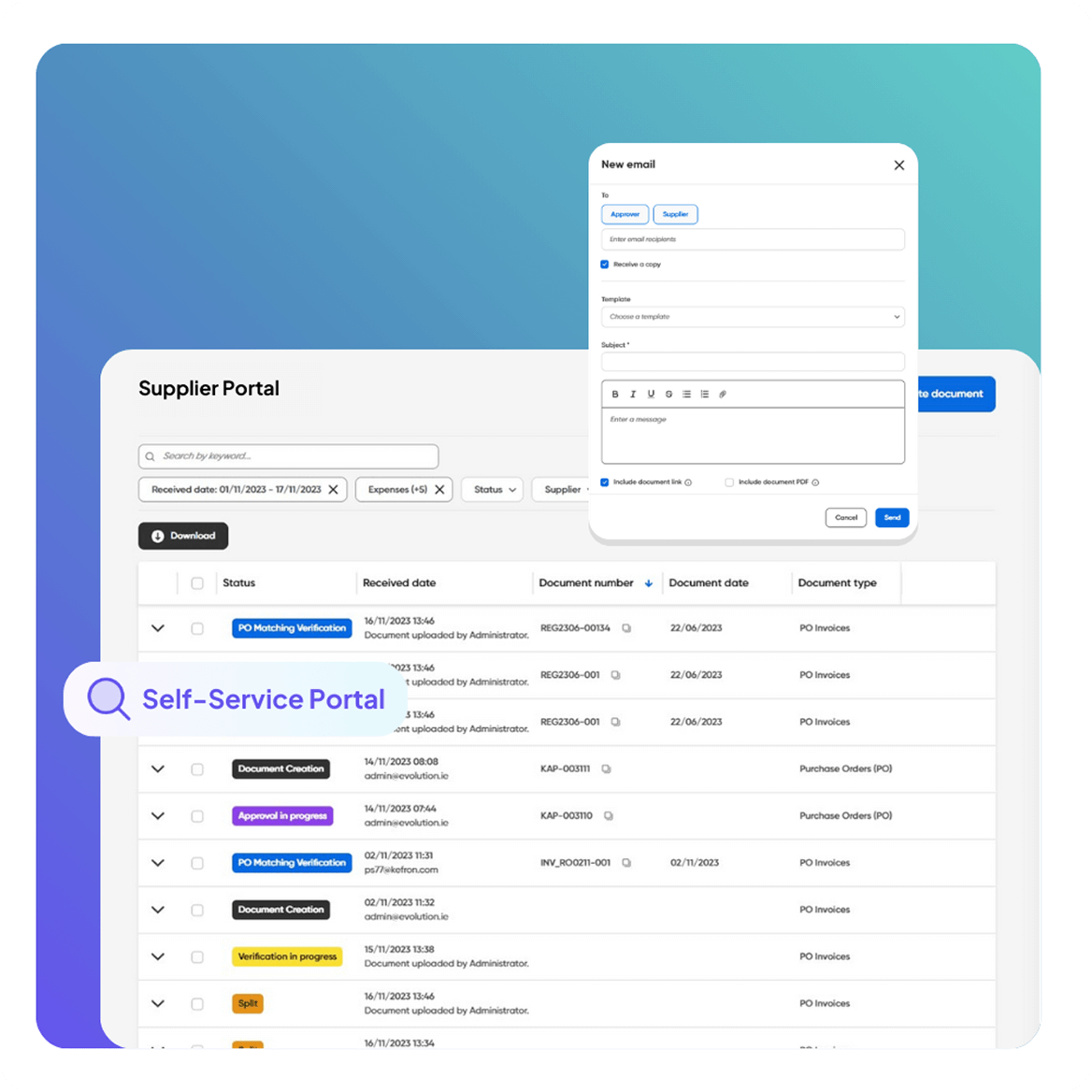
Supplier Self-Service Portal

Resolve Exceptions

AP clears discrepancies in one workflow and sends validated outcomes to your ERP.

CASE STUDIES:

Real Results from Real Finance Teams

Here’s how finance teams are transforming their work with Kefron’s invoice matching software. 

Take Control of Invoice Management

See how Kefron’s Document Centre simplifies invoice management with real-time invoice tracking and powerful search capabilities.

construction-cta

Frequently asked questions:

What is invoice management and why is it important?

Invoice management is the process of receiving, tracking, approving, and storing invoices within a central system. It’s important because it ensures financial accuracy, shortens processing cycles, and keeps audit trails clear.

What’s the difference between invoice management and invoice tracking?

Invoice management covers the full invoice lifecycle—from receipt to approval—while invoice tracking focuses on monitoring invoice progress in real time, such as pending, approved, or paid status.

What features should I look for in an invoice management system?

Look for features like real-time invoice tracking, keyword search, supplier filtering, status dashboards, and ERP integration. These boost efficiency and accuracy in accounts payable.

How does a centralised Document Centre help with audits?

A Document Centre keeps all invoices and related documents organised, searchable, and timestamped, making audit preparation faster and eliminating missing-file risks.

Who benefits the most from automated invoice management?

Accounts Payable teams, AP Managers, and CFOs gain the most through streamlined workflows, improved reporting access, and better financial oversight.

How does automated invoice management work?

 Automated invoice management uses digital tools to capture, match, and approve invoices without manual input. Systems like Kefron’s Document Centre use smart search, tagging, and ERP integrations to streamline tracking and approvals.

How can invoice tracking improve accounts payable performance?

Invoice tracking gives AP teams instant visibility into invoice status, helps prevent delays, and reduces the time lost searching for documents. It directly improves productivity and on-time payment rates.

Can invoice management systems integrate with ERP platforms?

Yes. Invoice management software can connect with your ERP (such as NetSuite, SAP, Oracle, or Dynamics) via APIs or secure file interfaces to ensure smooth data flow and financial control.

What KPIs should we track for invoice management performance?

Key KPIs include invoice retrieval time, status visibility, processing cycle time, search accuracy, and document organisation efficiency.

How do I know if my business needs an invoice management solution?

If your team spends too much time searching for invoices, dealing with delays, or handling.