



















Automated Supplier Statement Reconciliation Without Manual Cross-Checking

Turn supplier statements into a clear, reconciled view with supplier statement matching that links statement lines to invoices and credit notes, so your team can resolve exceptions fast.

Why Supplier Statement Reconciliation Matters

Our statement reconciliation software helps finance teams reduce month-end noise by surfacing missing items, mismatches, and duplicates early, before they turn into disputes or payment risk.

Reduce month-end time

with automatic statement-to-invoice matching.

Prevent missed credits + duplicates

by flagging discrepancies early.

Cut supplier disputes

with one dashboard + logged communications.

Improve audit readiness

with a complete digital audit trail of every reconciliation action.

Explore Automated Supplier Statement Reconciliation Modules

A complete workflow for automated supplier statement reconciliation: capture statements, extract line items, match them to invoices/credits, and manage exceptions in one place.

Capture & Centralise Statements

Capture supplier statements from any channel (scan, email, upload, portal) and centralise them in Kefron AP.

Media4

Core Supplier Statement Reconciliation KPIs

Track the metrics that show where reconciliation slows down, where discrepancies happen, and where value is recovered, so you can keep month-end on track and stay audit-ready.

netsuite1

Reconciliation Time

Avg. time to complete supplier statement reconciliation.

dollar

Discrepancy Resolution Time

Time to resolve statement mismatches and exceptions.

check-1

Credits Captured

Value of credit notes captured and reconciled.

invoice-3

Duplicate Detection

Duplicate invoices identified before payment.

money

Supplier Dispute Volume

Number of statement queries requiring follow-up.

laptop-big

Month-End Close Impact

Delays caused by outstanding statement reconciliation.

Clear Benefits for Every Role

Give every stakeholder – AP users, managers, and finance leadership – the same view of status, ownership, and next steps.

green-avatar

AP Teams & Users

Achieve less manual matching and faster invoice retrieval, with everything you require handled in a single place.

green-avatar

AP Managers

Clear visibility into bottlenecks and exceptions, with better control through activity tracking and audit-ready workflows.

green-avatar

CFOs & Financial Controllers

Stronger governance with complete traceability, fewer duplicate payment risks, and cleaner month-end reconciliation.

Supplier Statement Reconciliation in 4 Steps

From intake to resolution, supplier statement reconciliation follows a simple four-step flow your team can run every day, not just at month-end.

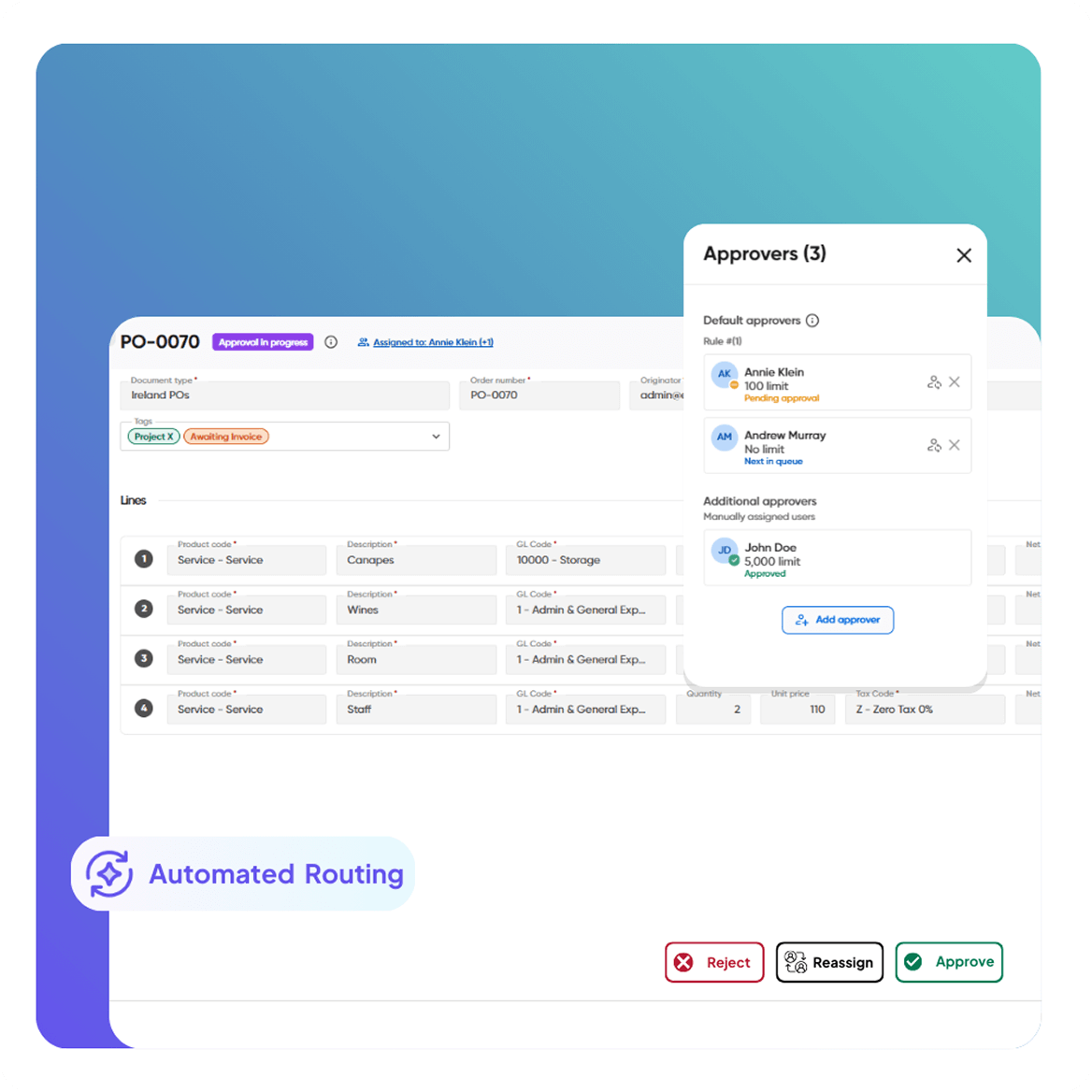
Automated Invoice Capture & Processing Supplier Self-Service Portal Automated Invoice & PO Matching Smart Workflows & Approvals
Automated Invoice Capture & Processing

Statement Capture

Capture statements from any channel – scan paper, email documents, upload files, or collect via the supplier portal.
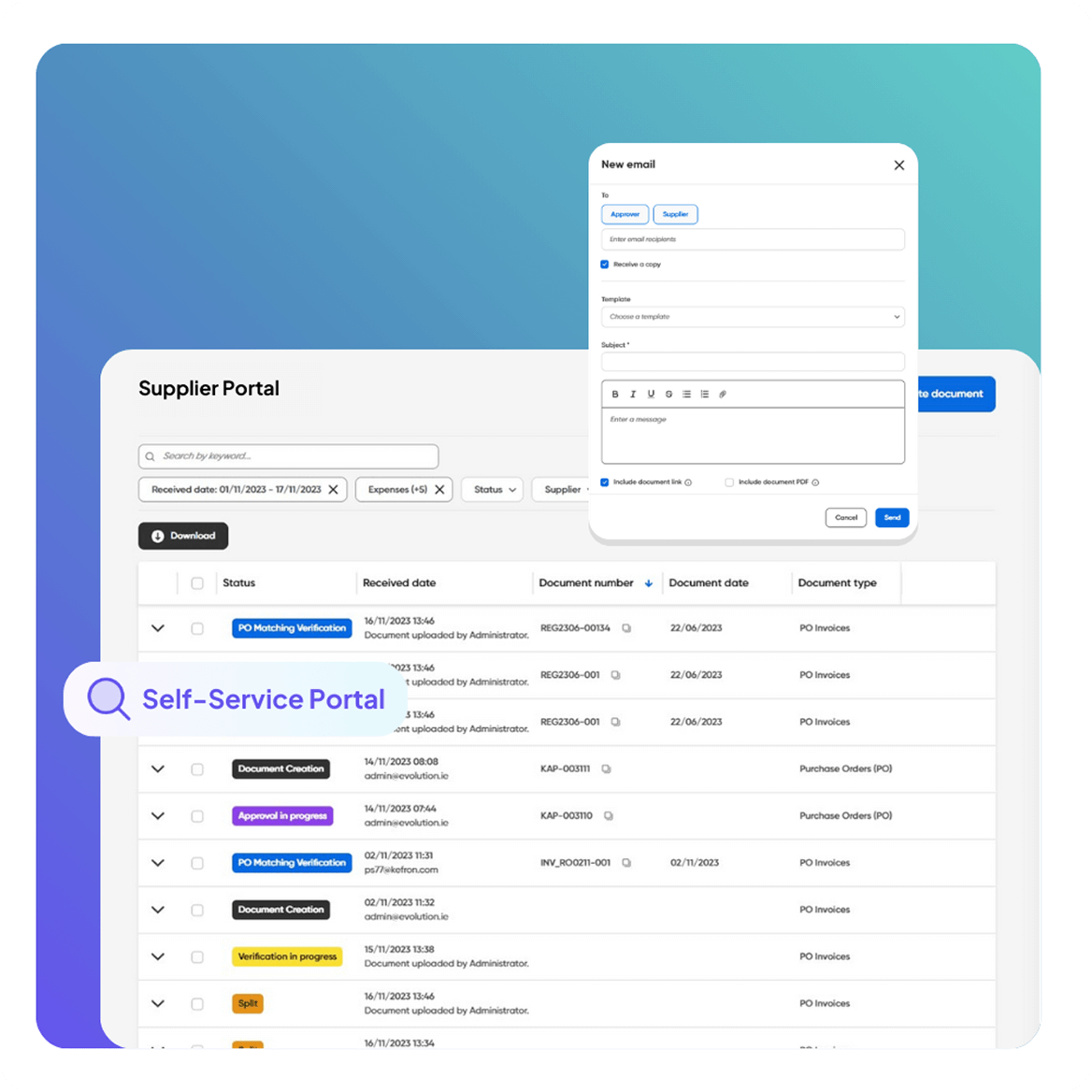
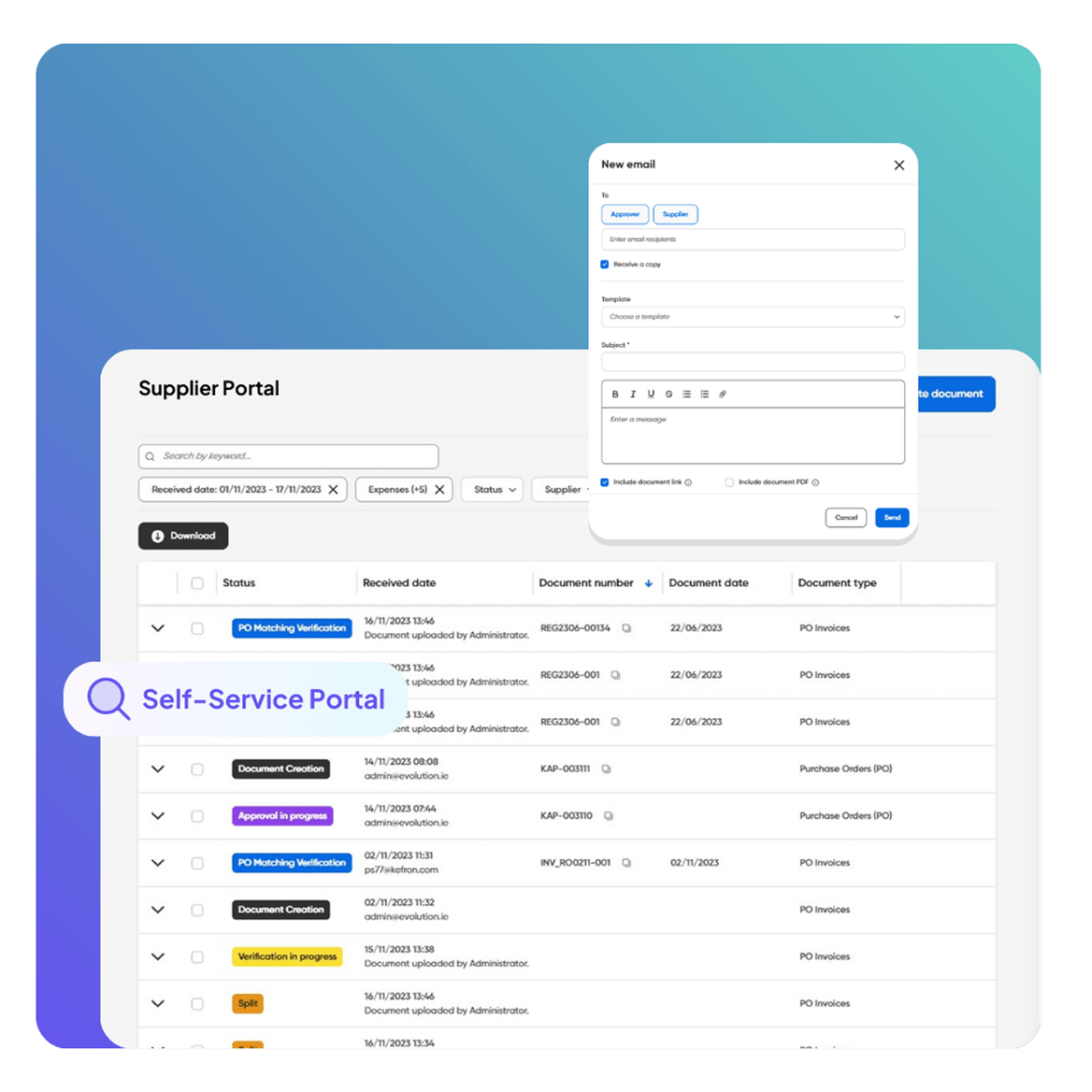
Supplier Self-Service Portal

Data Extraction

Extract statement details and line items automatically, with full keyword search across documents for instant retrieval.
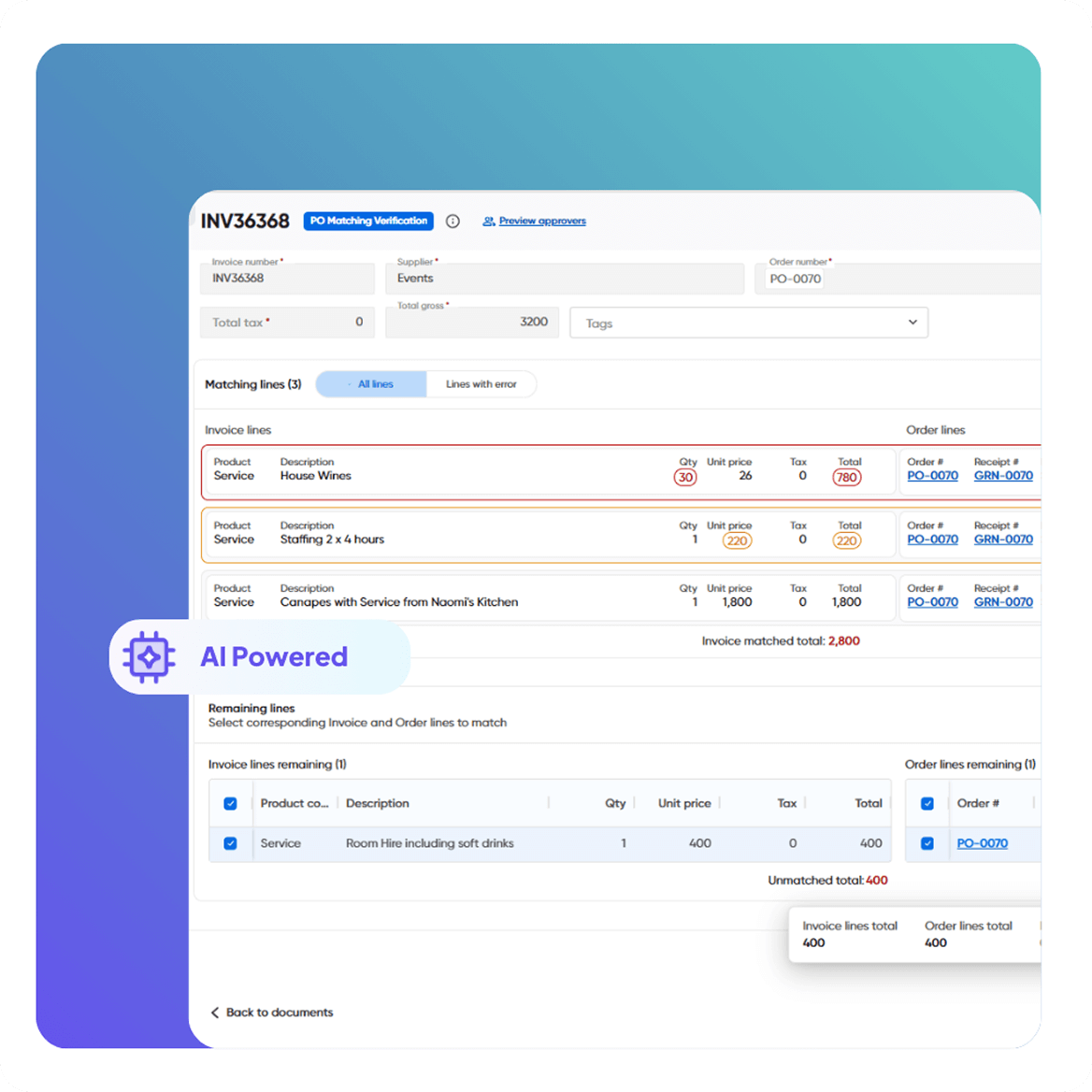
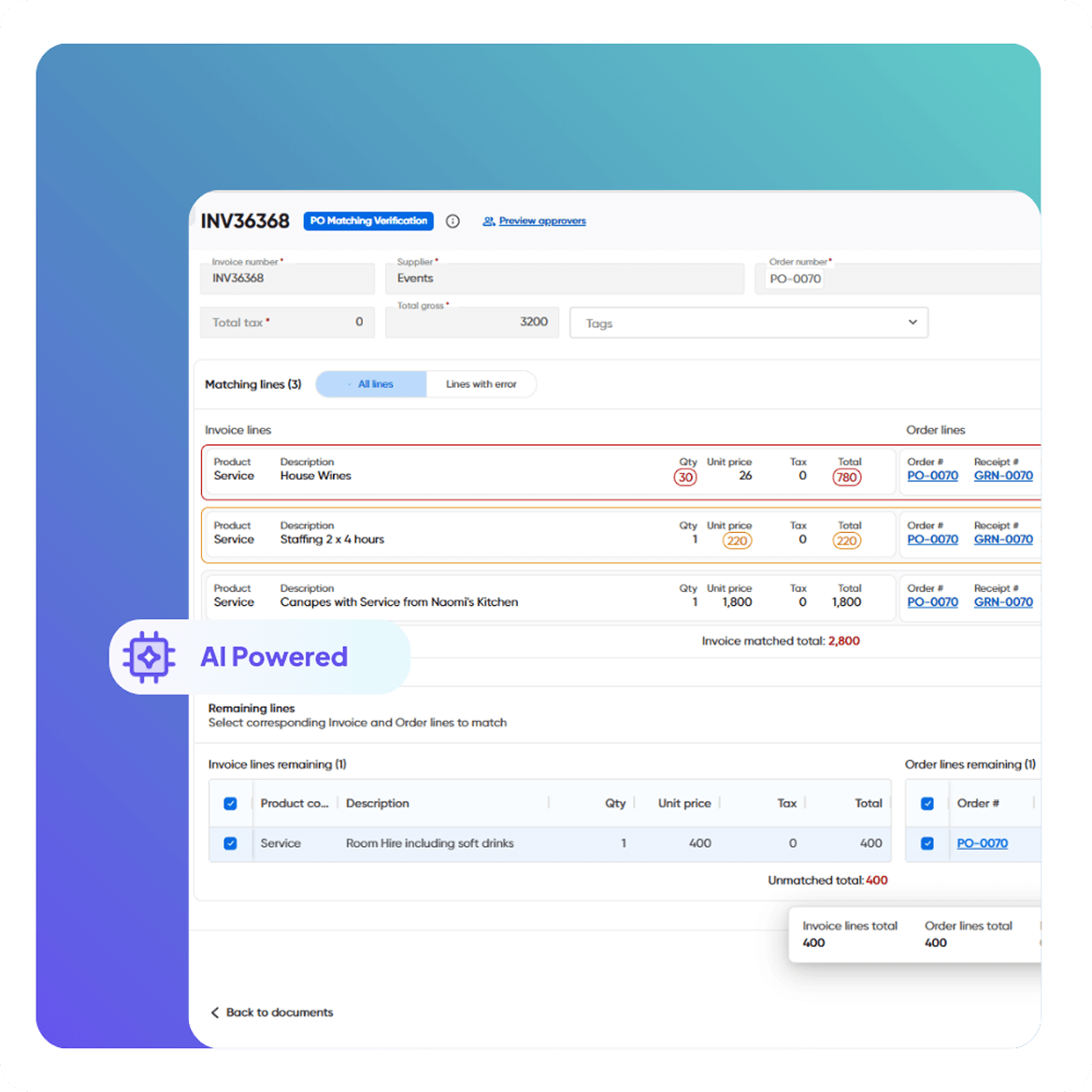
Automated Invoice & PO Matching

Automated Matching

Automatically reconcile statement lines against invoices received (and credit notes), reducing manual matching work.
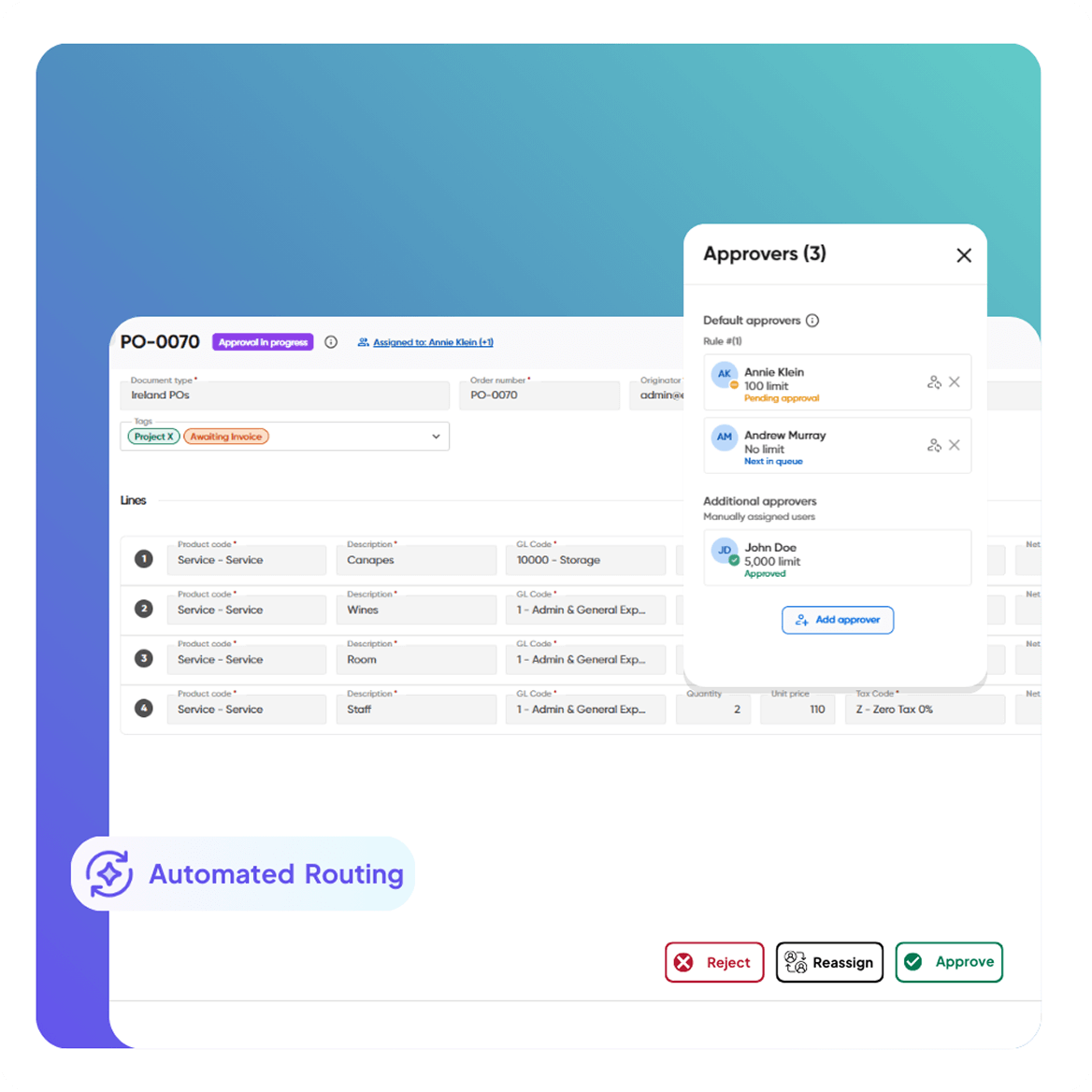
Smart Workflows & Approvals

Identify Discrepancies

Highlight mismatches and resolve exceptions quickly on-screen from one reconciliation dashboard.

CASE STUDIES:

Real Results from Real Finance Teams

Here’s how finance teams are transforming their work with Kefron AP supplier statement reconciliation.

Ready to Automate Supplier Statement Reconciliation?

See how Kefron AP captures statements, matches them to invoices and credit notes received, and helps your team resolve discrepancies fast, with full traceability.

why-kefron-cta

Frequently asked questions:

What is supplier statement reconciliation?

Supplier statement reconciliation is the process of comparing a supplier’s statement (what they say you owe) against your invoices and credit notes received, then resolving any missing items, duplicates, or discrepancies before payment and close.

Is it challenging to implement automated reconciliation?

Implementation is typically straightforward because it builds on your existing AP process. You connect your statement intake channels (scan/email/upload/portal), configure basic reconciliation rules and user access, and align outputs to your ERP integration method.

How are discrepancies identified and handled?

Kefron AP highlights statement mismatches so your team can review and resolve exceptions from one reconciliation dashboard, without relying on spreadsheets or email chains.

Does this help prevent duplicate invoices or duplicate payments?

Yes. The workflow helps identify duplicates during reconciliation so issues are caught before they create payment risk.

What types of supplier statements can be captured?

Statements can be captured from multiple channels, including scanned paper statements, emailed statements, uploaded files, and statements submitted via a supplier portal.

How does automated supplier statement reconciliation work?

Kefron AP captures supplier statements, extracts the statement details (including line items), and reconciles them against invoices received in the system. It then highlights discrepancies so your team can review and resolve exceptions from one central dashboard.

How does automated reconciliation affect the audit process?

Automation improves audit readiness by keeping a complete digital record of reconciliation activity. Every action is tracked, with clear visibility into what was matched, what was flagged, what was resolved, and who did it.

Can I search and retrieve invoices related to a statement instantly?

Yes. Documents are text-searchable, so users can find invoices or supporting documents by searching for any word or phrase.

Can we track supplier communications related to reconciliation?

Yes. Users can contact suppliers directly and view supplier communications within the reconciliation workflow, keeping context in one place.