Dynamics 365 Finance and Operations (D365 F&O) already does more for accounts payable than most finance teams realise. It has two-way and three-way matching, vendor invoice workflows, and an optional Invoice Capture add-in. So the real question for an F&O team isn't whether you need AP automation. It's where native F&O stops, and what should take over from there.
This guide covers that gap. It explains what D365 Finance and Operations handles natively, where AP teams still end up keying, chasing and fixing invoices, and how five AP automation tools built for F&O fill the gap. If you run Business Central or want a wider view across Dynamics 365, see our guide to AP automation software for Microsoft Dynamics 365.
Quick guide: 5 best AP automation tools for D365 Finance and Operations
- Kefron AP: Best for mid-market D365 F&O teams that want human-validated invoice data and line-level PO matching without adding work for IT
- ExFlow: AP automation built into D365 F&O itself, for teams that want everything to stay inside the ERP
- Rillion: Certified AppSource add-on that captures, matches and routes invoices before posting approved invoices to F&O
- Medius: Cloud AP suite with fraud detection and payments for larger, multi-ERP organisations
- Bottomline: Payment-led AP automation for F&O teams whose main priority is how suppliers get paid
What D365 Finance and Operations does for AP out of the box
Microsoft has steadily added AP automation to Dynamics 365 Finance, which is the current name for the finance side of F&O. With the Vendor invoice automation feature switched on, imported invoices can be submitted to workflow automatically. Product receipts can also be matched to invoice lines that have a three-way matching policy. Invoice Capture adds AI-based data extraction on top of that.
For a team with clean POs and a small, stable supplier base, that may be enough. Most mid-market AP teams hit the same limits, though:
- Only imported invoices are automated. Manually entered invoices still have to be submitted by hand.
- Receipt matching repeats until it lines up. Invoice lines with several receipts need multiple matching runs, and failed lines drop out of automation altogether.
- Capture is strongest on PO invoices. Non-PO invoices, scanned paper, and multi-country or multi-language suppliers need more manual checking.
- Nobody owns accuracy. When extraction gets a field wrong, your AP team finds it, usually at the matching or posting stage.
That last point is where specialist AP automation makes the biggest difference. The tools below were judged on how well they close these gaps for D365 F&O teams.
How we evaluated AP automation for D365 F&O
- How it connects to F&O: Direct API, built inside F&O, or a certified connector. And what syncs: vendors, POs, product receipts, financial dimensions and posted invoices.
- Data accuracy before posting: Whether invoice data is checked before it reaches F&O, or left for your team to correct afterwards.
- Line-level matching: Two-way and three-way matching at line level, including partial receipts and price tolerances.
- Multi-entity control: Approval routing by legal entity, cost centre or value, without developer work in F&O.
- Fit for mid-market teams: Implementation effort, ongoing support, and whether the scope matches an AP team rather than a full procurement programme.
The 5 best AP automation tools for D365 Finance and Operations
1. Kefron AP: Best overall for D365 F&O
Kefron AP is AP automation for mid-market and enterprise finance teams. It is built around one number: how many invoices go through untouched. It connects to Dynamics 365 Finance and Operations through a direct API integration that syncs vendors, GL codes and financial dimensions, purchase orders and product receipts, so F&O stays your system of record.
The difference from native F&O, and from most add-ons, is who checks the data. Adaptive AI extracts header and line-level data without templates. A dedicated Data Assurance Team then validates any field the AI isn't confident about before the invoice reaches F&O. That's how Kefron AP delivers 99%+ data accuracy after validation. Your team stops being the safety net for extraction errors.
With accurate data going in, line-level PO matching works the way F&O teams need it to, including partial receipts and price tolerances. Recurring suppliers typically reach 70% to 90% touchless processing, so your AP team spends its time on real exceptions.
Kefron AP features
- Direct D365 F&O integration: Vendors, POs, product receipts, coding and approved invoices sync between Kefron AP and F&O, with no flat-file uploads or middleware.
- AI data capture with human validation: Template-free extraction backed by the Data Assurance Team, for 99%+ accuracy after validation. See how this compares in invoice OCR vs AI data capture.
- Two-way and three-way line-level matching: PO matching at line-item level, with AI flagging price, quantity and delivery discrepancies.
- Non-PO coding and approval routing: Non-PO invoices are coded and routed by legal entity, cost centre and value, based on learned patterns and your rules.
- Dashboards and audit trail: Invoice status, approval bottlenecks and touchless rates across entities, with a full audit trail per document.
- Optional add-ons: Supplier statement reconciliation is available as an add-on for teams that want it.
Kefron AP pros and cons
Pros:
- 99%+ data accuracy after validation, with a dedicated team responsible for it
- Direct F&O integration that keeps F&O as the system of record
- Built for mid-market AP teams, with workflows your team can change without developers
Cons:
- Focused on accounts payable rather than full source-to-pay, so procurement stays in F&O or a separate tool
- Supplier statement reconciliation is an add-on rather than part of the core product
2. ExFlow: AP automation built into D365 F&O
ExFlow, from SignUp Software, is built inside Dynamics 365 Finance and Operations rather than connected to it. It is listed on Microsoft AppSource as an F&O add-on that uses standard F&O functionality, so there's no separate integration to manage. It covers OCR scanning and validation, coding, preliminary posting, three-way matching against POs and receipts, and approvals through F&O workflows or a web portal.
ExFlow features
- Runs inside F&O: Invoices, coding and approvals live in the ERP, with no external system to sync
- Three-way matching: Against POs, contracts and goods receipts, with unmatched invoices sent for approval
- Power BI analytics: Prebuilt reporting on AP performance
ExFlow pros and cons
Pros:
- No integration layer, because the AP process sits in F&O
- Familiar for F&O users and administrators
- Uses F&O's own workflow and position hierarchies for approvals
Cons:
- Capture relies on OCR and rules, with no dedicated team validating data before posting
- Because it lives inside F&O, changes and upgrades are tied to your F&O environment and partner
- Implementation and support usually run through a Dynamics partner rather than directly
3. Rillion: Certified AppSource add-on for F&O
Rillion is a cloud AP automation platform aimed at mid-sized and large organisations. It connects to D365 F&O through a certified AppSource integration. Rillion captures, matches and routes invoices, then pushes approved invoices to F&O for booking and payment, with payment data flowing back.
Rillion features
- Multi-format capture: Email, PDF, scanned, XML and paper invoices
- Two-way and three-way matching: Including multi-page POs
- AI coding: Learns from how your team finally codes each invoice
Rillion pros and cons
Pros:
- Certified integration with D365 F&O
- Mobile approvals and multi-entity routing
- Handles recurring invoices and self-billing
Cons:
- Coding accuracy builds as the AI learns, rather than being validated from day one
- Capture and approvals happen outside F&O, so your team works in two systems
- No published pricing
4. Medius: Cloud AP suite for larger, multi-ERP organisations
Medius is a cloud AP platform for mid-market and enterprise organisations. It covers AI and OCR capture, coding, PO matching, approvals and payments, plus fraud detection. It connects to Dynamics 365 through a certified Microsoft integration and to other ERPs at the same time, which suits groups running F&O alongside other systems.
Medius features
- Multi-channel capture: Paper, email, PDF, EDI and e-invoices
- Fraud and anomaly detection: Flags unusual amounts, supplier bank detail changes and duplicate patterns
- Multi-ERP connectivity: One AP layer across F&O and other ERPs
Medius pros and cons
Pros:
- Payments and fraud detection in the same platform
- Suits groups with several ERPs
- Packaged plans for different levels of need
Cons:
- Quote-based pricing with a sales-led buying process
- The entry package is scoped for a single entity, which limits multi-entity F&O setups
- Broader suite scope can mean a longer implementation for AP-only needs
5. Bottomline: Payment-led AP automation for F&O
Bottomline covers AP from invoice receipt to supplier payment, with most of its focus on the payment end. Its Paymode network connects over 635,000 businesses for electronic B2B payments. Invoice automation uses OCR and machine learning with two-way and three-way matching, and the product works within the Dynamics 365 Finance workspace.
Bottomline features
- Paymode network: Electronic supplier payments across 635,000+ businesses
- Payment methods: ACH, virtual card and cheque replacement
- Invoice capture and matching: OCR and machine learning with two-way and three-way matching
Bottomline pros and cons
Pros:
- Strong on supplier payments and payment methods
- Invoice and payment automation in one vendor
- Works within the Dynamics 365 Finance workspace
Cons:
- Payment network and features are US-centred
- Invoice capture is less of a focus than payments
- No standard published pricing
Comparison table: AP automation for D365 Finance and Operations
| Tool | How it connects to F&O | Line-level PO matching | Data validated before posting | Built for mid-market AP teams |
|---|
| Kefron AP | Direct API | ✓ | ✓ Data Assurance Team, 99%+ accuracy | ✓ |
| ExFlow | Built inside F&O | ✓ | ✗ OCR and rules | ✓ |
| Rillion | Certified AppSource integration | ✓ | ✗ AI learns over time | ✓ |
| Medius | Certified Microsoft integration | ✓ | ✗ | Mid-market and enterprise |
| Bottomline | Within D365 Finance workspace | ✓ | ✗ | Medium to large, payment-led |
Native F&O, built-in add-on or connected platform?
D365 F&O teams usually choose between three routes:
- Stay native: Vendor invoice automation and Invoice Capture. Lowest cost, but your AP team still owns every extraction error and every exception.
- Add-on built inside F&O: Tools like ExFlow keep AP in the ERP. Good for F&O-heavy IT teams, but accuracy still depends on OCR and rules.
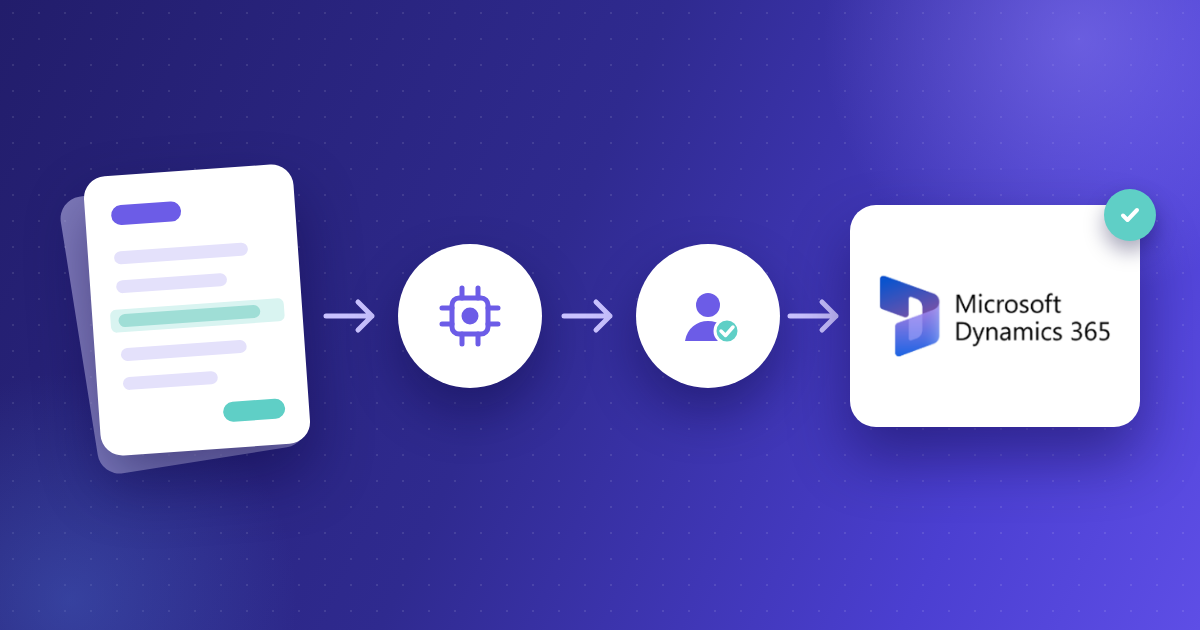
- Connected AP platform: Tools like Kefron AP run AP outside F&O and post clean data into it. This route makes the biggest difference to touchless rates, because accuracy is handled before the invoice ever reaches F&O.
Whichever route you take, the cost question is the same: what does each invoice cost once you count the time spent fixing it? Our cost per invoice guide shows how to work that out for your team.
Why Kefron AP is the best fit for D365 F&O teams
Native F&O automation works when invoice data is right. Most AP teams' problem is that it often isn't. Kefron AP fixes that before the invoice reaches F&O. AI captures the data, the Data Assurance Team validates it, and line-level matching does the rest, so F&O receives invoices that are ready to post.
For mid-market teams on Dynamics 365 Finance and Operations, that means a higher touchless rate, fewer exceptions at month end, and an AP team that isn't stuck chasing three-way match failures. See how Kefron AP works with D365 F&O.
FAQs about AP automation for D365 Finance and Operations
Is D365 F&O the same as Dynamics 365 Finance?
Mostly. Microsoft now sells the former Finance and Operations apps as Dynamics 365 Finance and Dynamics 365 Supply Chain Management. "F&O" and "D365 F&O" are still widely used for both. Accounts payable sits in Dynamics 365 Finance.
Does D365 Finance and Operations have built-in AP automation?
Yes, to a point. The Vendor invoice automation feature can automatically submit imported invoices to workflow and match product receipts to invoice lines. Invoice Capture adds data extraction. Manually entered invoices, data accuracy and exceptions still sit with your AP team.
Is D365 Invoice Capture enough on its own?
For simple, PO-backed invoices from a stable supplier base, it can be. Teams with non-PO spend, scanned paper, many suppliers or several legal entities usually need validated data and stronger line-level matching to get consistent touchless rates.
How does Kefron AP connect to D365 F&O?
Through a direct API integration. Vendors, POs, product receipts, coding and approved invoices sync between Kefron AP and F&O, with no middleware or file transfers.
How accurate is Kefron AP's invoice data?
Kefron AP delivers 99%+ data accuracy after validation. AI extracts the data, and the Data Assurance Team checks any uncertain fields before the invoice reaches F&O.