Your role as a finance leader now goes far beyond the balance sheet. You're expected to forecast with precision, close faster, manage risk across entities and build the operational backbone that keeps the organisation financially healthy. To do that, you need the right technology in place.
A CFO technology stack is the set of software platforms that powers your finance function, from core accounting and ERP through to AP automation, document management, FP&A software and compliance tools. The mix you choose determines how quickly your team can act on financial data, how much manual work falls away and how confidently you can report to the board.
This guide walks through the layers that make up a modern CFO tech stack, explains what each one does and shows where to focus your next investment for the most operational control.
What Is a CFO Technology Stack?
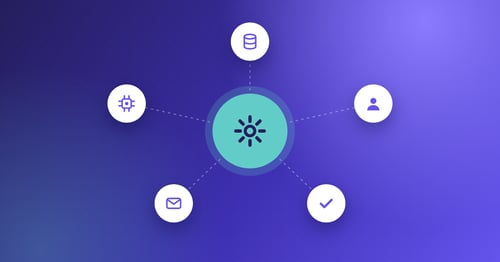
A CFO technology stack is the set of financial management tools your finance team relies on to run day-to-day operations, plan ahead and stay compliant. It isn't a single product. It's a connected group of platforms, each handling a specific function and feeding data into the others.
Ten years ago, most mid-market finance teams ran on one or two systems, usually an ERP and a spreadsheet. That has changed quickly. In Deloitte's Q4 2025 CFO Signals survey of large North American companies, 50% of CFOs named digital transformation of finance as their top priority for 2026, and 87% expect AI to be extremely or very important to their finance department this year.
That shift means CFO office software now includes purpose-built tools for AP automation, FP&A, treasury, document management and real-time compliance. The challenge isn't finding tools. It's choosing the right combination and sequencing the rollout so your team gains control rather than complexity.
Why the CFO Tech Stack Matters for Financial Control
Manual processes create risk. When your team re-keys invoice data, chases approvers by email or reconciles statements in spreadsheets, every step introduces errors, delays and lost visibility. Those aren't abstract efficiency problems. They damage supplier relationships, delay month-end close and weaken your position with the board.
A well-structured stack answers each of those risks with a specific mechanism. Automated data capture replaces manual keying. Workflow engines route approvals to the right person. Real-time dashboards replace stale reports. The result is faster closes, fewer payment errors and stronger audit trails.
For mid-market finance teams, the stakes are higher still. You usually run with leaner headcount than enterprise peers, so every hour spent on manual work is an hour not spent on analysis, forecasting or planning.
The Core Layers of a Modern CFO Technology Stack
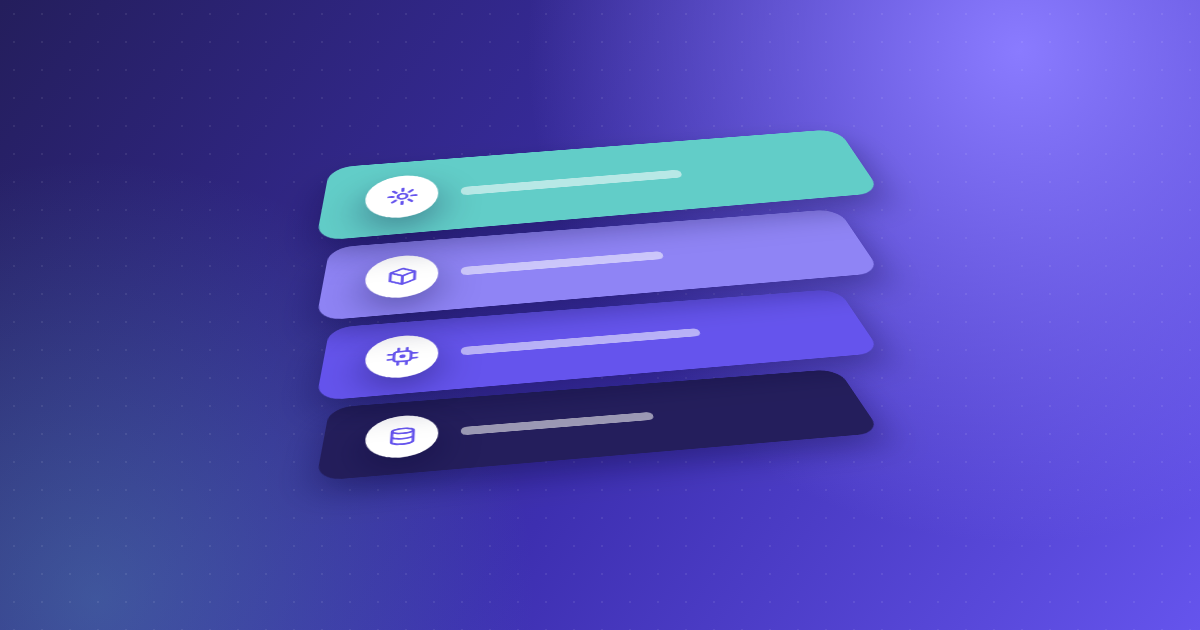
A complete CFO technology stack covers six to ten categories, depending on your organisation's size and complexity. These are the layers that matter most for financial control, in the order many finance leaders evaluate them.
1. Core Accounting, ERP and Reporting Tools
Your ERP is the financial system of record. It handles the general ledger, chart of accounts, journal entries and financial statements. Platforms such as SAP, Oracle, Microsoft Dynamics, Sage Intacct and AccountsIQ anchor the rest of your stack, and most accounting and reporting tools either sit inside the ERP or draw directly from it.
When choosing an ERP, evaluate multi-entity support, real-time reporting and the quality of its API layer. The API layer decides how well every other tool in your stack can exchange data without manual re-entry. It also shapes whether you rely on built-in ERP functionality or add-on tools for processes like AP.
2. AP Automation and Invoice Processing
Accounts payable is where most finance teams carry the heaviest manual workload. Processing invoices by hand consumes time, introduces errors and delays payments. AP automation uses OCR and AI to capture invoice data, match it against purchase orders and goods receipts, route approvals and post validated data into your ERP.
Most platforms stop at extraction and hand uncertain fields back to your team. Kefron AP doesn't. AI extracts the data, and Kefron's Data Assurance Team reviews any field it can't read confidently before it reaches you. That delivers 99%+ invoice data accuracy after validation, with no templates to build and no OCR corrections pushed back onto AP.
Kefron AP connects to more than 70 ERP and accounting systems, including SAP, Oracle, NetSuite, Microsoft Dynamics, Sage and AccountsIQ, through real-time API or secure SFTP file transfer.
Deloitte's survey found that automating processes to free employees for higher-value work is the leading finance talent priority, cited by 49% of CFOs. AP automation is usually where mid-market teams see that return first, because payback is measured in months, not years. For a step-by-step view, see how AP automation works across the invoice cycle.
3. Document Management and Secure Archiving
Finance teams generate and receive thousands of documents every month: invoices, contracts, delivery notes, compliance certificates and audit evidence. Without structured document management, finding one invoice during an audit means searching email threads, shared drives or filing cabinets.
A document management layer gives you a centralised, searchable archive with role-based access, full audit trails and retention policies that meet regulatory requirements. Kefron AP's Document Centre does this for every invoice, approval and correction, and Kefron's wider information management services extend it to scanning, digitisation and secure records storage. Kefron has delivered document management for more than 900 customers.
This layer matters because AP automation alone doesn't solve the problem of unstructured financial documents sitting outside your ERP. Connecting your archive to your AP workflow makes every document traceable from receipt through approval to payment.
4. FP&A Software and Forecasting Platforms
FP&A software moves budgeting, forecasting and scenario modelling out of spreadsheets and into dedicated tools that pull live data from your ERP and other systems. These platforms support rolling forecasts, driver-based models and board-ready dashboards.
For mid-market teams, the value is speed and accuracy. Instead of rebuilding a forecast model each quarter, you update assumptions and the platform recalculates. Questions about cash runway, headcount capacity or capital allocation get answered in hours rather than days.
5. Treasury and Cash Management
Treasury tools give you real-time visibility of cash positions across bank accounts, currencies and entities. They automate cash forecasting, flag unusual payment patterns and help optimise working capital.
For organisations with several banking relationships, a treasury platform consolidates account data into one view and removes blind spots. That visibility became a board-level concern after the 2023 collapse of Silicon Valley Bank, which pushed many CFOs to diversify banking arrangements and track liquidity in real time.
6. Compliance, Tax and Audit Tools
Compliance tools handle sales tax calculations, VAT reporting, regulatory filings and audit trail management. In markets with evolving e-invoicing mandates, they validate invoice formats against local requirements before submission.
Kefron's e-invoicing solution supports requirements across multiple jurisdictions, including Peppol and Continuous Transaction Controls (CTC), so invoices are captured, validated and retained in compliant formats. Built-in audit trails and timestamped approval records make audit preparation faster. For an overview of current mandates, see our guide to e-invoicing compliance.
How to Evaluate Tools for Your CFO Technology Stack
With dozens of vendors in every category, evaluation can quickly become overwhelming. These four questions help you compare options systematically.
Does It Solve Your Most Pressing Operational Problem?
Start with the workflow that causes the most pain. If your team spends hours re-keying invoice data, AP automation is the priority. If month-end close stretches beyond ten days, close automation comes first. Tools that address your main bottleneck deliver measurable results fastest.
How Well Does It Integrate with Your Existing Systems?
Integration quality decides whether a new tool adds value or adds complexity. Look for native connectors to your ERP, two-way sync for suppliers, POs and GL codes, and a clear integration timeline. Our guide to AP automation for NetSuite and SAP covers the questions worth asking. Kefron AP, for example, offers three integration paths: standard API, a low-code SFTP option called Kefron Konnect, and custom API for complex environments.
What Is the Total Cost of Ownership?
Licence fees are only part of the picture. Factor in implementation, maintenance, training and the internal time needed for data migration and configuration. Some platforms charge per user, so costs rise every time you add an approver. Kefron AP pricing is based on invoice volume, so cost tracks what you actually process. You can estimate your own savings with the invoice processing calculator.
What Level of Support Comes with the Platform?
Self-serve tools leave configuration, troubleshooting and optimisation to your team. Managed platforms pair you with a dedicated team that handles setup, monitors accuracy and supports you through ERP migrations or organisational change. The right choice depends on your internal capacity.
Building a Phased Implementation Roadmap
Deploying every layer of your CFO technology stack at once creates risk. Teams get stretched, adoption suffers and payback gets pushed further out. A phased approach lets you capture value from each tool before adding the next.
Phase 1: Invoice Processing and AP Automation
AP automation has the fastest payback and the most measurable effect on daily operations, so start here. Capture invoices digitally, automate coding and matching, route approvals and sync validated data to your ERP. Track cycle time, cost per invoice, accuracy and touchless processing rate from day one to build a baseline for your business case.
Kefron AP typically goes live in six to eight weeks with guided onboarding and no internal IT project running alongside it. Payback usually arrives within nine to twelve months, depending on invoice volume. Our AP implementation guide covers what to plan for.
Phase 2: Document Management and Compliance
Once invoice processing is automated, extend the same principles across the wider document lifecycle. Digitise paper records, centralise your financial archive and connect it to your AP and ERP systems so every document has a clear audit trail.
This is also the point to review compliance tooling. If you operate across several jurisdictions, e-invoicing compliance and automated tax reporting move up the list. Kefron's information management services support this alongside AP automation.
Phase 3: FP&A, Treasury and Advanced Analytics
With clean, automated data flowing from AP and document management, your FP&A and treasury tools become far more effective. Live data feeds support rolling forecasts, real-time cash positioning and scenario models that reflect actual operational performance rather than stale spreadsheet inputs.
This phase benefits directly from earlier work. When invoice data reaching your ERP is validated to 99%+ accuracy, everything your planning tools consume downstream is more reliable.
Where AP Automation and Document Management Close the Control Gap
Most CFO tech stack guides focus on ERP, FP&A and treasury. Those matter. But they skip the operational layer where errors, delays and audit failures actually start: invoice processing and document management.
Invoices arrive by email, PDF, scan and EDI, in multiple formats and languages. Handling them manually risks duplicate payments, missed discounts and incorrect GL coding, and each of those errors cascades into your ERP, your financial reports and your cash forecasts.
Kefron AP handles the full invoice lifecycle: capture, AI extraction, line-level PO matching, automated approval routing, exception handling and ERP sync. Kefron's Data Assurance Team validates flagged fields, so your AP staff deal with genuine exceptions rather than extraction errors.
On the document side, Kefron gives you one searchable archive for all financial documents, with role-based access, retention policies and full traceability from receipt to payment. That combination is what closes the gap between a modern tech stack on paper and genuine financial control in practice.
Finance teams in sectors from manufacturing and retail to construction and private equity use Kefron AP this way. See how they've deployed it in our customer stories.
Common Pitfalls When Building a CFO Tech Stack
Buying Too Many Tools at Once
A ten-tool stack looks impressive on a slide, but every platform adds integration work, training and licence costs. Start with the tools that deliver the most measurable operational impact and build from there.
Ignoring Integration Quality
A tool that can't sync clean data with your ERP in both directions creates more manual work, not less. Before signing, run a pilot with your own invoices to confirm suppliers, POs, GL codes and tax rules transfer correctly without manual fixes.
Treating Implementation as a One-Time Project
Go-live isn't the finish line. Your AP rules will change as you grow, add entities or switch ERPs. Choose platforms that adapt without a rebuild. Kefron AP is designed to stay stable through finance automation changes such as ERP migrations and acquisitions, keeping operations running while other systems change around it.
Overlooking Change Management
Technology only delivers value when people use it. Build adoption into the rollout: name champions in each team, train before go-live and collect feedback over the first 60 days. Unlimited user access, as with Kefron AP, removes the cost barrier to getting everyone on board from day one.
How AI Is Reshaping the CFO Technology Stack in 2026
AI isn't a separate layer in the CFO technology stack. It's a capability built into multiple tools, from invoice capture to cash forecasting. The practical question isn't whether to use AI, but where it delivers verifiable accuracy and time savings.
In AP automation, AI and machine learning extract header and line-item data from invoices in any format. Kefron AP combines that extraction with human validation, so the AI learns from every correction and accuracy stays at 99%+ after validation, without templates that break when a supplier changes its invoice layout.
In FP&A, AI powers predictive cash forecasting and anomaly detection, surfacing unusual spending or revenue dips before they reach your quarterly numbers. In compliance, AI validates invoice formats against jurisdiction-specific rules, reducing the risk of penalties for incorrect submissions.
Deloitte found that 54% of CFOs see integrating AI agents into finance as a transformation priority for 2026. The organisations getting the most from AI pair it with strong data governance, clear audit trails and human oversight at every decision point.
Choosing the Right CFO Technology Stack for Financial Control
Building your CFO technology stack isn't a one-off purchase. It's an ongoing process: find where manual work creates risk, choose tools that remove that risk with specific mechanisms, and sequence the rollout to capture value at each stage.
Start with the layer that touches the most transactions and carries the most operational risk: AP automation and document management. Then build outward into FP&A, treasury and compliance, connecting each new tool to the clean, validated data already in place.
If you're deciding where to begin, Kefron AP gives your team managed AP automation with 99%+ invoice data accuracy after validation, 70+ ERP integrations and a dedicated team that stays with you through implementation and beyond. Book a personalised demo to see how it works with your own invoices and ERP.
Further reading: 8 things UK finance teams should know about AP automation, AP automation software features for mid-market and enterprise finance and our enterprise AP automation guide.
FAQs About CFO Technology Stacks
What is a CFO technology stack?
A CFO technology stack is the collection of software tools your finance team uses to manage accounting, AP, FP&A, treasury, compliance and reporting. Kefron AP fits into it as the AP automation and document management layer, delivering 99%+ invoice data accuracy after validation and connecting to more than 70 ERP systems.
What CFO office software should come first?
AP automation usually delivers the fastest return. It lowers cost per invoice, shortens approval cycles and cuts manual data entry. Kefron AP customers typically see payback within nine to twelve months, with guided onboarding and go-live in six to eight weeks.
How does AP automation connect to my existing ERP?
Most AP automation platforms integrate through APIs or file transfer. Kefron AP offers three paths: standard API, Kefron Konnect (a low-code SFTP option) and custom API. All three sync supplier data, POs, GL codes and approved invoices with your ERP automatically.
Why is document management part of the CFO tech stack?
Finance teams handle thousands of documents every month. Without a central archive, finding an invoice during an audit means searching emails and shared drives. Kefron combines AP automation with secure document management through its Document Centre, giving you one searchable archive with full audit trails.
What is the difference between FP&A software and accounting and reporting tools?
Accounting and reporting tools record and report what has already happened, usually within or alongside your ERP. FP&A software looks forward, using that data for budgeting, forecasting and scenario planning. Both depend on accurate transaction data, which is why clean AP data improves them.
How do I avoid overcomplicating my finance tech stack?
Start with the tool that solves your biggest operational problem, usually AP automation, and build in phases. Focus on integration quality rather than the number of platforms. Kefron AP is designed to stay stable through ERP changes and growth, reducing disruption as your stack evolves.
Is AI ready for finance operations?
AI is already delivering measurable results in invoice capture, coding and anomaly detection. The key is pairing it with human oversight. Kefron AP uses AI extraction backed by a Data Assurance Team, so your ERP receives clean, validated data every time.