
AP Automation for Tire Dealerships: 71% Touch-Free
AP automation for tire dealerships uses AI to capture supplier invoices, match them line by line to...
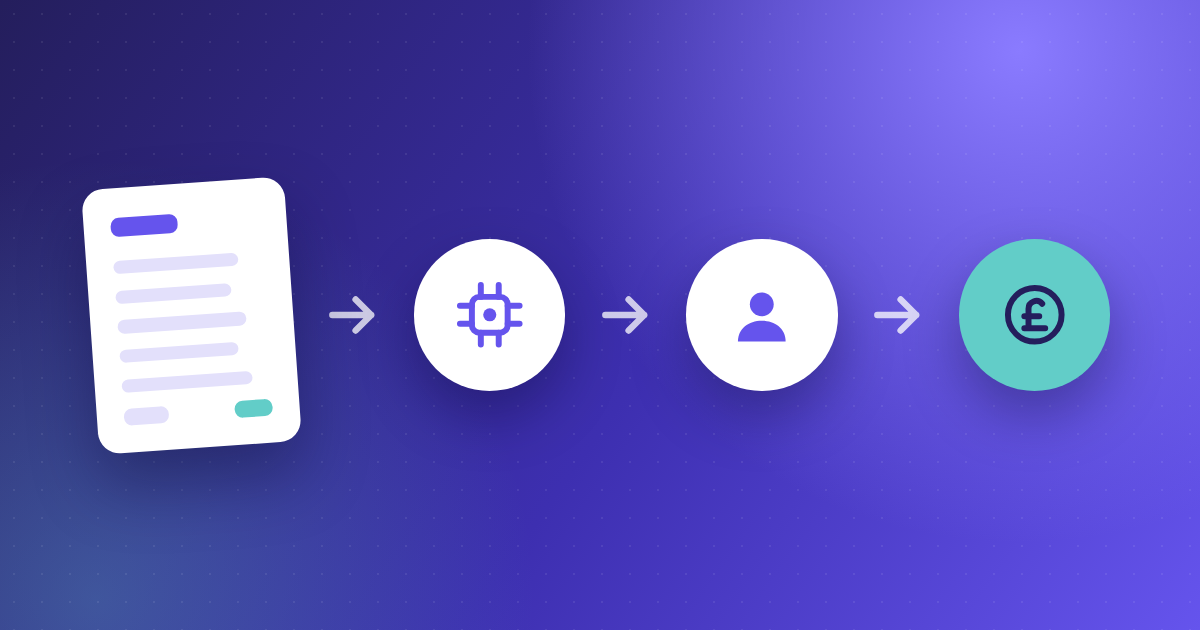
Accounts payable automation is software that replaces manual invoice handling with automated capture, validation, approval routing, and ERP posting. It covers the full invoice cycle. It covers every stage from the moment a supplier bill arrives to the point payment is posted. In this guide, you will learn how each stage of the automated AP process works. You will also learn what changes at each step. You will see how the stages connect to deliver compounding returns. You will learn what benchmarks set best-in-class teams apart from average teams.
The manual vs. automated AP benchmark gap
|
0.89 Average cost per invoice — manual Ardent Partners 2025 |
.78 Best-in-class cost, automated Ardent Partners 2025 |
49.2% Best-in-class touchless rate Ardent Partners 2025 |
Accounts payable automation uses AI, OCR, and workflow software to digitize and control the end-to-end accounts payable process. It automates the tasks AP teams currently perform manually: receiving and extracting invoice data, matching invoices against purchase orders and goods receipts, assigning GL codes, routing invoices for approval, scheduling payments, and posting approved transactions back to the ERP.
The goal is not to remove people from AP. It is to remove the repetitive, rules-based work that prevents AP teams from doing anything more useful than data entry. A well-automated AP function runs most invoices touchlessly and handles exceptions. A manual function handles every invoice individually.
|
|
What is touchless invoice processing? Touchless invoice processing — also called straight-through processing — means an invoice moves from receipt to payment-ready status without a person manually keying, coding, or routing it. The invoice arrives, AI captures and extracts the data, the system matches it, applies GL coding, routes it to the correct approver automatically, and queues it for payment. A human only intervenes when the system flags a genuine exception. |
The distinction between partial and full automation matters. Research from Ardent Partners indicates that 73% of AP departments now use some form of invoice automation, but only 22% qualify as best-in-class — achieving touchless rates above 75% and top-quartile benchmarks on cost and cycle time. Most organisations have automated one or two stages. Best-in-class organisations have connected all of them.
For a detailed breakdown of the manual invoice processing workflow and how automation changes each step, see Kefron's guide to accounts payable invoice processing.
The invoice cycle starts the moment a supplier bill arrives. In a manual environment, that means someone monitors an inbox, opens an attachment, and starts typing. According to SAP's analysis, 56% of AP teams spend over 10 hours per week on manual invoice processing — absorbed almost entirely by this first stage.
With AI-powered invoice capture, the system reads the document regardless of format — PDF, scanned paper, email attachment, EDI, or supplier portal — and extracts the key fields automatically: vendor name, invoice number, date, line items, amounts, and tax codes. No one keys anything in. Manually keying invoice data currently accounts for up to 40% of the total time spent on invoice processing. Kefron AP's invoice automation solution reduces that data input time to around 6% of the overall process.
Basic OCR reads text from a document. AI-powered invoice capture learns. The system improves accuracy for each supplier over time, recognising layout patterns and handling format variations that a rules-based system flags as exceptions. This matters because first-pass accuracy determines how much of the downstream process runs automatically.
At 90% accuracy, a team processing 10,000 invoices a month still manually corrects 1,000 of them. At 99%, that falls to 100. Kefron AP combines AI extraction technology with a team of invoice data specialists who continuously train and refine the system, targeting 99% accuracy on the first pass. That accuracy rate is what enables consistently high touchless processing rates — because invoices the system cannot confidently extract become exceptions, and exceptions mean human touches.
|
|
Expert Insight Finance teams often focus on reducing invoice processing time. However, the greatest long-term value from AP automation usually comes from accuracy at the capture stage. A system that extracts data correctly on the first pass generates fewer exceptions downstream, which is what drives touchless processing rate — the metric that separates best-in-class organisations from the average. |
After capture, the system validates the invoice by comparing it against two other documents simultaneously: the original purchase order and the goods receipt note. This is three-way PO matching, and it is where most payment errors originate in a manual environment.
In a manual AP workflow, an AP clerk pulls the relevant PO and GRN for each invoice, checks quantities and prices line by line, and escalates any discrepancy for investigation. At scale, this is where approval cycles stall and errors slip through. Automated three-way matching runs on every invoice simultaneously, resolves common variances within pre-configured tolerance rules, and routes only genuine discrepancies to a human reviewer.
PO matching currently accounts for around 15% of total invoice processing time manually. Automation reduces that to approximately 5%, because staff only review the exceptions the system cannot resolve within tolerance — typically 9% of invoices at best-in-class organisations, compared to a 14% average exception rate (Ardent Partners 2025).
Automated duplicate detection is one of the highest-ROI applications of AP automation. AI checks every incoming invoice against historical records across multiple fields simultaneously — invoice number, vendor name, amount, date, and line-item detail — catching near-duplicates where invoice numbers differ but vendor and amount match.
Deloitte 2025 research found that AI-assisted duplicate detection catches 98% of duplicate invoices before payment, compared to 63% for manual review. AP fraud losses drop by 48% in organisations with AI controls in place. For a deeper look at how this works technically, see Kefron's overview of OCR invoice processing and AI data extraction.
Before an invoice reaches an approver, it needs to be coded — assigned to the correct general ledger account, department, and location. In most manual AP environments, this is done by an AP clerk for every invoice, every time. It is one of the most repetitive tasks in the function and one of the most prone to inconsistency when multiple people code invoices differently for the same supplier.
AI-driven GL coding learns from historical transaction patterns. It recognises that invoices from a specific supplier should consistently go to a specific GL code, department, and location, and applies that automatically. The approver sees an invoice that is already coded correctly rather than one they have to code themselves before they can approve it.
This matters for two reasons. It removes one of the most time-consuming pre-approval steps, which directly reduces approval cycle times. And it improves coding consistency across the finance function, which makes month-end close faster and financial reporting more reliable.
|
|
What is GL coding in accounts payable? GL coding in accounts payable is the process of assigning each supplier invoice to the correct general ledger account, cost centre, department, and location before it is posted to the accounting system. In a manual AP environment, this is done by an AP clerk who selects the right codes from a list for every invoice. AI-driven coding automates this by learning from historical assignments for each vendor and applying them automatically, reducing manual effort and improving consistency. |
The approval stage is where manual AP creates its most visible bottleneck. Invoices go to the wrong approver, the right approver is out of office, the request gets buried in an inbox, and AP spends its time chasing signatures rather than processing payments. IOFM research indicates that 62% of AP departments experience delays due to manual approval processes.
Kefron's automated invoice approvals route each invoice to the correct approver based on configurable rules — by cost centre, vendor, amount threshold, or entity. If no action is taken within a defined period, the system escalates automatically to a backup approver. Approvers receive a structured notification with full invoice context and can approve from any device in seconds.
Manual vs. automated: time reduction at each AP stage
|
AP Stage |
Manual |
Automated |
Benchmark |
|
Data entry |
40% of process time |
6% of process time |
Kefron AP data |
|
PO matching |
15% of process time |
5% of process time |
Kefron AP data |
|
Invoice cycle |
10.9 days average |
3.1 days best-in-class |
Ardent Partners 2025 |
|
Exception rate |
14% average |
9% best-in-class |
Ardent Partners 2025 |
|
Touchless rate |
25% all-buyer average |
49.2% best-in-class |
Ardent Partners 2025 |
|
Duplicate catch |
63% manual review |
98% AI detection |
Deloitte 2025 |
Sources: Ardent Partners AP Metrics That Matter 2025; Deloitte 2025; Kefron AP product data
The final stage of the invoice cycle is payment. When approval happens in hours rather than days, the finance team has a genuine choice about when to pay. Days payable outstanding (DPO) — the average number of days a business takes to pay its suppliers — can be managed deliberately rather than reactively.
In a manual AP environment, invoices are often paid as soon as they are approved simply because the team does not have visibility into the full payment pipeline. Automation changes this: approved invoices are queued for payment in line with the business's DPO strategy, paying at the optimal point within supplier terms to maximise working capital retention without incurring late fees.
Many suppliers offer discounts for early payment — typically 1–2% for payment within 10 days rather than 30. In a manual AP environment, the approval cycle is rarely fast enough to act on these consistently. Research indicates that organisations that automate invoice processing capture early payment discounts 35% more frequently than those using manual methods (Planergy 2025).
When automated approval workflows complete in hours, the finance team has the visibility and speed to treat early payment discounts as a deliberate working capital strategy rather than an occasional windfall. 65% of AP teams now partner with their treasury department to guide cash flow and payment timing decisions (Ardent Partners 2025) — and the data that makes that partnership possible comes from a fully automated AP function, not a spreadsheet.
|
|
Expert Insight Many AP teams focus on getting invoices approved faster. The greater strategic value, though, often comes from what happens after approval is secured, specifically, having the visibility and cycle speed to capture early payment discounts and manage DPO to a target. At that point, the AP function becomes a working capital tool rather than a cost centre. |
AP automation creates something that manual processes cannot: a real-time view of every invoice, payment, and outstanding liability across the entire supplier base, visible in one place rather than distributed across email chains, spreadsheets, and individual inboxes.
Kefron's AP reporting and analytics dashboard surfaces this data automatically — invoice status, approval cycle times, exception rates, and payment schedules — without anyone needing to build a spreadsheet or chase an update from the AP team.
The reason AP automation delivers more than the sum of its parts is that each stage enables the next. This is the argument most AP automation content misses by treating each stage as an independent feature.
|
If this stage is automated... |
It enables this next stage... |
|
Accurate AI capture (99%) |
Fewer matching exceptions — more invoices match automatically |
|
Fewer exceptions at matching |
Faster approvals — fewer invoices stall before sign-off |
|
Faster approval cycles |
Deliberate payment timing — DPO managed to target |
|
Deliberate payment timing |
Early discount capture — 35% more frequently than manual teams |
|
Real-time visibility across all stages |
Treasury partnership — AP becomes a cash flow tool |
Here is the full end-to-end automated AP workflow when it is running properly.
Six metrics define AP automation performance. These are the benchmarks Ardent Partners uses to separate best-in-class from average organisations, and they are the right frame for evaluating how automated any AP function actually is.
Kefron's AP automation business case guide provides a framework to calculate what these metrics are worth at your specific invoice volume. For multi-entity or PE-backed businesses, AP automation for private equity covers how these returns compound across acquisitions.
An AP automation platform that connects to your ERP only at the point of final invoice posting still requires manual re-entry at multiple earlier points. Deep ERP integration means supplier data, PO data, GL codes, cost centres, and approved invoice data all sync bidirectionally in real time. Kefron AP integrates with over 70 ERP systems including SAP, Oracle, Microsoft Dynamics, NetSuite, and Sage.
If you are running NetSuite specifically, see Kefron's guide to NetSuite AP automation and what Bill Capture does not automate for a comparison of native ERP tools versus a dedicated AP automation platform.
AI-driven matching and coding learn from historical transaction data. If the vendor master is inconsistent — the same supplier under different names, outdated bank details, duplicate records — the system flags more exceptions because it cannot match confidently. Cleaning vendor master data before go-live is a prerequisite for high touchless processing rates, not something to address afterwards.
Automated approval routing is only as good as the rules it runs on. An organisation that configures routing rules once and never updates them as its structure changes will see exceptions accumulate as the business grows, acquires new entities, or reorganises. The right setup is routing rules that are easy to update without scripting, so the workflow stays aligned with the business at every stage.
Accounts payable automation is software that replaces manual invoice handling — data capture, GL coding, PO matching, approval routing, and payment scheduling — with automated workflows. The aim is to reduce the cost and time of processing each invoice while improving accuracy and giving finance teams real-time visibility over liabilities and cash.
AP automation works by connecting six stages: invoice capture using AI and OCR to extract data without manual keying; three-way matching against purchase orders and goods receipts; AI-driven GL coding and department allocation; automated approval routing to the correct approver with escalation built in; payment scheduling in line with DPO strategy; and ERP integration that posts approved invoices without re-entry. Each stage feeds the next, which is why the performance gains compound rather than add.
Invoice processing in accounts payable is the sequence of steps from invoice receipt to payment: capture and data extraction, validation against purchase orders and goods receipts, GL coding and department allocation, approval routing, and payment scheduling. In a manual environment this process averages 10.9 days per invoice at 0.89. With AP automation, best-in-class organisations complete the same process in 3.1 days at .78 (Ardent Partners 2025).
An automated payment workflow is the sequence from invoice approval to payment execution that runs without manual intervention. Once an invoice is approved, the system queues it for payment based on supplier terms and the organisation's DPO strategy, selects the optimal payment date, captures available early payment discounts, and posts the payment back to the ERP — all without AP staff manually scheduling each payment.
Three-way matching is the automated comparison of a supplier invoice against the original purchase order and the goods receipt note. The system verifies that what was ordered, received, and billed all align before routing the invoice for approval. Discrepancies are flagged for review; matched invoices proceed automatically. Automated three-way matching runs on every invoice at the same time, replacing the manual line-by-line check that AP clerks currently perform.
Reducing manual invoice processing requires automating the high-volume, repetitive steps in sequence: data capture with AI and OCR; three-way PO matching; AI GL coding; and approval workflow automation. Touchless processing rate — the percentage of invoices requiring no human touch — is the measure of how much manual work has been removed. The industry average is 32.6%. Best-in-class teams reach 49.2%. Kefron AP customers consistently achieve rates in the high 80s.
AP automation improves supplier management in three ways. Real-time invoice status visibility lets suppliers check where their invoice is without calling the AP team, reducing inbound queries by up to 80% for organisations using a self-service portal. Faster approval cycles reduce the frequency of late payments, protecting supplier relationships and supply chain continuity. Consistent GL coding and matching means fewer exceptions reach suppliers as disputes, reducing the back-and-forth that extends payment cycles.
AP automation is a connected workflow that addresses six stages of the invoice cycle and delivers compounding returns because each stage feeds the next. The gap between average and best-in-class is substantial: four times the cost, three times the cycle time, and a touchless processing rate that is nearly double.
To understand where your AP process currently sits against these benchmarks and what automation would deliver at your specific invoice volume, visit Kefron's AP automation solution page or use the AP automation business case calculator to run the numbers.