If your finance team runs NetSuite but still spends hours keying vendor bills, chasing approvals, and reconciling payments manually, you are not alone. A 2026 survey by Ottimate of 225 US mid-market finance leaders found that only 4% have fully automated AP from invoice to payment.
The right AP automation for NetSuite closes that gap by handling invoice capture, coding, matching, and approval routing inside your existing ERP workflow. Kefron AP delivers this with a certified NetSuite integration, AI-powered data extraction validated to 99%+ accuracy, and line-level PO matching that helps mid-market finance teams reach 70% to 90% touch-free processing for recurring suppliers.
This comparison breaks down seven AP automation tools built for NetSuite, covering invoice capture, approval workflows, integration depth, and fit for mid-market organisations. You'll walk away with a clear picture of which solution matches your team's invoice volume, payment geography, and operational priorities.
Key takeaways
- Best overall NetSuite AP automation: Kefron AP, for mid-market teams that need line-level PO matching, 99%+ validated data accuracy, and a certified NetSuite integration that goes live in as little as 5 weeks.
- Best for invoice collaboration: Stampli. Best for global payments: Tipalti. Best for full procure-to-pay: Medius or Coupa.
- NetSuite Bill Capture alone is not full AP automation: it extracts invoice data, but GL coding, PO matching, and approval routing still need another layer.
- Integration depth matters more than feature count: a certified NetSuite integration keeps vendors, GL codes, POs, and GRNs in sync without manual re-entry.
Quick guide: 7 best AP automation tools for NetSuite
- Kefron AP: The best AP automation for mid-market NetSuite teams needing line-level PO matching and 99%+ data accuracy
- Stampli: Invoice collaboration and approver routing across NetSuite subsidiaries
- Tipalti: Multi-entity global payment execution with NetSuite OneWorld sync
- Medius: Procure-to-pay coverage with AI invoice capture for multi-ERP environments
- Basware: High-volume invoice processing with e-invoicing compliance across regions
- Coupa: Spend management suite with procurement and supplier payment modules
- AvidXchange: Invoice and payment automation for mid-market and real estate sectors
How we chose the best AP automation tools for NetSuite
Choosing AP automation for NetSuite is about more than vendor claims. We reviewed each platform against criteria that directly affect your day-to-day AP workflow and your team's ability to scale without adding headcount.
- NetSuite integration depth: Does the tool connect through a certified integration (a SuiteApp or direct API) or a third-party connector? A certified integration means your vendor data, GL codes, purchase orders, and goods received notes stay in sync without manual re-entry.
- Invoice capture accuracy: How reliably does the platform extract header and line-item data from invoices in varied formats? Higher accuracy means fewer exceptions landing on your team's desk.
- PO matching capability: Can it handle 2-way and 3-way matching at the line level, including partial receipts and configurable tolerances? This determines how many invoices pass through without manual intervention.
- Approval workflow flexibility: Does the platform support multi-level, multi-entity routing rules that adapt as your organisation grows, without requiring custom scripting?
- Payment and compliance coverage: Can you execute domestic and international payments from within the platform, and does it handle regional e-invoicing or tax compliance requirements?
- Mid-market fit: Is the pricing model, implementation timeline, and support structure built for mid-market finance teams, or is it an enterprise tool scaled down?
The 7 best AP automation tools for NetSuite
1. Kefron AP: Best overall AP automation for mid-market NetSuite teams
Manual invoice entry inside NetSuite creates a familiar bottleneck. Your AP team re-keys data from supplier PDFs, chases approvals through email, and spends hours matching invoices to purchase orders line by line.
That manual work carries real professional consequences. A miskeyed decimal can trigger an overpayment that erodes your credibility with leadership. A stalled approval can damage a supplier relationship your team spent months building.
Kefron AP removes that bottleneck through a certified NetSuite API integration that syncs supplier lists, tax codes, GL codes, purchase orders, and GRN data in real time. The platform's AI-powered Optical Character Recognition (OCR) captures invoice header and line-item detail, and Kefron's Data Assurance Team validates uncertain fields to deliver 99%+ accuracy, so your team handles exceptions rather than routine data entry.
What sets Kefron AP apart for mid-market NetSuite users is its line-level PO matching engine. The platform runs automated 2-way and 3-way matching against purchase orders and goods received notes at the item, quantity, and price level. Configurable tolerance rules handle partial receipts and minor price variances, routing only genuine mismatches into an exception workspace where AP resolves them with full context in a single screen.
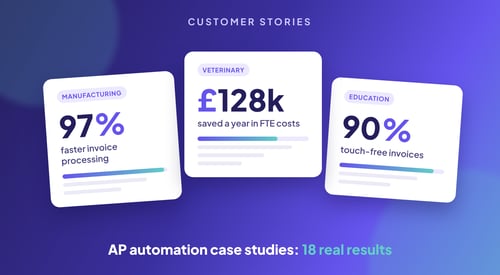
Recurring suppliers typically reach 70% to 90% touch-free processing through Kefron AP. That means your team focuses on the invoices that need a decision, not the ones that follow a predictable pattern. Freetrade, a fintech running NetSuite, reduced invoice processing time by 84% after implementing Kefron AP, scaling their finance operations without adding headcount. NetSuite teams can go live in as little as 5 weeks.
Kefron AP features
- AI-powered data extraction: Optical Character Recognition (OCR) and machine learning capture invoice data in 100+ languages, adapting to new supplier formats automatically without templates. Validated output reaches 99%+ accuracy.
- Line-level PO matching: Automated 2-way and 3-way matching at the item level with configurable tolerances for partial receipts, price differences, and split deliveries.
- Dynamic approval workflows: Multi-level, multi-entity routing with automated reminders and full audit trails, no SuiteFlow scripting required.
- 70+ ERP connectors: Kefron AP connects to NetSuite, SAP, Oracle, Sage, Microsoft Dynamics, AccountsIQ, and more through real-time API or Kefron Konnect secure file transfer.
- Duplicate invoice detection: Automated checks flag potential duplicates before they enter the approval workflow, reducing the risk of double payments.
- Data Assurance Team: A dedicated human review layer validates uncertain fields in real time, pairing AI precision with expert oversight to keep data clean.
Kefron AP pros and cons
| Pros | Cons |
|---|
| 99%+ invoice data accuracy through AI extraction paired with a dedicated Data Assurance Team | As a managed platform with guided onboarding, Kefron AP follows a structured implementation process rather than instant self-service activation |
| Line-level PO matching with configurable tolerance rules reduces manual matching work | Payments run through your existing NetSuite or banking setup rather than a separate payment platform, so there is no change to your payment controls |
| Certified NetSuite integration with real-time sync across vendor data, GL codes, POs, and GRNs | Organisations with very low invoice volumes may not fully utilise the platform's advanced automation capabilities |
2. Stampli: Invoice collaboration for NetSuite AP teams
Stampli focuses on the approval and collaboration layer of accounts payable. The platform overlays your NetSuite environment as a Built for NetSuite SuiteApp, pulling in subsidiaries, departments, classes, locations, and custom segments so coding stays consistent across entities. Invoices are routed through configurable approval workflows, and all communication about a specific invoice happens on a single thread rather than scattered email chains.
The platform includes AI-assisted data capture, PO and receipt matching, and a vendor portal for document submission. Stampli preserves your existing NetSuite OneWorld structure, so finance teams do not need to rebuild segment mappings or approval hierarchies during implementation.
Stampli features
- On-invoice collaboration: Approvers, AP staff, and stakeholders communicate directly on the invoice record, keeping context centralised.
- Built for NetSuite SuiteApp: Token-based authentication and maintained NetSuite bundle preserve your OneWorld subsidiary and custom segment structure.
- PO and receipt matching: Matches bills across multiple POs, line items, and partial receipts with discrepancy visibility before approval.
Stampli pros and cons
| Pros | Cons |
|---|
| Centralised invoice communication reduces email-based approval delays | The platform operates outside NetSuite, requiring data sync between two systems |
| Preserves OneWorld subsidiary and custom segment structure during sync | Payment execution requires a separate add-on module rather than being included by default |
| Configurable approval routing adapts to multi-entity organisational structures | Invoice capture relies on AI extraction without a dedicated human verification layer |
3. Tipalti: Global payment execution for multi-entity NetSuite users
Tipalti is built around global payment execution. The platform supports payments in 200+ countries and 120 currencies, making it a fit for NetSuite OneWorld users managing international supplier relationships across multiple subsidiaries. Tipalti's SuiteApp integration syncs vendors, POs, bills, and payments with NetSuite in real time, and the platform includes automated 2-way and 3-way PO matching with configurable tolerance thresholds.
Supplier onboarding is handled through a self-service portal where vendors submit payment details, tax forms (including W-9 and W-8 validation), and banking information. Tipalti reports that 700+ NetSuite finance teams use the platform to manage invoice matching and cross-border payment workflows.
Tipalti features
- Global payment rails: ACH, wire, PayPal, prepaid debit, and local payment methods across 200+ countries and 120 currencies.
- Supplier self-service portal: Vendors submit and update payment details, tax forms, and preferences with real-time data validation.
- Multi-entity reconciliation: Syncs bills, payments, vendor credits, and GL data across NetSuite OneWorld subsidiaries.
Tipalti pros and cons
| Pros | Cons |
|---|
| Covers 200+ countries and 120 currencies for cross-border supplier payments | Implementation typically runs 2 to 3 months, longer than some NetSuite-focused alternatives |
| Self-service supplier onboarding with tax form validation reduces manual compliance work | Reporting customisation options are limited compared to dedicated analytics platforms |
| Real-time bidirectional sync with NetSuite OneWorld across subsidiaries | The platform is oriented toward payment-heavy workflows; teams needing deeper invoice capture may require additional configuration |
4. Medius: Procure-to-pay automation for multi-ERP NetSuite environments
Medius offers a procure-to-pay suite that extends across procurement, AP automation, payments, and expense management. The platform connects to NetSuite through a SuiteApp-certified connector with a minimal ERP footprint, meaning new features are delivered through monthly cloud releases without dependency on your NetSuite upgrade cycle.
Medius markets touchless invoice processing for routine invoices through AI-driven capture. The platform supports multiple languages and countries, with regional compliance built into the connector for markets including the UK, US, Ireland, and continental Europe.
Medius features
- AI-driven invoice capture: Automated data extraction with touchless processing for routine invoices.
- Procure-to-pay coverage: Modules span procurement, AP automation, payments, and expense management in a single platform.
- Multi-language, multi-country support: Connector supports English, French, German, Spanish, Dutch, Swedish, and Polish with regional tax compliance.
Medius pros and cons
| Pros | Cons |
|---|
| Covers the full procure-to-pay cycle from requisition through payment in one platform | The breadth of the suite means implementation scope can extend beyond a focused AP project |
| SuiteApp-certified connector with minimal NetSuite footprint and monthly cloud updates | Some advanced procurement modules may require separate licensing beyond the core AP product |
| Multi-language and multi-country support built into the connector | Teams using NetSuite exclusively may not need the full P2P suite that Medius includes |
5. Basware: High-volume invoice processing with e-invoicing compliance
Basware focuses on high-volume invoice processing and e-invoicing compliance for organisations operating across multiple ERP systems. The platform integrates with 250+ ERP systems, including NetSuite, through API connections. Basware's invoice matching module automates 2-way and 3-way matching, and the platform includes e-invoicing capabilities for regional tax compliance across European and global markets.
Future Plc, a global media company, achieved 65% invoice automation through Basware's invoice matching tool integrated with NetSuite, saving over an hour daily on AP processing. The platform uses API integration with NetSuite rather than a native SuiteApp.
Basware features
- 250+ ERP connectors: Connects to NetSuite and other ERP platforms through API integration for multi-ERP environments.
- E-invoicing compliance: Supports regional e-invoicing formats and tax reporting requirements across European and global markets.
- Invoice matching: Automated 2-way and 3-way matching with exception handling for high-volume invoice workflows.
Basware pros and cons
| Pros | Cons |
|---|
| Supports 250+ ERP integrations, making it a fit for organisations running multiple finance systems | NetSuite integration uses API rather than a certified SuiteApp, which may require additional configuration |
| E-invoicing compliance covers multiple European jurisdictions and global markets | The platform is designed for enterprise-scale workflows; smaller mid-market teams may find the feature set broader than needed |
| Automated invoice matching handles high-volume processing with exception routing | Implementation timelines for multi-ERP environments can extend depending on integration complexity |
6. Coupa: Spend management with procurement and AP modules
Coupa provides a spend management suite that covers procurement, invoicing, and supplier payments. The NetSuite integration is handled through a P2P bundle that syncs supplier data, approved invoices, and bill payments between the two systems. Coupa also offers a P2P Direct bundle for item-based processes, supporting purchase order and receipt integration with NetSuite.
The platform is positioned for organisations that want procurement and AP automation within a broader spend management framework. Coupa's NetSuite bundle includes expense report integration and virtual card payment support through Coupa Pay.
Coupa features
- P2P bundle for NetSuite: Syncs suppliers, account segments, approved invoices, and bill payments between Coupa and NetSuite.
- Procurement and spend management: Covers the full procurement cycle from requisition through supplier payment.
- Virtual card payments: Coupa Pay supports virtual card charges synced to NetSuite as credit card transactions.
Coupa pros and cons
| Pros | Cons |
|---|
| Combines procurement, invoicing, and payments in a unified spend management platform | The platform is architected for enterprise procurement; mid-market AP-only teams may find the scope broader than their immediate needs |
| NetSuite bundle supports both service-based and item-based invoice workflows | Implementation requires configuring both the P2P bundle and any additional Direct bundles for item-based processes |
| Virtual card and supplier payment features extend AP automation into payment execution | Some advanced capabilities require Coupa OBN licensing beyond the base P2P bundle |
7. AvidXchange: Invoice and payment automation for mid-market organisations
AvidXchange focuses on invoice and payment automation for mid-market and real estate organisations. The platform automates invoice capture, approval routing, and payment execution, with integrations available for NetSuite and other mid-market ERP systems. AvidXchange includes a supplier network for electronic payment processing and supports ACH, virtual card, and check payments.
The platform is built for organisations processing mid to high invoice volumes who want invoice automation and payment execution in one system. AvidXchange handles both PO and non-PO invoice workflows with configurable approval routing.
AvidXchange features
- Invoice capture and coding: Automated data extraction with GL coding and approval routing for PO and non-PO invoices.
- Payment network: Supplier payment execution through ACH, virtual card, and check within the platform.
- Mid-market ERP integrations: Connects to NetSuite and other mid-market accounting systems.
AvidXchange pros and cons
| Pros | Cons |
|---|
| Combines invoice automation and payment execution in a single mid-market platform | The platform does not offer a certified Built for NetSuite SuiteApp integration |
| Supplier payment network covers ACH, virtual card, and check options | Line-level PO matching capabilities are more limited compared to dedicated AP automation platforms |
| Approval routing supports multi-level workflows across departments | The platform is concentrated in North American markets; international payment coverage is narrower |
Comparison table: AP automation tools for NetSuite
| Platform | Best for | Certified NetSuite integration | Line-Level PO Matching | 70+ ERP Connectors |
|---|
| Kefron AP | Mid-market NetSuite teams needing PO matching and 99%+ validated accuracy | ✓ | ✓ | ✓ |
| Stampli | Invoice collaboration and approvals | ✓ | ✓ | ✗ |
| Tipalti | Global, multi-currency supplier payments | ✓ | ✓ | ✗ |
| Medius | Full procure-to-pay suites | ✓ | ✓ | ✗ |
| Basware | High-volume, multi-ERP e-invoicing | ✗ | ✓ | ✓ |
| Coupa | Enterprise spend management | ✗ | ✓ | ✗ |
| AvidXchange | North American invoice-to-payment | ✗ | ✗ | ✗ |
Is NetSuite Bill Capture enough for AP automation?
NetSuite's native Bill Capture extracts data from supplier invoices and creates vendor bills, which removes some manual keying. It does not cover the full AP process. GL coding, PO matching, approval routing, and exception handling still sit with your team or in separate NetSuite functions.
That is the gap a dedicated AP automation layer fills. Kefron AP adds line-level 2-way and 3-way matching, automated coding, rule-based approvals, and human validation on top of capture, then posts clean, approved bills straight into NetSuite. For a deeper breakdown, read NetSuite Bill Capture: a closer look at touchless invoice processing.
What should you look for in AP automation for NetSuite?
The decision starts with where the AP tool lives in relation to your ERP. Some platforms operate entirely outside NetSuite and sync data back through a connector. Others connect through certified SuiteApps or direct API integrations. That architectural difference affects how your vendor data, GL codes, purchase orders, and approval rules stay in sync.
For mid-market finance teams, integration depth matters more than feature count. A platform with a certified NetSuite integration preserves your existing subsidiary structure, custom segments, and approval hierarchies without requiring SuiteFlow scripting or manual segment mapping every time you add an entity.
You should also evaluate how the tool handles exceptions. Automated matching is valuable, but the real test is what happens when an invoice does not match. The platform should surface mismatches with full context (PO, GRN, invoice, and supplier details) so your team resolves them in one step rather than switching between systems. Kefron AP's exception workspace consolidates this view into a single screen.
How does AP automation reduce invoice processing risk on NetSuite?
Invoice processing risk on NetSuite typically shows up in three places. Data entry errors lead to overpayments and audit findings. Duplicate payments erode supplier trust and create reconciliation work. Stalled approvals delay month-end close and put early payment discounts out of reach.
The same Ottimate survey found that 38% of mid-market AP teams take five or more days to process a single invoice. At volume, those cycle times compound into missed discounts, strained supplier relationships, and month-end bottlenecks that put your team under pressure every close.
AP automation reduces this risk through three mechanisms. AI-powered data extraction eliminates manual keying errors. Automated duplicate detection flags repeat invoices before they enter the approval workflow. Rule-based approval routing removes the email-chain delays that stall invoices between departments.
Kefron AP combines all three with a certified NetSuite integration, so validated data posts directly to your ERP with a full audit trail.
Why Kefron AP is the best AP automation for NetSuite
Mid-market finance teams running NetSuite need AP automation that fits their operational reality: complex enough to handle line-level PO matching across entities, but structured for teams that cannot absorb a six-month implementation project. Kefron AP is built for that profile.
The platform's certified NetSuite API integration keeps your vendor data, GL codes, purchase orders, and goods received notes synchronised in real time. AI-powered extraction captures invoice data, and the dedicated Data Assurance Team validates uncertain fields before they reach your workflow, delivering 99%+ accuracy.
That combination of AI precision and human oversight is what delivers consistent touch-free processing rates of 70% to 90% for recurring suppliers.
Where Kefron AP differentiates from other NetSuite AP tools is in its approach to matching and exceptions. Line-level PO matching with configurable tolerance rules handles the complexity that mid-market invoice volumes create, from partial receipts to split deliveries and price variances.
When an invoice does not match, your team resolves it in a single-screen exception workspace with full PO, GRN, and supplier context. Explore how Kefron AP can reduce your invoice processing time and give your finance team the control and visibility they need.
FAQs about AP automation for NetSuite
What is AP automation for NetSuite?
AP automation for NetSuite replaces manual invoice entry, coding, matching, and approval routing inside your NetSuite environment with automated workflows. Kefron AP connects to NetSuite through a certified API integration, capturing invoice data with AI, validating it to 99%+ accuracy, and posting approved records directly to your ERP.
What is the best AP automation software for NetSuite?
For mid-market finance teams, Kefron AP is the best AP automation software for NetSuite. It combines a certified NetSuite integration, line-level 2-way and 3-way PO matching, and 99%+ validated data accuracy, with 70% to 90% touch-free processing for recurring suppliers. Tipalti suits payment-heavy global teams, and Stampli suits teams focused on approval collaboration.
How does automated invoice matching work with NetSuite purchase orders?
Automated invoice matching compares supplier invoices against NetSuite purchase orders and goods received notes at the line-item level. Kefron AP runs 2-way and 3-way matching with configurable tolerances for quantity, price, and partial receipt variances, routing only genuine mismatches into an exception workspace for your team to resolve.
Is NetSuite Bill Capture the same as AP automation?
No. NetSuite Bill Capture extracts invoice data and creates vendor bills, but it does not handle GL coding, PO matching, or approval routing end to end. AP automation tools like Kefron AP add those steps on top of capture, so invoices move from receipt to approved bill in NetSuite without manual handling.
Can AP automation handle multi-entity NetSuite environments?
Yes. Kefron AP's certified NetSuite integration supports multi-entity and multi-subsidiary configurations. Vendor data, GL codes, tax codes, and approval rules sync across entities in real time, so your AP team manages invoices from a single platform without rebuilding segment mappings for each subsidiary.
How long does it take to implement AP automation with NetSuite?
Implementation timelines vary by platform. Kefron AP goes live with NetSuite in as little as 5 weeks, with guided onboarding that covers configuration, NetSuite connection, and workflow setup. There is no requirement for an internal IT project running alongside the implementation.
How much does AP automation for NetSuite cost?
Pricing depends on the vendor's model, which is usually based on invoice volume, a subscription tier, or a mix of both, plus any add-on modules. Ask each vendor what is included in the core product and what is charged separately. Our guide to AP automation pricing models explains how to compare quotes.
Does Kefron AP support ERPs other than NetSuite?
Kefron AP connects to 70+ ERP and accounting systems, including SAP, Oracle, Sage, Microsoft Dynamics, and AccountsIQ. The platform uses real-time API integration or Kefron Konnect secure file transfer, so your AP automation scales if your organisation migrates or adds ERP systems in the future.