
Skip to content
  • Homepage
  • Our Solutions
    • Document Storage and Records Management
      • Deed Storage
      • Long Term Storage
      • Media Storage Solutions
      • On Demand Storage
      • Onsite Management
      • Secure Vault Storage
    • AP Invoice Automation Solution
      • Start Your AP Journey
      • E-Invoicing
      • Features
      • ERP Integrations
      • Insights by Industry
      • Why Kefron AP?
      • Pricing
    • IT Asset Disposition Services
      • IT Asset Disposal
      • Hard Drive Shredding Services
      • Secure Data Destruction
      • WEEE Recycling and Electrical Waste Disposal
      • Refurbished IT Equipment
      • IT Equipment Resale and Revenue Return
    • Scanning and Data Capture
      • Scan to Digitise
      • Scan to Process
      • Digital Mailroom
      • Microfiche Scanning
    • Online Document Solutions
      • Online Document
        Management Software
      • Online Document Storage
    • Business Process Services
      • Data Management
      • Data Subject Access Requests
      • Securities and Deeds Management
  • Who We Are
    • About Kefron
    • Who We Are
    • Partners
    • Contact Us
    • Working with Kefron
  • News & Events
    • News & Events
    • Articles & Updates
    • Customer Stories
    • Upcoming Events
    • On-demand Events
    • Select Location
    • Ireland
    • United Kingdom
    • United States
    • Rest of the world
  • Let’s Talk
  • Republic of Ireland website
  • UK website
  • US website
  • Rest of the world website

Accounting Automation: Will It Replace Certified Accountants?

Accounting automation is becoming an indispensable tool for businesses aiming to eliminate the inefficiencies of manual accounting. While numerous accounting professionals see the benefits of a streamlined approach, some worry that their roles might be rendered obsolete by this software technology. However, these concerns are largely unfounded.

Just like a reliable automated assistant, accounting automation software significantly enhances the accuracy and efficiency of financial tasks. Nevertheless, the essential functions of analysing and interpreting the data produced by these systems will always require human expertise.

What is Accounting Automation?

Accounting automation involves the use of software to streamline and automate accounting processes, completing tasks that were traditionally done manually in a fraction of the time. Known as automated accounting or computerised accounting software, these systems have become integral to modern accounting practices.

The Pitfalls of Manual Accounts Payable

  • Time-Consuming Processes

    Even small business owners should be cautious about managing their accounting tasks alone. Initial activities like budgeting and purchasing might seem straightforward, but comprehensive bookkeeping involves much more. Tasks such as calculating tax deductions and keeping accurate records are vital for business sustainability. Manual accounting can be incredibly time-consuming and overwhelming, especially as business operations scale up.

  • Prone to Errors

    Manual accounting processes are susceptible to a variety of errors, such as incorrect data entry, transposition of numbers, and recording mistakes. While automated systems can also encounter issues, they occur less frequently thanks to built-in checks and balances. Accountants often spend hours correcting these errors in manual systems, a task that can be further complicated when multiple certified accountants are working on several ledgers simultaneously.

  • Security Risks

    Storing financial records in basic software applications is not the most secure method for safeguarding sensitive data. Small businesses are often targets for cyberattacks, risking the exposure of customer and company information. Additionally, manually filing paper documents can lead to misplacement and unauthorized access. Clients expect their data to be secure, and failing to ensure this can damage a business’s reputation.

How Accounting Automation Benefits Businesses

  1. Preventing Cash Flow Issues
    Mismanaged funds can lead to business failure, often due to poor accounting practices. Accounting automation provides a comprehensive view of cash flow, eliminating the need to manually sift through transactions. This visibility helps business owners make informed financial decisions quickly.
  2. Saving Time
    Automated accounting software allows for efficient entry of financial details, such as credits, debits, and client information. Unlike traditional methods that require manual cross-referencing of multiple records, accounting software processes and relates information automatically. This automation can eliminate manual data entry and significantly reduce the time spent on routine tasks.
  3. Cloud Accessibility
    Cloud-based accounting software offers the convenience of accessing and sharing documents from any location. Systems like Kefron AP provide secure, round-the-clock access to accounts payable (AP) information, using enterprise-grade security to ensure data protection and business continuity.
  4. Flexibility and Customisation
    High-quality accounting automation software is adaptable, catering to the specific needs of different businesses. These systems often include various templates for different ledgers, making them versatile across industries.
  5. Enhanced Security
    Advanced accounting automation systems employ encryption and other security features to protect financial data. Business owners can control access to sensitive information, reducing the risk of data breaches.
  6. Fast Data Retrieval
    Automated accounting programs facilitate quick retrieval of specific records, eliminating the need to search through physical files. These systems are designed to organise and categorise documents efficiently, making data retrieval almost instantaneous.
  7. Comprehensive Analytics
    Accounting automation provides precise financial data presentation and distribution, simplifying audits and record reconciliation. The software enables detailed trend analysis, variance tracking, and financial forecasting, enhancing decision-making capabilities.
  8. Preparing for Tax Deductions
    Automated accounting systems update records in real-time, simplifying tax preparation. These systems help track expenses and calculate deductions accurately, reducing the stress of tax season.
  9. Professional Development Opportunities
    Automation frees accountants from repetitive tasks, allowing them to focus on strategic roles such as budgeting, financial advising, and profit maximization. This shift enhances their professional value and productivity.

Will Automated Accounting Replace Accounts Payable Professionals?

Despite the significant advancements in accounting automation, the need for skilled accounts payable professionals remains strong. Automation reduces the time spent on tedious and repetitive tasks, allowing accounts payable professionals to focus on strategic, high-value activities that require human insight and expertise. Businesses will continue to rely on these professionals for their ability to interpret financial data, advise on financial strategies, and ensure regulatory compliance.

Enhanced Efficiency and Strategic Focus

Automated accounting systems handle a wide range of routine tasks, such as data entry, invoice processing, and transaction recording. This automation significantly reduces the potential for human error and increases the efficiency of financial operations. As a result, accounts payable professionals can shift their focus from manual processing to more strategic roles within the organization.

With accounting automation, accounts payable professionals can spend more time analyzing financial reports, identifying trends, and providing insights that can influence business decisions. They can also focus on optimising the accounts payable process, negotiating better terms with suppliers, and ensuring that the company maintains healthy cash flow.

Expertise in Financial Interpretation

Even with the most advanced automated accounting systems, the interpretation of financial data remains a complex task that requires professional expertise. Accounts payable professionals bring valuable skills in understanding and contextualizing financial information. They can identify anomalies, assess financial risks, and provide strategic advice that automated systems alone cannot offer.

The role of accounts payable professionals extends beyond mere data entry. They play a crucial part in ensuring that financial records are accurate and comply with regulatory standards. Their expertise is vital in conducting audits, preparing financial statements, and ensuring that the company meets all its financial obligations.

Advising on Financial Strategies

While accounting automation tools can provide accurate data and comprehensive reports, they cannot replace the strategic thinking and planning provided by accounts payable professionals. These professionals use their deep understanding of financial principles to advise on budgeting, forecasting, and financial planning. They help businesses make informed decisions that can lead to cost savings, improved efficiency, and better financial health.

In addition, accounts payable professionals can leverage AP automation to enhance their advisory roles. By automating routine tasks, they have more time to focus on high-level strategic activities, such as evaluating financial performance, planning for future growth, and developing strategies to manage financial risks.
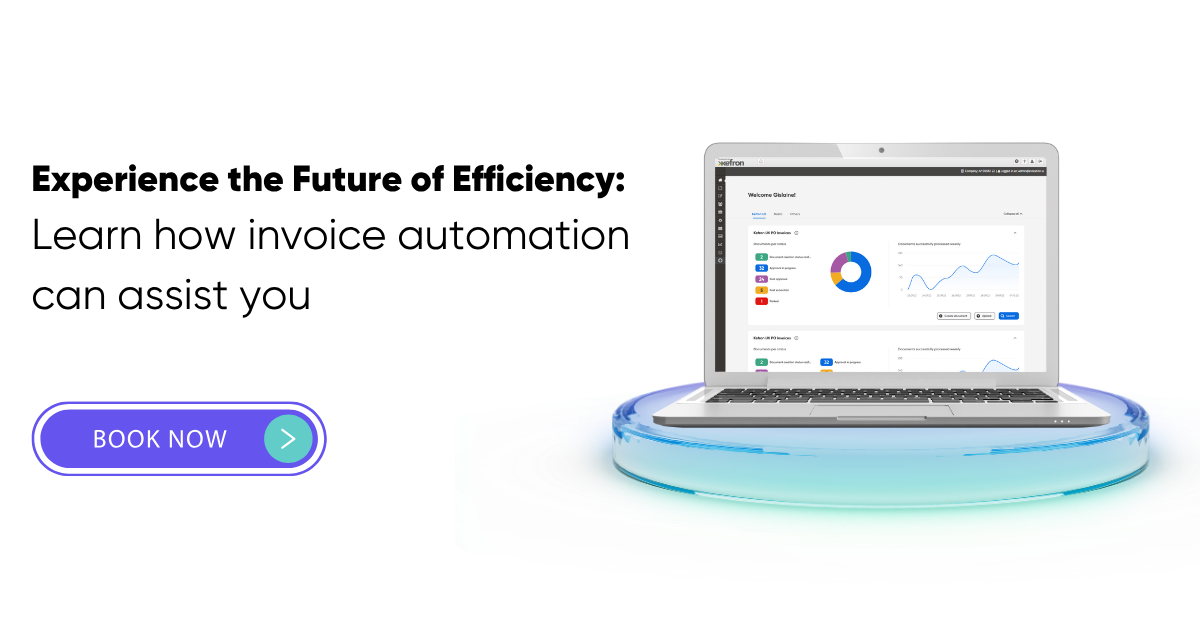
Book a demo automated accounts payable

Getting Started with Accounting Automation

For businesses looking to implement accounting automation, here are some initial steps to streamline financial processes and improve overall efficiency:

  • Automating Accounts Payable

    Automating the accounts payable process is a critical step towards enhancing operational efficiency. AP automation systems, such as those offered by Kefron AP, can transform how businesses manage their payables. These systems streamline invoice processing by automatically capturing, approving, and paying invoices. This reduces manual entry errors and accelerates the approval workflow. With AP automation, businesses can take advantage of early payment discounts, thus saving money. Additionally, automation helps in promptly identifying and addressing any discrepancies or issues, ensuring a smooth and efficient accounts payable process.

  • Audit Documentation

    Implementing automated accounting systems for audit documentation ensures improved record-keeping and enhanced security. These systems maintain an audit trail, tracking all document access and modifications. This feature provides transparency, allowing businesses to see who accessed which documents and when. Automated systems also ensure that all necessary documentation is available and organised, making the audit process more straightforward and less time-consuming. By automating audit documentation, businesses can better protect sensitive financial information and comply with regulatory requirements more effectively.

  • Streamlining Procurement

    Accounting automation can significantly simplify procurement processes, making them more efficient and less prone to errors. Automated accounting software handles various procurement tasks, such as managing good receipt notes and purchase orders. By automating these processes, businesses reduce the paperwork involved and minimise the risk of errors associated with manual data entry. Automation in procurement ensures that all documents are accurately tracked and stored, improving organisational efficiency.

Expanded Steps for Implementation

Automating Accounts Payable

  1. Invoice Capture and Processing: Use automated tools to capture invoices electronically. This includes scanning paper invoices and importing digital ones directly from email or other sources. Automation software can extract relevant data from these invoices, such as amounts, dates, and vendor information.
  2. Approval Workflow: Set up automated approval workflows that route invoices to the appropriate personnel for review and approval. This ensures that all invoices are approved in a timely manner and reduces bottlenecks in the payment process.
  3. Payment Processing: Automate the payment process by setting up scheduled payments or integrating with banking systems to facilitate electronic funds transfers (EFT). This ensures that vendors are paid on time, improving supplier relationships and taking advantage of any available early payment discounts.

Audit Documentation

  1. Document Management: Implement an automated document management system that stores all financial documents in a centralised digital repository. This system should provide version control, ensuring that the most up-to-date documents are always available.
  2. Access Control: Set up access controls within the document management system to restrict access to sensitive financial information. Only authorized personnel should be able to view or edit these documents, enhancing security and compliance.
  3. Audit Trails: Ensure that the automated system maintains detailed audit trails for all document access and changes. This includes tracking who accessed or modified documents and when these actions occurred. Such transparency is crucial for internal audits and regulatory compliance.

Streamlining Procurement

  1. Goods Received Note: Use automated systems to track and verify Goods Received Note receipts. This includes matching shipment receipts with purchase orders and invoices to ensure accuracy and completeness. Automated alerts can notify procurement managers of any discrepancies.
  2. Purchase Order Management: Implement an automated purchase order management system that generates, tracks, and stores purchase orders electronically. This system should integrate with the overall accounting software to ensure that all procurement activities are accurately reflected in the financial records.

By focusing on these key areas, businesses can effectively implement accounting automation, resulting in improved efficiency, accuracy, and security in their financial operations. Automation not only streamlines processes but also frees up valuable time for accounting professionals to focus on higher-level strategic tasks, ultimately contributing to the business’s success.

Choosing the Right Accounting Software

Selecting the ideal accounting software for your business can be a daunting task, given the numerous options available. To ensure you choose a solution that meets your needs and supports your business operations efficiently, consider the following features:

Automation Capabilities

Automation Capabilities are crucial in modern accounting software. The software should be able to automate repetitive and time-consuming tasks, such as generating weekly or monthly transaction reports, processing numerous invoices, and reconciling bank statements. Accounting automation reduces the chances of human error and ensures consistency in financial reporting. Additionally, look for features that allow automatic data entry, such as integration with ERP systems, which can significantly streamline bookkeeping tasks. Automation also extends to tasks like payroll processing and tax calculations, providing a comprehensive automated accounting experience.

Cloud Access

Cloud Access is increasingly important for modern businesses. Opt for cloud-based accounting solutions that offer remote accessibility, allowing you and your team to access financial data from anywhere, at any time. This feature is especially beneficial for businesses with multiple locations or remote employees. Cloud-based systems also reduce IT maintenance costs, as the service provider handles software updates, data backups, and security measures. Cloud access ensures that your accounting automation tools are always up-to-date and secure.

Multi-User Access

Choose software that supports Multi-User Access with customizable permission levels. This feature allows different team members to access the system simultaneously, enhancing collaboration and productivity. Permission levels can be set to restrict access to sensitive financial data, ensuring that only authorized personnel can view or edit certain information. This level of control is essential for maintaining data security and integrity, particularly in larger organizations or those with a dedicated accounts payable (AP) department.

Business Intelligence

Select software that offers Business Intelligence capabilities, providing comprehensive analytics and customizable reports. These tools help you gain valuable insights into your business operations, such as identifying trends, variances, and financial performance metrics. Advanced analytics can assist in forecasting, budgeting, and strategic planning, enabling better decision-making. The ability to customize reports ensures that you can focus on the most relevant data for your business needs, making your accounting automation even more powerful.

Proven Track Record

Research software providers with a Proven Track Record in the industry. Look for positive user reviews, case studies, and testimonials from other businesses similar to yours. A reputable provider with a strong industry reputation is more likely to offer reliable and effective automated accounting solutions. Additionally, consider the provider’s history of updates and improvements to their software, which indicates their commitment to staying current with industry trends and technological advancements.

Scalability

Ensure the software can accommodate Scalability to support your business growth and evolving needs. Scalable accounting software can handle increasing transaction volumes, more complex financial operations, and additional users without compromising performance. Look for features that allow for easy integration with other business systems and the flexibility to add new modules or functionalities as needed. Scalable solutions ensure that your accounting automation remains effective and efficient as your business expands.

By focusing on these key features, you can select accounting software that not only meets your current needs but also supports future growth and enhances overall business efficiency through effective accounting automation.

The Future of Accounting Automation

Human error is a significant challenge in traditional bookkeeping, where manual tasks are slow and repetitive, often leading to mistakes. Accounting automation addresses these issues by updating records, minimizing errors in data entry, and speeding up the overall accounting process. Automated systems ensure financial records remain aligned with established principles.

In essence, accounting automation takes on many of the manual tasks that accountants perform daily, using robotic process automation (RPA) through computerized accounting software. This technology handles much of the analysis and processing, allowing certified accountants to focus on higher-level tasks.

The practical solutions offered by accounting automation have driven many companies to integrate these systems into their processes. This integration helps businesses stay competitive, scale effectively, and serve their clients better.

The demand for operational efficiency, cost-effectiveness, and increased profit margins makes accounting automation a critical tool for modern businesses. By adopting automated accounting, companies can achieve sustainable growth and enhanced financial management.


BlogInvoice Automation

Read time: 10 minutes

Quick Links

Book A demo

Get A Quote

Related articles

Is Your NetSuite Invoicing Really Automated or Just Digitised with Extra Steps?

Read time: 8 minutes

BlogInvoice Automation

Most finance teams think their NetSuite invoicing is automated, but it’s usually just digitised. If you’re still uploading files or chasing approvals, you’re not automated yet. Here’s what true NetSuite invoice processing looks like.

Read more

Best AP Automation Solutions for Oracle & Oracle Fusion

Read time: 9 minutes

BlogInvoice Automation

Oracle AP automation streamlines invoice processing by digitising data capture, automating PO matching and integrating seamlessly with Oracle ERP and Fusion Cloud. Businesses use AP automation solutions to eliminate manual entry, reduce errors, speed...

Read more

Best NetSuite AP Automation Solution to Use in 2025

Read time: 9 minutes

BlogInvoice Automation

Discover how a NetSuite AP automation solution transforms finance operations. Learn how to streamline NetSuite invoice processing, achieve accurate NetSuite PO matching, and cut AP costs with purpose-built tools like Kefron AP. Real case studies show...

Read more

Guide to Construction Invoice Processing: Can AI Do My Invoices?

Read time: 10 minutes

BlogInvoice Automation

Discover how AI, OCR, and AP automation for construction are transforming construction invoice processing. From progress billing to retainage, learn how modern tools like Kefron AP streamline construction invoicing and boost accuracy, compliance, and...

Read more

Best ERP Automation Solutions: Comparing Built-In ERP vs Add-On AP Tools

Read time: 10 minutes

BlogInvoice Automation

This article explores the limitations of native ERP accounts payable modules in platforms like NetSuite, Oracle, SAP, and Sage. It compares built-in ERP automation to purpose-built AP automation tools like Kefron. Learn how true ERP automation enhanc...

Read more

Smarter Invoices, Smarter Business: The Power of Intelligent Invoice Management

Read time: 8 minutes

BlogInvoice Automation

Learn how businesses can reduce costs, boost accuracy, and scale with confidence by adopting automated invoice processing. With actionable insights and tips, this guide future-proofs your finance operations and enhances efficiency.

Read more

How SAP Business One AP Automation Helped a Multi-Entity Manufacturer Scale

Read time: 6

Customer StoriesInvoice Automation

Smith Cameron Group, a multi-entity manufacturer, streamlined accounts payable by implementing Kefron AP automation within SAP Business One. The solution reduced manual workload, improved PO matching accuracy, and enhanced fraud control. This case st...

Read more

How AP Automation Supports Business Expansion with Scalable Finance Solutions

Read time: 9 minutes

BlogInvoice Automation

Explore why scalable finance infrastructure is essential for growing companies, and includes real-life case studies showing how automation supports sustainable business growth.

Read more

Get in touch

Ireland
53 Park West Road
Dublin 12, D12 F8RK
T: +353 (0)1 438 0200

Connect with us

TwitterYouTubeInstagramLinkedInFacebookVimeo

  • Privacy Statement
  • Terms And Conditions
  • Sitemap

© Copyright 2025 Kefron. All Rights Reserved

Please confirm your country

  • Ireland
  • United Kingdom
  • United States
  • Rest of the World

Confirm

We use cookies on our website to give you the most relevant experience by remembering your preferences and repeat visits. By clicking “Accept All”, you consent to the use of ALL the cookies.

Cookie Settings Accept All
Manage consent

Privacy Overview

This website uses cookies to improve your experience while you navigate through the website. Out of these, the cookies that are categorized as necessary are stored on your browser as they are essential for the working of basic functionalities of the website. We also use third-party cookies that help us analyze and understand how you use this website. These cookies will be stored in your browser only with your consent. You also have the option to opt-out of these cookies. But opting out of some of these cookies may affect your browsing experience.
Necessary
Always Enabled
Necessary cookies are absolutely essential for the website to function properly. These cookies ensure basic functionalities and security features of the website, anonymously.
CookieDurationDescription
cookielawinfo-checkbox-analytics11 monthsThis cookie is set by GDPR Cookie Consent plugin. The cookie is used to store the user consent for the cookies in the category "Analytics".
cookielawinfo-checkbox-functional11 monthsThe cookie is set by GDPR cookie consent to record the user consent for the cookies in the category "Functional".
cookielawinfo-checkbox-necessary11 monthsThis cookie is set by GDPR Cookie Consent plugin. The cookies is used to store the user consent for the cookies in the category "Necessary".
cookielawinfo-checkbox-others11 monthsThis cookie is set by GDPR Cookie Consent plugin. The cookie is used to store the user consent for the cookies in the category "Other.
cookielawinfo-checkbox-performance11 monthsThis cookie is set by GDPR Cookie Consent plugin. The cookie is used to store the user consent for the cookies in the category "Performance".
viewed_cookie_policy11 monthsThe cookie is set by the GDPR Cookie Consent plugin and is used to store whether or not user has consented to the use of cookies. It does not store any personal data.
Functional
Functional cookies help to perform certain functionalities like sharing the content of the website on social media platforms, collect feedbacks, and other third-party features.
Performance
Performance cookies are used to understand and analyze the key performance indexes of the website which helps in delivering a better user experience for the visitors.
Analytics
Analytical cookies are used to understand how visitors interact with the website. These cookies help provide information on metrics the number of visitors, bounce rate, traffic source, etc.
Advertisement
Advertisement cookies are used to provide visitors with relevant ads and marketing campaigns. These cookies track visitors across websites and collect information to provide customized ads.
Others
Other uncategorized cookies are those that are being analyzed and have not been classified into a category as yet.
Save & Accept