Archival scanning is changing how organisations preserve and access historical records. This article covers the benefits of digitising documents, from easier access and compliance to long-term preservation. It also covers best practices, scanning technology and how Kefron supports large archive projects, including microfiche, bulk and bound volume scanning.
Introduction: Preserving the Past
Preserving historical records and key documents is no longer just about storage. It is a strategic priority. Archival scanning turns physical materials, such as books, microfiche, manuscripts, photos and blueprints, into digital files. It is changing how we preserve, access and manage our history. We create more information than ever, so turning fragile paper archives into searchable, secure digital files matters for every sector.
Libraries, museums, public bodies and private companies are turning to archival scanning. It protects records from decay, saves storage space and makes them easier to reach. Digitising keeps collections safe and useful for longer, while meeting today’s need for remote access, compliance and efficiency.
What Is Archival Scanning?
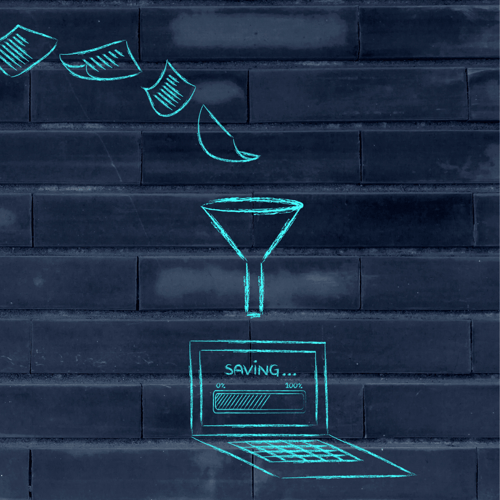
Archival scanning turns physical records into high-quality digital files. These records are often historical, cultural or legally important. Digital copies protect the originals while making them easier to access and longer-lasting. For example, scanning old manuscripts or architectural drawings protects them from decay and makes them searchable.
Why Is Archival Scanning Important?
Archival scanning matters in both the public and private sectors. It helps to:
- Preserve heritage: Libraries, museums and historical societies use scanning to protect valuable collections.
- Support compliance: Legal and government bodies can meet retention and privacy rules more easily.
- Save time: Businesses can open archived materials instantly, without searching through boxes.
- Enable remote access: Staff and researchers can securely reach digital archives from anywhere.
Key Elements of Archival Scanning
A successful archival scanning project needs good planning, specialist services and strong technology. Together, these make sure digitised documents are accurate, easy to access and built to last.
Types of Scanning Services
- Document digitisation: Turns everyday paper records into standard digital files that work with document management systems.
- Records management scanning: For organisations with formal retention and compliance rules. Each scanned file follows the right retention timeline and secure access controls.
- Large format scanning: Uses advanced equipment to scan oversized documents, such as engineering plans, blueprints and historical maps, in fine detail.
- Microfiche and microfilm scanning: Turns old storage formats into high-resolution, searchable digital files. This makes them far easier to access and preserve.
- Book and bound volume scanning: Uses non-destructive methods to scan fragile or rare books without damaging the binding.
Supporting Technologies
- Optical Character Recognition (OCR): Makes the text in scanned images searchable and editable. It is especially useful for turning old handwritten or typed documents into machine-readable files.
- Metadata tagging: Adds details such as title, author, date and category to each scanned file. This makes files easier to find and manage over time.
- Secure cloud storage: Gives you one place to access scanned archives through an encrypted cloud platform. Files are protected from unauthorised access and loss, yet available instantly.
- Version control and audit trails: Tracks changes, access and history for each scanned document. This is vital for regulated sectors like finance, healthcare and public records.
Strategic Benefits of Archival Scanning
Archival scanning gives you far more than digital copies of paper documents. The benefits cover access, cost, compliance and risk:
- Easier access: Digital archives can be searched by keyword, metadata and category, so every team and location gets instant access.
- More space: Going digital removes the need for costly storage rooms or offsite facilities, freeing space for your core work.
- Strong security and disaster protection: Digital records can be encrypted, access-controlled and backed up in several places. This protects them from theft, loss, fire and environmental damage.
- Greater efficiency: Staff spend less time finding documents and more time using them. OCR and smart indexing cut manual work a great deal.
- Better compliance: Scanning supports GDPR and other rules through retention schedules, access audits and secure data handling.
- Protects fragile originals: Fragile and rare records are handled less, so they stay in their original condition while people use the digital copies.
- Easy teamwork and remote access: Teams can work on shared documents in real time from any location, with the right permissions. This boosts productivity.
Best Practices for High-Quality Archival Scanning
To keep your digital archive valuable and reliable for years, follow professional scanning and preservation standards. The table below sets out the key best practices and why they matter:
Best Practices for High-Quality Archival Scanning
To keep your digital archive valuable and reliable for years, follow professional scanning and preservation standards. The table below sets out the key best practices and why they matter:
Best Practices for High-Quality Archival Scanning
To keep your digital archive valuable and reliable for years, follow professional scanning and preservation standards. The table below sets out the key best practices and why they matter:
| Specialised Handling of Fragile Documents |
Use trained staff and appropriate tools to prevent damage during scanning. |
| Optimal Resolution Settings |
300–600 DPI is recommended for clarity in both print and digital viewing. |
| Use of Preservation-Grade File Formats |
TIFF for master files, PDF/A for distribution and accessibility. |
| Comprehensive Metadata Framework |
Include title, author, date, and keywords for accurate retrieval and compliance. |
| Quality Assurance Procedures |
Check image clarity, completeness, OCR functionality, and metadata accuracy before approval. |
| Redundant and Secure Storage |
Maintain encrypted backups in multiple geographic locations. |
| Digital Preservation Planning |
Implement fixity checks, plan for format migration and system upgrades to ensure long-term access. |
How Kefron Supports Archival Projects
Kefron is a trusted provider of document scanning and data management. We help organisations in every industry protect their past and prepare for the future. Our archival scanning services include:
- Bulk Document Scanning For large projects, our bulk scanning service turns huge volumes of paper files into high-quality digital files. It is ideal for organisations with large paper archives, with fast turnaround and secure handling.
- Scan to Process: On-demand access to your archived paper files. We scan documents securely and send them by encrypted email or cloud upload, so you get what you need quickly.
- Scan to Digitise: Ideal for backlogs and high-volume scanning. We turn large volumes of paperwork into secure digital files, which simplifies your workflows and takes pressure off your team.
- Digital Mailroom: We scan your incoming business post and deliver it to the right people quickly and securely. It cuts delays, protects confidentiality and supports your move to digital.
- Microfiche Scanning: We turn old microfiche into high-resolution, searchable digital files. Your legacy information is preserved and easy to reach.
Frequently Asked Questions
What types of documents can be archived?
Archival scanning works for many kinds of paper documents. These include letters, manuscripts, maps, photos, architectural blueprints, legal files, bound volumes and microfiche. Once scanned, they can be preserved, indexed and accessed digitally, which supports long-term information management and compliance.
Is OCR included in the scanning process?
Yes. OCR (Optical Character Recognition) is usually part of professional archival scanning. It turns printed or handwritten text into machine-readable data, so scanned documents are searchable and editable. This makes large archives much easier to use.
How long does a typical archival scanning project take?
How long a scanning project takes depends on the number of documents, their condition, the output formats you need and how detailed the metadata is. Fragile or oversized materials need extra care and time. A consultation with Kefron will give you a clear project scope and timeline.
How do I start an archival scanning project?
Just contact Kefron for a tailored consultation. Our team will look at your materials, your goals and your compliance needs. Then we’ll create a scanning plan that covers secure handling, accurate scanning and long-term preservation.
Conclusion: Preserving the Past, Empowering the Future
Archival scanning is vital for organisations that want to preserve the past and manage information in a modern way. It keeps irreplaceable records protected, accessible, searchable and compliant.
With an experienced partner like Kefron, archival scanning projects run smoothly. Whether you need to digitise a whole library, protect critical records or open up heritage collections, archival scanning is a sustainable, future-ready choice.
.png?width=120&height=120&name=Favicon%20(500%20x%20500%20px).png)