The Complete Guide to Cost Per Invoice in 2026
Every finance leader knows that processing invoices costs money. Fewer can say exactly how much...
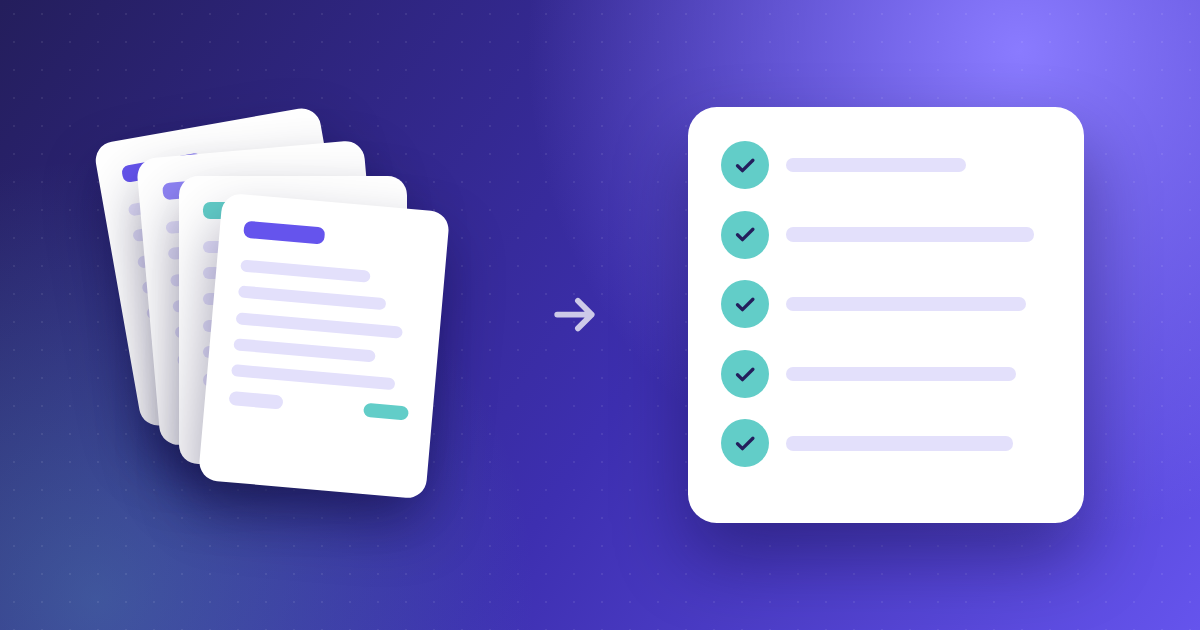
Every accounts payable team knows the pain of re-keying invoice data from PDFs, scans, and emailed documents. A single misread digit can stall approvals, delay payments, and erode your credibility with suppliers. Optical Character Recognition (OCR) removes that manual bottleneck by converting static invoice images into structured, machine-readable data your ERP can act on immediately.
This article breaks down exactly how OCR invoice processing works, what happens at each stage of automated data capture, and where the technology fits inside a broader AP automation strategy. Kefron AP delivers AI-powered invoice data extraction with 99%+ accuracy, giving your finance team a reliable foundation for touchless processing.
By the end, you will understand the workflow behind OCR, the specific benefits it unlocks for mid-market finance teams, and how to evaluate whether your current AP operation is ready to adopt it.
OCR invoice processing uses Optical Character Recognition technology to read text from static documents and convert it into editable, structured data. When your AP team receives a PDF, scanned image, or photographed invoice, OCR extracts key fields like vendor name, invoice number, line items, quantities, and totals.
That extracted data then feeds directly into your accounting or ERP system. The result is a digital record your team can validate, code, match, and approve without manually re-typing a single field.
For mid-market finance leaders processing hundreds or thousands of invoices each month, this is the mechanism that turns a manual, error-prone task into a controlled, auditable workflow.
The extraction process follows a clear sequence. First, the invoice is captured from its source, whether that is an email attachment, a supplier portal upload, or a physical scan. The system then preprocesses the image, correcting skew, removing shadows, and enhancing contrast so the text is readable.
Next, the OCR engine identifies characters on the page and converts them into machine-readable text. Modern solutions pair this with machine learning models that understand invoice layouts, so the system recognises where to find the invoice date, PO reference, tax amount, and line-item details.
Finally, the extracted values are mapped to the correct fields in your AP workflow. Any field the system cannot read with high confidence is flagged for human review rather than silently passed through.
Inaccurate invoice data creates a cascade of downstream problems. A wrong total triggers a mismatch during PO matching. A misread vendor code routes the invoice to the wrong approver. A transposed digit in a payment amount leads to an overpayment your team has to claw back.
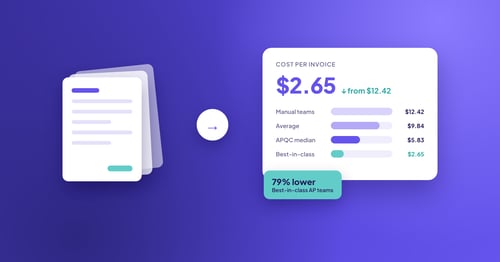
Each of these errors adds rework, delays supplier payments, and puts your professional credibility on the line with internal stakeholders. According to a 2025 APQC benchmark, top-performing AP teams process invoices at a fraction of the cost of their peers, largely because their data quality eliminates exception handling.
OCR paired with validation closes that gap. When your extracted data is accurate from the start, approvals move faster, duplicate payments drop, and your approval workflows run without constant manual intervention.
OCR is not the entire AP automation story. It is the critical first step. Once OCR captures and structures your invoice data, the rest of the automated workflow takes over.
Validated data feeds into automated coding, where the system applies GL codes and cost centres based on historical patterns. From there, invoices move to purchase order matching, where the system compares invoice line items against POs and goods receipt notes at a granular level.
Approved invoices are then routed through multi-level approval workflows and, once cleared, synchronised to your ERP for payment. Kefron AP handles this entire sequence, from automated invoice processing through to ERP-ready output, so your team only touches the exceptions that genuinely need attention.
Basic OCR reads characters from a fixed template. If an invoice layout changes, accuracy drops. Zonal OCR improves on this by reading from predefined regions, but it still requires a new template for every unique supplier format.
AI-powered extraction, by contrast, learns from invoice variations over time. Machine learning models identify patterns across thousands of documents, adapting to new supplier layouts without manual template configuration. This is the approach Kefron AP uses, combining AI extraction with a human validation layer that delivers 99%+ accuracy on header and line-item data.
The practical difference is significant. With template-dependent OCR, your team spends time building and maintaining templates. With AI-powered extraction, the system improves automatically as it processes more invoices.
Poor scan quality is one of the most frequent obstacles. Low-resolution images, crumpled documents, and faded text reduce recognition accuracy, sometimes below usable thresholds. Standardising how your team and suppliers submit invoices helps address this.
ERP integration complexity is another consideration. Connecting OCR output to your existing accounting system requires mapping fields correctly and testing data flows end to end. A structured implementation approach reduces the risk of misaligned data between systems.
Finally, OCR alone does not solve every AP pain point. It is one component of a broader automation strategy that includes coding, matching, approvals, and reporting. Treating OCR as a standalone fix rather than part of an integrated workflow limits the return you get from the investment.
Start by mapping your current invoice volume and the proportion that arrives in paper, PDF, or electronic format. If most of your invoices are already digital, you can move quickly. If a large share is still paper-based, factor in scanning infrastructure.
Next, review your exception rate. If your team spends significant time correcting data entry errors, chasing mismatched POs, or resolving duplicate payments, OCR-based extraction addresses the root cause. The full invoice cycle becomes more predictable once your input data is reliable.
Finally, confirm your ERP can accept automated data feeds. Most modern finance automation platforms connect to leading ERP and accounting systems, including Sage, Oracle, SAP, and Microsoft Dynamics, but verifying compatibility before you commit saves time during rollout.
OCR invoice processing replaces manual keying with structured, validated data capture. It accelerates approvals, reduces rework, and gives your finance team the accuracy needed to run matching, coding, and reporting with confidence.
When combined with AI-powered validation and a complete AP automation platform like Kefron AP, OCR becomes the foundation for touchless invoice processing at scale. Your team spends less time on data entry and more time on the financial analysis and supplier management that move the business forward.
OCR stands for Optical Character Recognition. It converts text from scanned documents, PDFs, and images into machine-readable data.
In invoice processing, OCR reads fields like vendor name, invoice number, and line-item totals so your AP system can process them automatically.
Modern AI-powered OCR achieves accuracy rates of 98% to 99%+ on invoice data extraction. Kefron AP combines OCR with machine learning and human validation to maintain 99%+ accuracy across varied invoice formats and suppliers.
Yes. Advanced OCR platforms process PDFs, scanned paper, XML, and EDI invoices. Many also support multiple languages and currencies.
Kefron AP captures invoices from any channel and extracts header and line-item data regardless of the document format.
By eliminating manual data entry, OCR reduces the labour time per invoice and cuts the error-correction rework that inflates processing costs.
Organisations using automated invoice data extraction typically see per-invoice costs drop significantly compared to fully manual workflows.
No. OCR works alongside your ERP. It captures and structures invoice data, then pushes validated records into your existing accounting system for coding, matching, and payment. Kefron AP integrates with 70+ ERP platforms, including Sage, Oracle, SAP, and Microsoft Dynamics, so your finance team keeps working in the systems they know.