Accounts payable invoice processing is how you manage supplier payments. Learn the key steps, the common problems and how invoice automation can simplify your workflow, improve cash flow and strengthen supplier relationships. See how software like Kefron AP cuts errors and helps you work more efficiently.
What is Accounts Payable Invoice Processing?
Accounts payable invoice processing is how a company handles the invoices it receives from suppliers. It runs from the moment an invoice arrives to when it is paid and recorded. It is a key part of financial management. It makes sure suppliers are paid on time, so your supply chain keeps running. Getting it fast and accurate keeps your business healthy and your suppliers happy.
Importance of Accounts Payable Invoice Processing
Good invoice processing keeps your business running smoothly. It affects cash flow, supplier relationships and how efficiently you work. Processing invoices accurately and on time avoids supply chain problems, late fees and penalties.
- Cash Flow Management
Good cash flow depends on accurate, timely invoice processing. Late payments can hurt your financial stability. Paying on time keeps cash flow predictable and easy to manage.
- Improved Vendor Relationships
Suppliers often give better terms and service to companies that pay on time. Accurate, timely processing builds trust between you and your suppliers.
- Faster Payment Times
Efficient processing means faster payments. That helps you take early payment discounts and avoid penalties for late payments.
- Reduced Labour
A well-run invoice processing system cuts manual work. Your team spends less time on data entry and chasing approvals, and more time on valuable work.
Invoice Processing Workflow
Accounts payable invoice processing follows a series of steps. The workflow differs a little depending on whether you use a manual or automated system.
Invoice Processing Workflow Steps:
- The Invoice is Received
Invoices arrive in different ways:
- Paper documents via mail.
- Email with attached invoices.
- Faxed invoices.
- Electronic invoices submitted through company portals or vendor systems.
- The Invoice is Recorded and Matched
Once an invoice arrives, it is entered into the system and matched to the right purchase order or contract. This checks that you are being billed for what you received. It also checks fees, taxes and totals. Other checks include:
- Verifying the vendor’s information.
- Checking payment terms.
- Confirming the purpose of the invoice and ensuring proper category coding for accounting.
- The Invoice is Approved
Every business approves invoices differently. Usually the invoice goes to the right department or manager to check. Approval confirms the invoice is correct and ready to pay.
- The Invoice is Submitted for Payment and Processed
Once approved, the payment is prepared. This means checking the total due, the supplier’s details and any payment references, such as the account or invoice number. Then the payment is made using your usual payment method.
- The Invoice Data is Recorded and Archived
After payment, the invoice details are archived. This includes supplier details, payment history and other key information, so you can find it easily for audits or financial reviews.
Automated Invoice Processing Workflow with Kefron AP
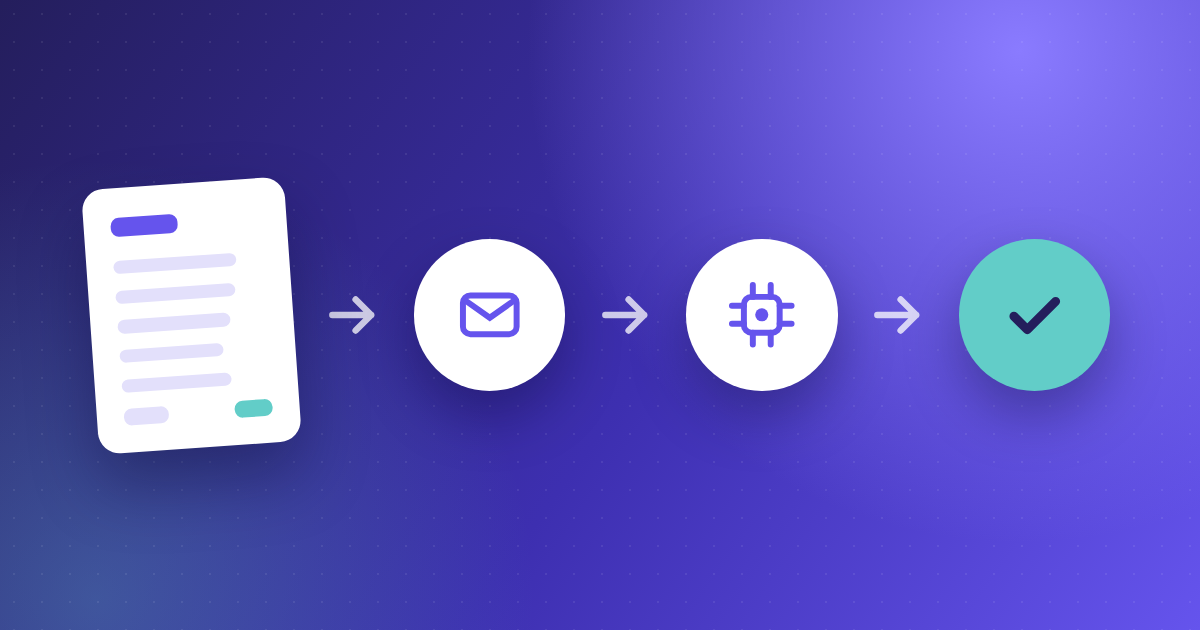
Kefron AP simplifies accounts payable invoice processing on one digital platform. It automates the key steps, from receipt to payment. It improves accuracy, cuts human error and saves time, especially if you handle a lot of invoices.
Kefron AP allows for:
- Secure digital receipt of invoices, whether they arrive on paper or electronically.
- Automatic matching of invoices with purchase orders.
- Smooth approvals, so the right people sign off each payment.
- Full visibility of every invoice, from receipt to payment.
The platform makes invoice automation simple. It shows you the status of invoices in real time, so you stay on top of what you owe.
Challenges Faced in AP Function
Even with a clear process, businesses can still face challenges that slow them down or cause errors. These often come from manual work, high invoice volumes or inconsistent processes. Common problems include:
Accounts Payable Invoice Processing Challenges
- Missing Documents
Invoices can be incomplete or lost, which delays approval and payment. This is a bigger problem if you still use paper invoices or manual data entry.
- Inaccurate Data
Mistakes in key details, like supplier information or payment amounts, can delay payments or cause disputes. Checking the data before processing is essential.
- Invoice Status Unknown
In a manual system, it is hard to know where an invoice is, especially when it moves between departments for approval. This lack of visibility leads to delays and late payments.
- Routing Errors
When an invoice goes to the wrong person or team, approval and payment stall. Clear routing makes sure invoices reach the right people on time.
Using Automated Invoice Processing
Invoice automation solves many of the problems of manual processing. It automates receipt, approval and payment. That improves accuracy, speeds up payments and lightens the load on your finance team. Invoices are processed the same way every time, with fewer errors and less manual work.
Benefits of Automated Invoice Processing include:
- Real-time Information
One of the key benefits of invoice automation is live access to invoice data. You can track each invoice at every step, so it is processed on time and problems are spotted early.
- Digital Data Storage
Automated systems store all invoice data digitally. This makes invoices easy to search, find and manage for audits, reports or disputes. It also means less physical storage and a tidier workspace.
- Centralised Dashboard
A central dashboard shows every pending and processed invoice in one view. No invoice gets lost or delayed, and your team can manage its workload better.
- Efficient Reporting
Automated systems include strong reporting tools, so you can create accurate reports quickly. This helps you spot payment trends, find bottlenecks and stay compliant.
- Save Time and Money
Less time on manual data entry and approvals saves both time and money. Faster processing means quicker payments, which can improve supplier relationships and lead to better terms.
How to Improve Your Accounts Payable Invoice Processing
Invoice automation makes a big difference, but you should keep improving. That means adopting automation and then refining it over time. Regular reviews help you find any remaining waste or new ways to improve.
Ways to keep improving include:
- Regular Training for Staff
As the system changes, staff need regular training on new features and best practice.
- Integration with Other Financial Systems
Make sure your invoice processing system connects smoothly with other financial software, such as your enterprise resource planning (ERP) system. This makes your whole operation more efficient.
- Customisation for Specific Business Needs
Set up the system around your business. This gives you the flexibility to handle different situations, from high invoice volumes to complex approvals.
Moving Toward Automated Invoice Processing
More and more businesses are moving to invoice automation to simplify accounts payable. As technology improves, companies see that automating invoices helps them stay competitive and efficient. Leaving manual, paper-based systems behind cuts errors and gives you more control over cash flow and supplier relationships.
Moving to automation needs careful planning and implementation. Review your current process, find the pain points and choose a solution that fits your needs. Key things to consider include:
- Choosing the Right Software
Not all invoice automation systems are the same. Look for strong features, ease of use and integration with your ERP or finance systems.
- Ensuring Compliance and Security
Invoices often contain sensitive financial data. Make sure the platform meets industry standards and regulations, and has strong security to protect against fraud and data breaches.
- Transition Planning and Training
A smooth move to automation needs a clear plan and staff training, so the new system is used fully. Plan for some short-term disruption while you phase out manual processes.
In short, invoice automation is a smart move with long-term benefits: greater efficiency, lower costs and room to grow. As businesses go digital, automated invoice processing is becoming an essential finance tool.