

Dynamics 365 AP Automation for Finance & Operations, AX, GP and NAV

Kefron AP automates accounts payable for Microsoft Dynamics 365 Finance & Operations and legacy Dynamics AX, GP and NAV. Vendors, GL codes and POs sync from Dynamics, and matched, approved invoices post back automatically. Running Business Central? See our Business Central integration.

microsoft-365

Where Microsoft Dynamics 365 Falls Short

Dynamics 365 is a strong ERP. But without proper invoice automation, AP often stays manual, patchy and prone to errors.

Limited Invoice Capture

Invoice data extraction offers limited support for line items, tax fields, and international formats, increasing manual entry and exceptions.

Partial PO Matching Issues

Three-way matching breaks when goods are partially received, forcing manual invoice splitting and delaying approvals.

Rigid Approvals

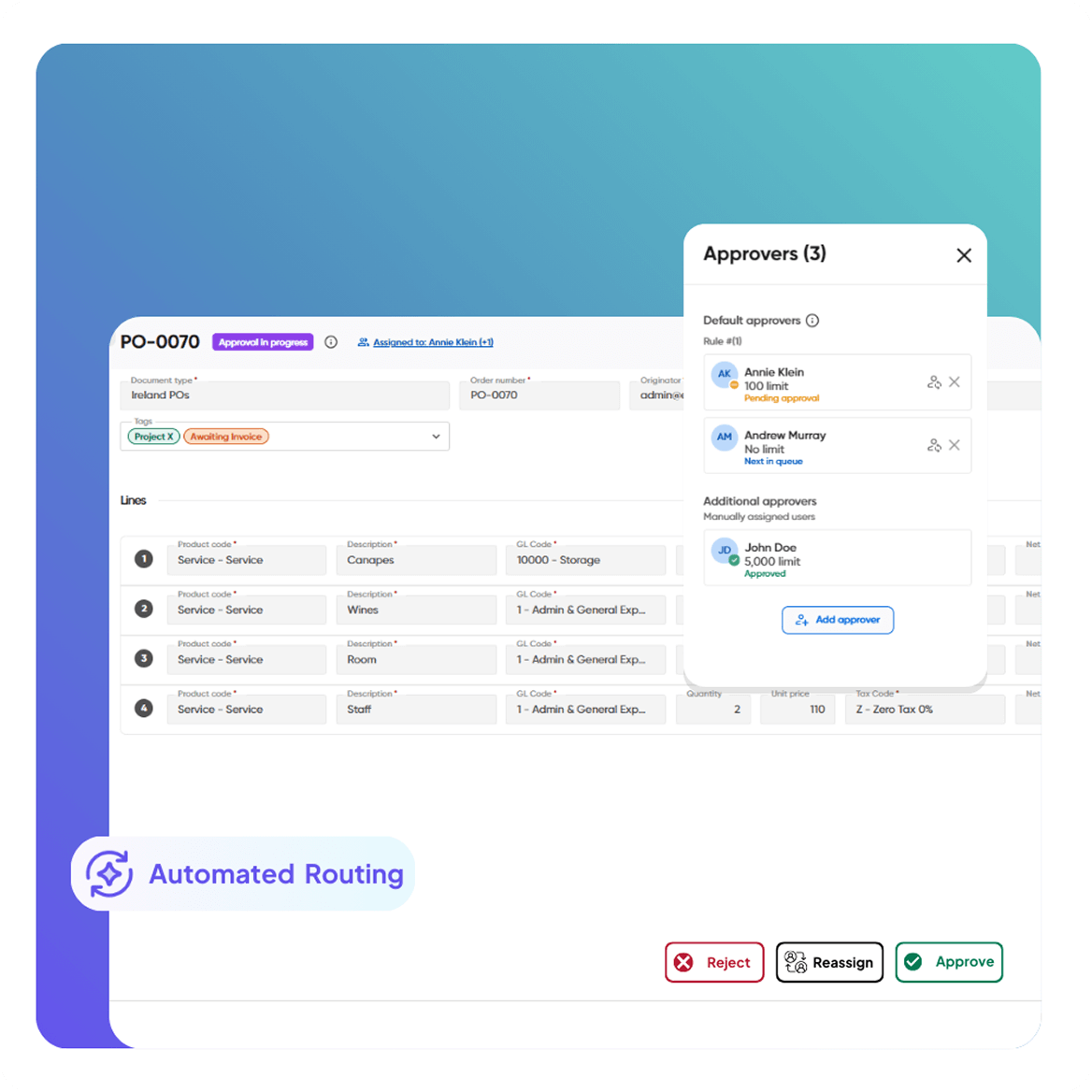
Complex approval paths require custom scripting, making workflows difficult to adapt as business needs change.

Duplicate Vendors & Invoice Risk

Multi-entity environments increase the risk of duplicate suppliers and approving the same invoice more than once.

Low Process Visibility

Tracking invoice status and identifying bottlenecks across Oracle environments is difficult.

Disconnected Supplier Communication

Supplier queries are handled outside Dynamics 365, creating delays and leaving no central audit trail.

Why Choose Kefron for Dynamics 365 AP Automation

Kefron AP adds smart invoice automation to Dynamics 365. AP teams cut manual work without changing how they use the ERP.

sync

Direct Dynamics 365 Integration

Invoices, POs, receipts and approvals sync with Dynamics 365 on their own. Data stays accurate, with no manual uploads or extra middleware.

accurate

Accurate Invoice Capture

AI-driven extraction handles changing layouts and international formats, with human checks applied where needed to maintain high data accuracy.

built

Built to Scale

Support multi-entity, multi-currency, and shared services environments with Dynamics 365 automation designed for growing invoice volumes.

ready

Dynamics Expertise

Kefron has a proven Microsoft Dynamics integration. Your automation fits your data, controls and reporting.

Intelligent Dynamics 365 Integration for High-Performing AP Teams

Kefron AP connects directly to Dynamics 365 to speed up invoice workflows. Less manual work, and no complex ERP setup.

Automated Invoice Capture & Processing Automated Invoice & PO Matching Smart Workflows & Approvals Flexible Invoice Coding Automation Dashboards & Audit Compliance Dashboards & Audit Compliance Dashboards & Audit Compliance
Automated Invoice Capture & Processing

Strengthen Cash Flow Control

Improve forecasting accuracy and payment confidence across Dynamics 365 environments.

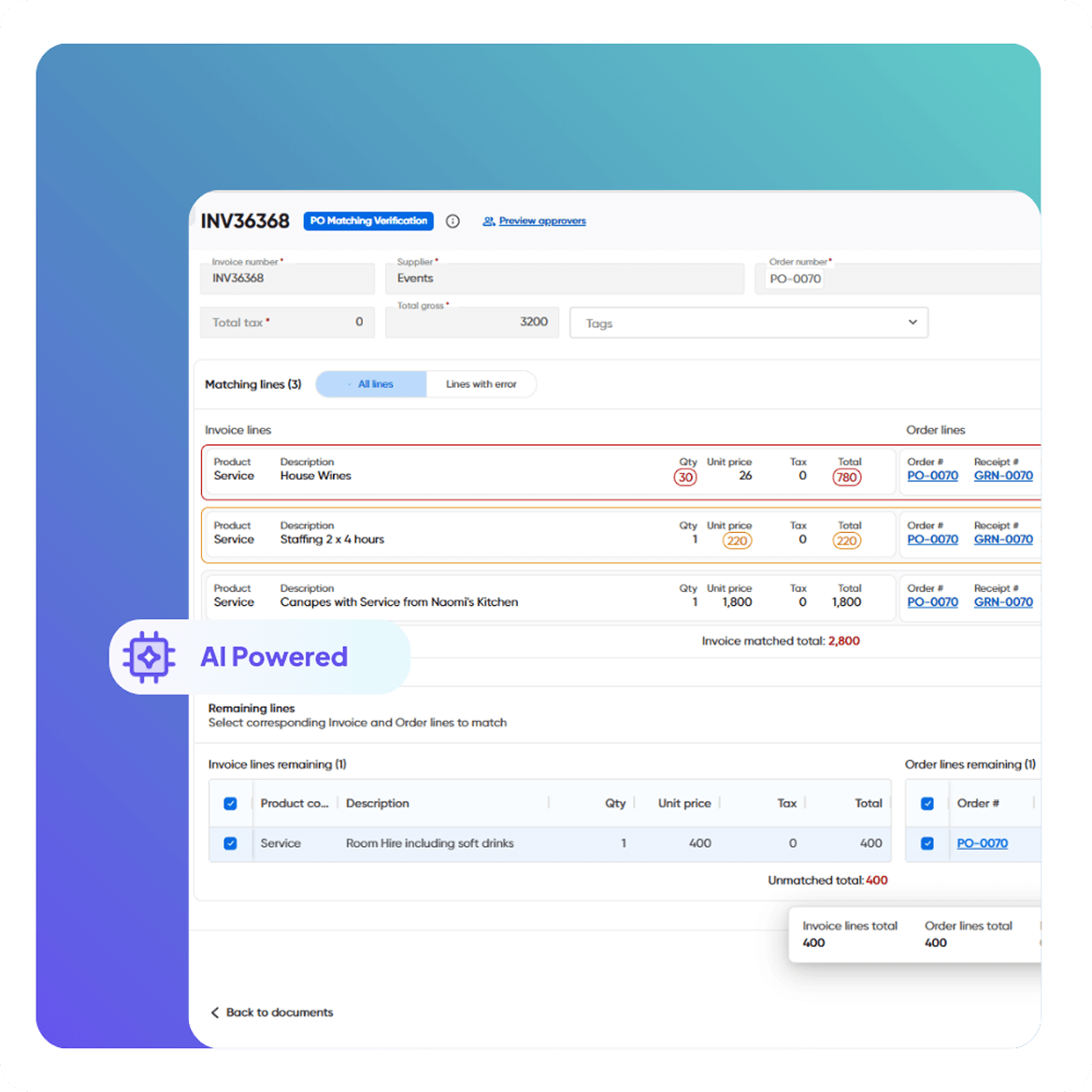
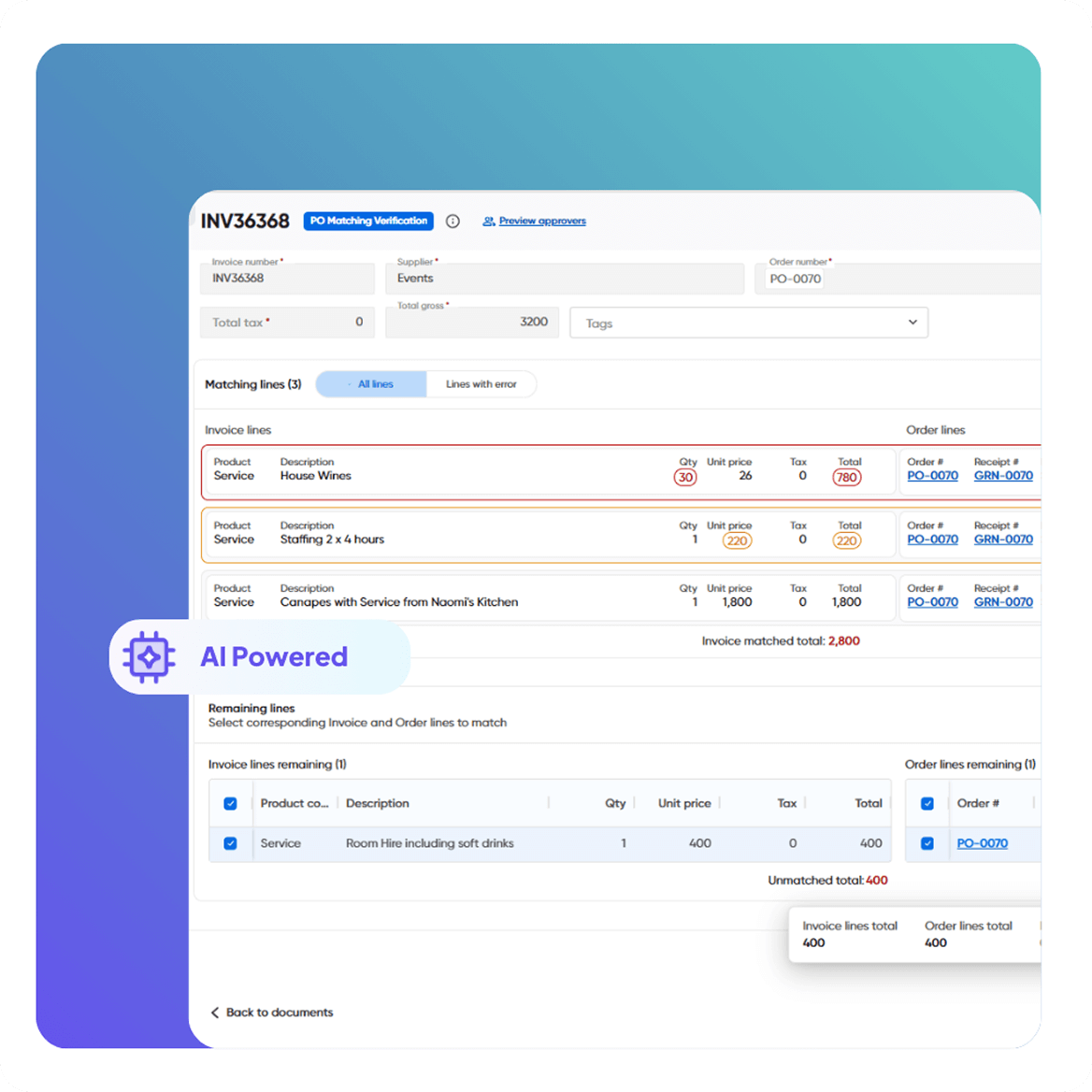
  • Automated 2-way and 3-way matching using Dynamics 365 invoice automation
  • Automatic validation of due dates, currencies, and tolerances · Controls in place to prevent overpayments using Dynamics 365 data
  • Cash flow aligned in real time with invoices, POs, and receipts
Automated Invoice & PO Matching

AI-Powered Invoice Capture

An intelligent capture engine that adapts automatically, no templates or rules to manage.

  • Extracts data from PDFs, XML, EDI, and scanned documents.
  • Combines AI with human validation for consistently high accuracy
  • Learns new supplier formats to support growing invoice volumes
Smart Workflows & Approvals

Real-Time Invoice Visibility

Full visibility from invoice receipt to posting within Dynamics 365.

  • View invoices by status: pending, blocked, overdue, approved.
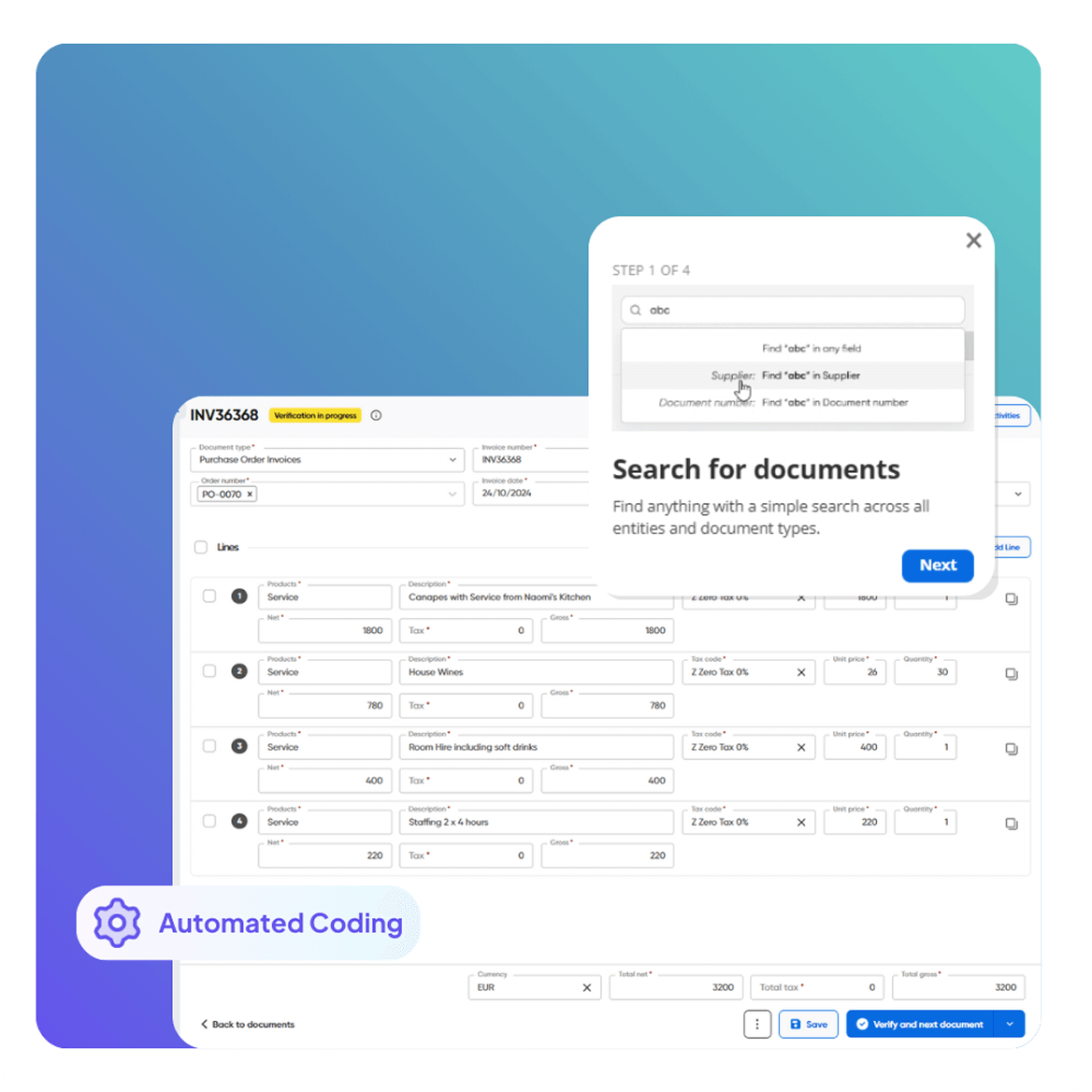
  • Search by supplier, PO number, value, or date
  • All documents securely archived, searchable, and audit-ready
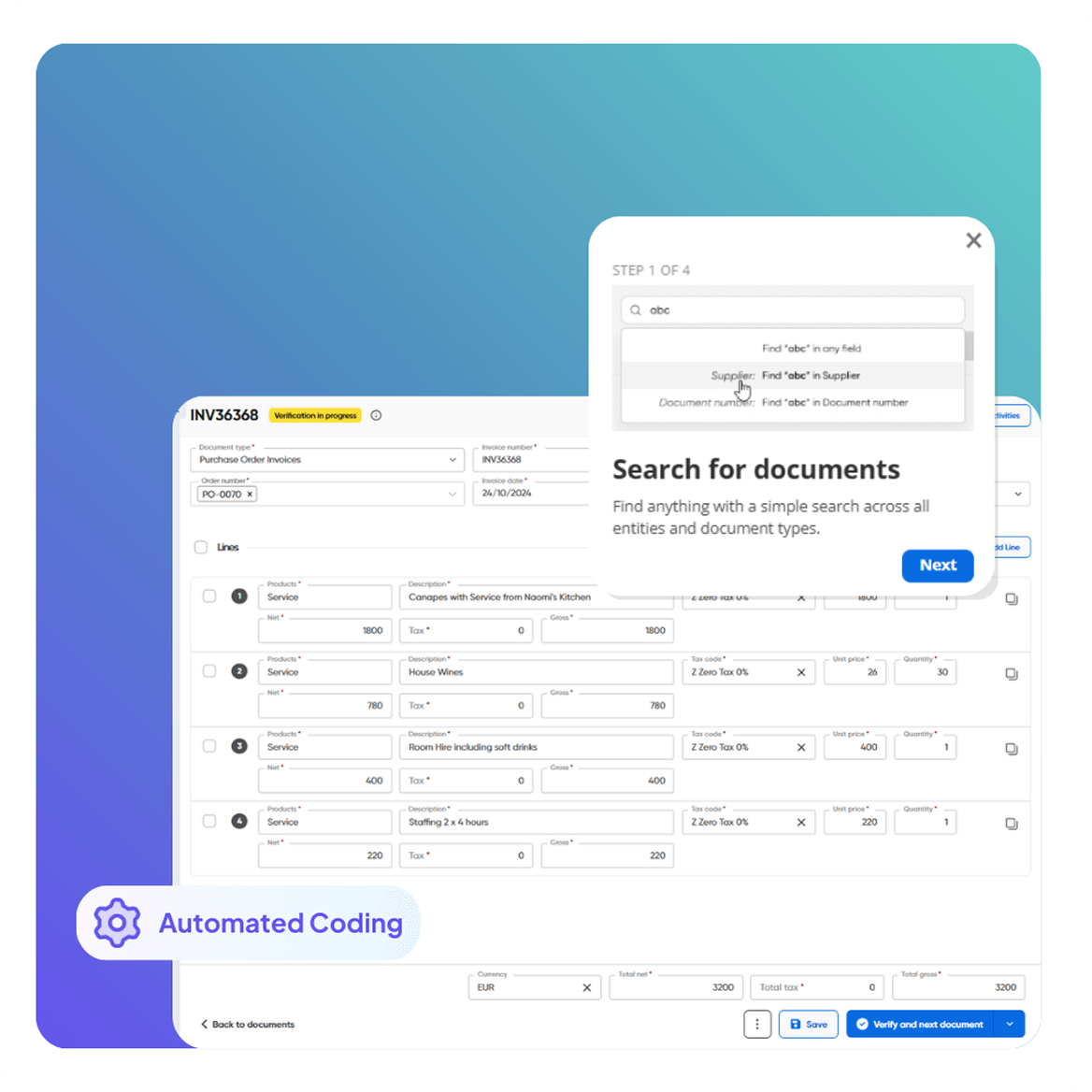
Flexible Invoice Coding Automation

Fraud Prevention & Duplicate Detection

Safeguard financial data before invoices are posted to Dynamics 365.

  • Automatic duplicate invoice detection
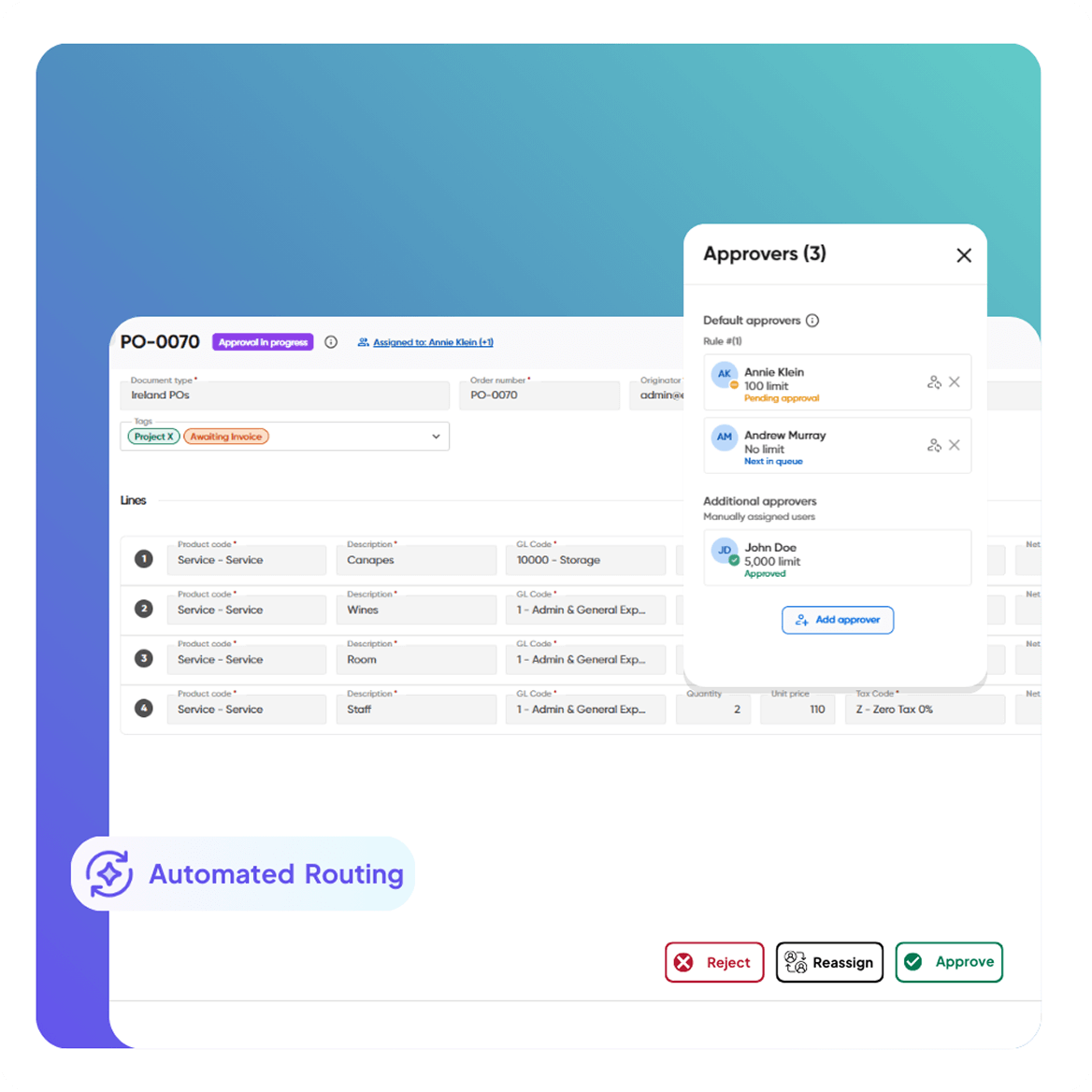
  • Approval thresholds set by role, value, or entity
  • Complete audit trail linked to every transaction
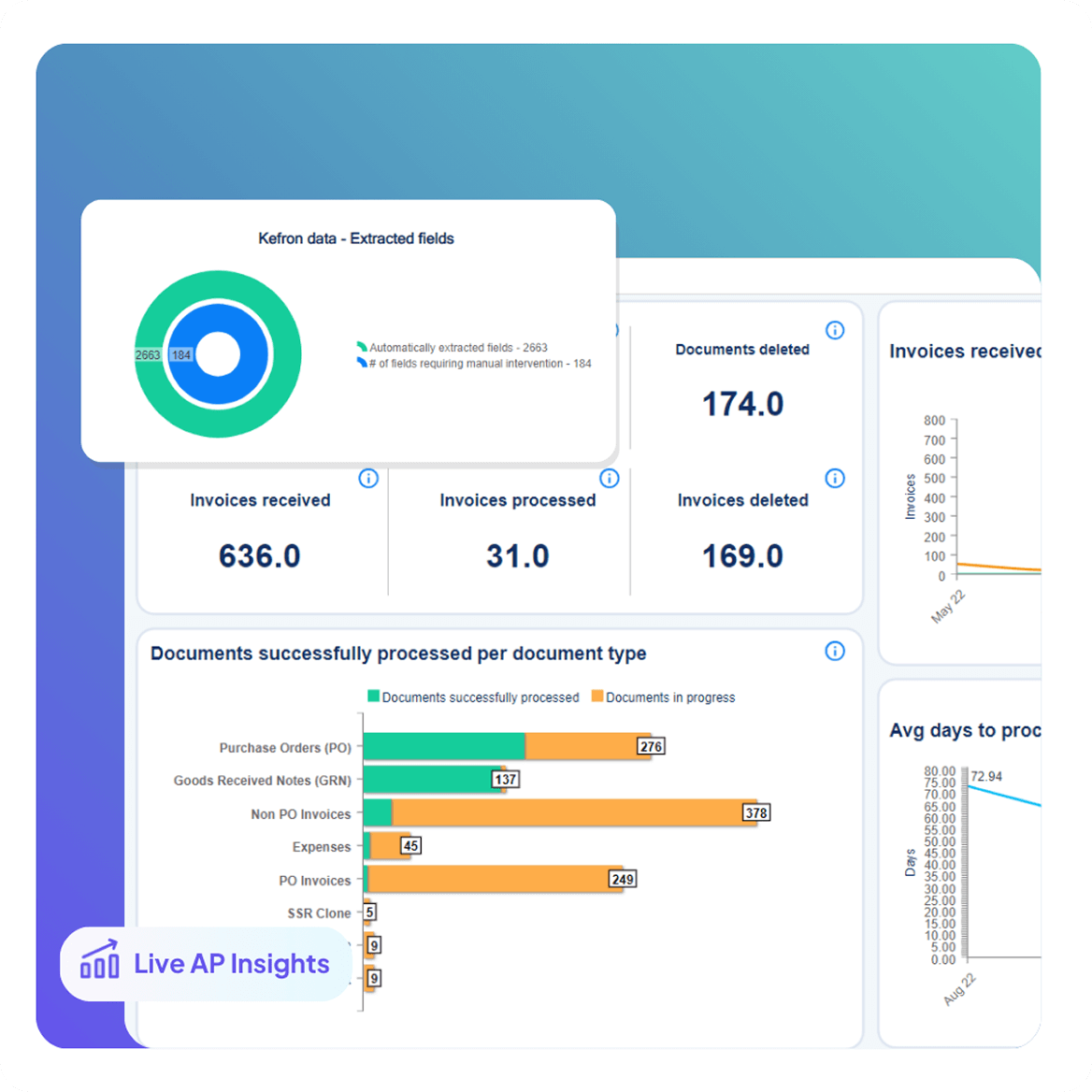
Dashboards & Audit Compliance

Automated Statement Matching

Reconcile supplier statements quickly and accurately.

  • Automatically match statements to open invoices and POs
  • Highlight missing items and discrepancies instantly
  • Keep the AP ledger accurate and month-end ready
Dashboards & Audit Compliance

Analytics & Perfromance Reporting

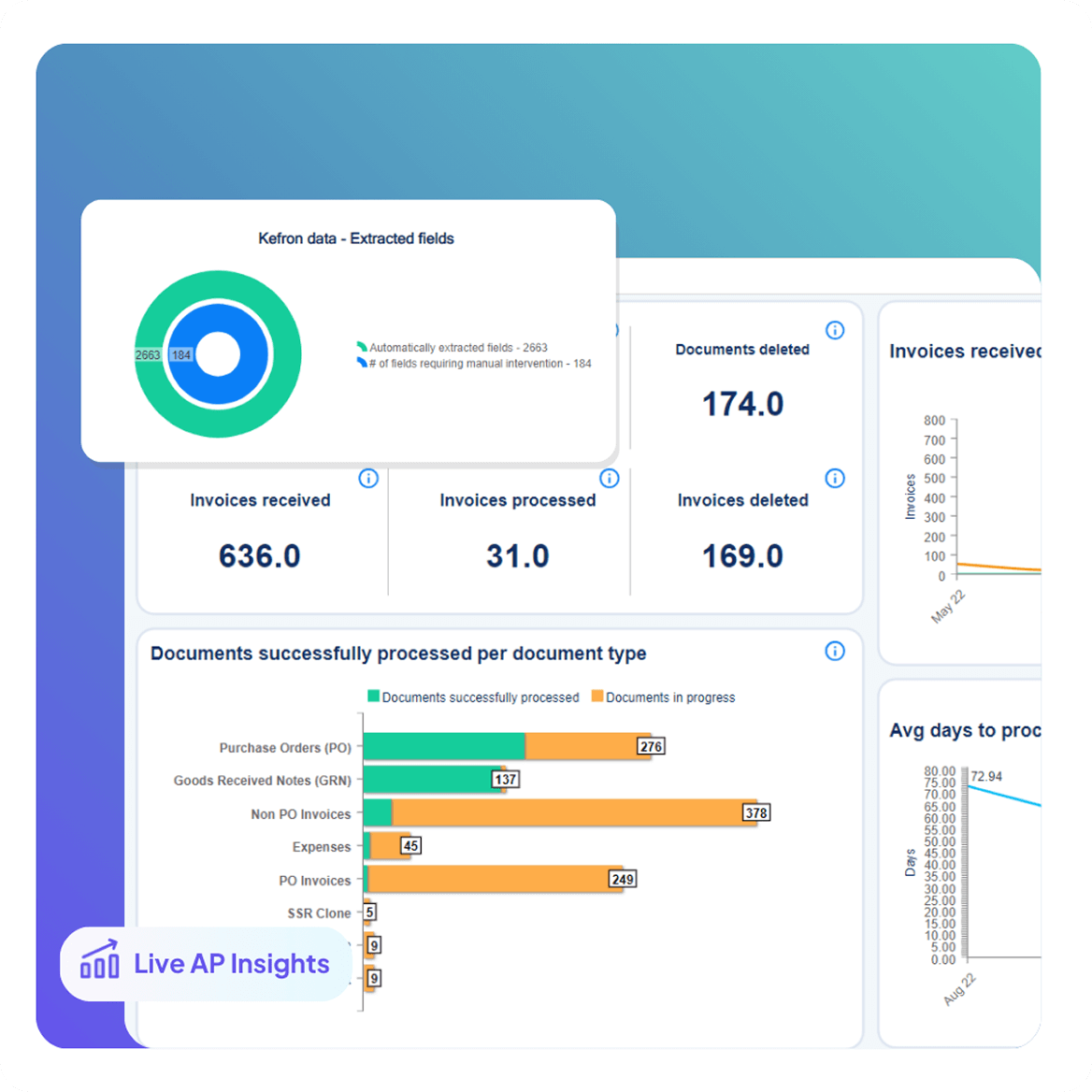
Gain real-time insight into AP performance.

  • Monitor invoice volumes, exceptions, and approval cycle times
  • Compare performance across entities, departments, or approvers
  • Export audit-ready reports for finance leaders and auditors
Dashboards & Audit Compliance

Fast Deployment & End-to-End Integration 

A low-disruption rollout designed for busy finance teams.

  • Go live in weeks with minimal IT involvement
  • Direct sync with Microsoft Dynamics 365
  • No middleware, scripting, or manual imports required.
  • Ongoing optimisation delivered by Dynamics automation specialists

Fast Deployment & End-to-End 
Dynamics 365 Integration

Kefron AP is designed for a quick, low-disruption rollout for finance teams using Microsoft Dynamics 365.

Supplier Lists

Always up-to-date vendor information.

GL Codes

Accurate, consistent coding across entities.

Goods Received Notes

Line-level 2- and 3-way matching.

Custom Fields

Capture what matters most to your business.

Tax Codes

Compliant entries with local tax rules applied.

Purchase Orders

Synced directly to match invoices automatically.

Custom Segments

Tailored to your Oracle environment.

Custom Columns

Extend reporting and workflows with precision.

Testimonials:

What Finance Teams Using Microsoft Dynamics 365 Say

Expert Dynamics 365 Integration, Designed for Your AP Team

Kefron brings deep AP know-how and a proven Dynamics 365 integration. So invoice automation makes a real difference to your team, not just a technical link.

Icons1

Microsoft Dynamics Expertise

Kefron AP follows Microsoft's Dynamics 365 standards. Your automation keeps working as your ERP changes.

icon1-1

Continuous Optimisation

We keep tuning your Dynamics 365 automation as volumes, suppliers and processes change. Capture gets more accurate, more invoices match, and approvals get faster.

Icons2-2

Advanced AP Workflows

Set up approval routes, limits and exception rules that match how your team works in Dynamics 365. It handles multiple entities, currencies and high invoice volumes.

Icons

Tailored Dynamics 365 Configuration

Your setup is configured around your data model, controls, and reporting requirements, not a one-size-fits-all template. The Microsoft Dynamics integration adapts to your structure as your business grows.

From Invoice to Dynamics 365 in One Automated Flow

Kefron AP automates Dynamics 365 invoices from start to finish. It captures invoices as they arrive and posts them straight into Dynamics 365, with very little manual work.

invoice1

Invoice arrives via email or upload

invoice2

AI extracts and structures the data

invoice3

Data assurance team reviews flagged fields

invoice4

Invoice is coded, matched, and routed for approval

invoice5

Final validation and ERP sync

invoice6

Archived with full audit trail

CASE STUDY

AP Automation with Microsoft Dynamics 365

How CVS Group integrated Dynamics NAV with an invoice processing system streamlined their AP Processes.

cvs-img

See Dynamics 365 Invoice Automation in Action

Kefron AP helps finance teams automate invoices, speed up approvals and grow AP through a reliable Dynamics 365 integration.

microsoft-img

Frequently asked questions:

faq-blue-icon

What is Dynamics 365 integration?

Dynamics 365 integration links Microsoft Dynamics 365 to your other business systems. Data moves between them on its own, so there's no manual entry and everything stays in sync.

Which Dynamics versions does Kefron AP support?

Kefron AP works with Dynamics 365 Finance & Operations, Dynamics AX, Dynamics GP and Dynamics NAV (Navision). For Dynamics 365 Business Central, see our Business Central AP automation page.

Does Kefron AP work with Dynamics GP and NAV?

Yes. Kefron AP integrates with Dynamics GP and Dynamics NAV as well as Dynamics 365. Invoices are captured, checked, matched and approved in Kefron AP, then posted into GP or NAV. Teams on older Dynamics versions can automate AP now and keep the same process when they move to Dynamics 365.